
PublishPress Revisions 4.1: Reliable Scheduling and a Dedicated Scheduled Revisions Screen
This post is about a release of the PublishPress Revisions plugin. This plugin allows you safely manage changes to published posts in WordPress. You can approve all changes to posts and even schedule them to go live on a specific day.
PublishPress Revisions 4.1.0 is focused on making scheduled revisions more dependable and easier to manage. Scheduled Revisions have their own screen now. The scheduling is also more reliable because the plugin uses the Action Scheduler library, the same tool that’s used by WooCommerce.
Table of Contents
Scheduled Revisions improvements
Scheduled Revisions now have their own management screen, making them easier to find, review, and manage.
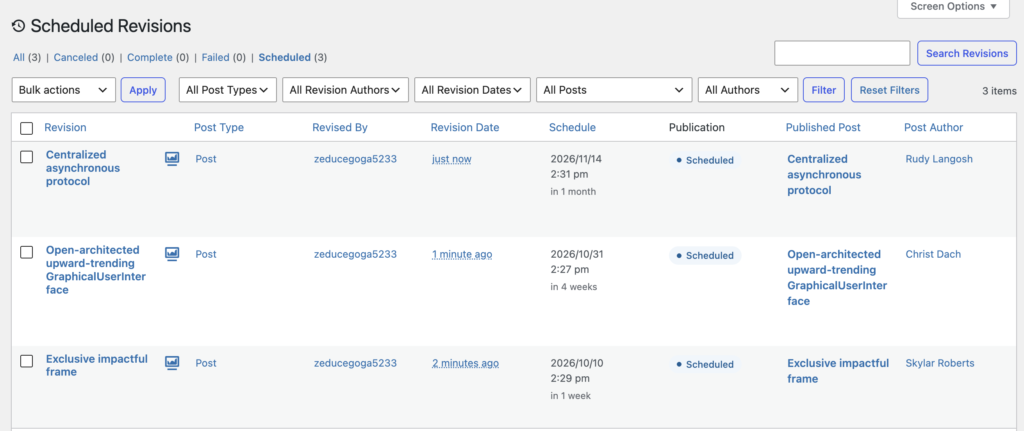
On this screen you can see when each change is scheduled to go live:
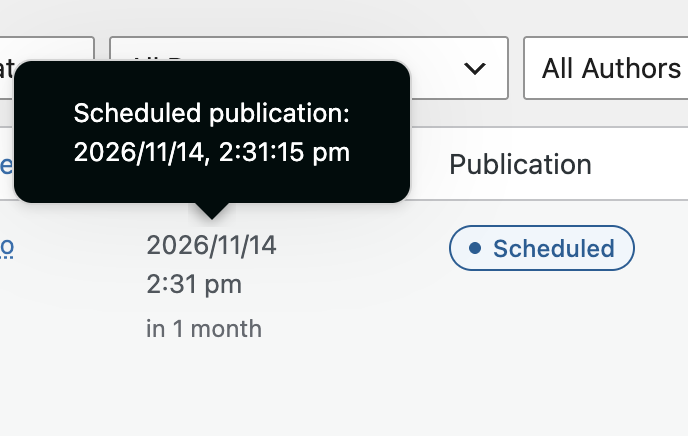
The scheduling in PublishPress Revisions is also more reliable now. Previously we relied on the core scheduling features in WordPress. Those core features can be fail because of issues with the site or server set-up. The core scheduling also had difficulties with being accurate to an exact minute. PublishPress Revisions now uses the Action Scheduler library. This is the same approach that’s used by WooCommerce to guarantee the accuracy of payments in their system. You will now find that your scheduled changes publish exactly when you want them to go live.
Other improvements and fixes
This release also cleans up several editor and admin workflows that could cause confusion when creating, scheduling, previewing, or approving revisions.
- Improved Visual Compare: Change comparisons have been enhanced, including better handling of Classic Editor content changes.
- Editor workflow fixes: The Create Revision button now appears more reliably in the Classic Editor, and issues with revision creation, submission, and scheduling have been corrected.
- Scheduling accuracy: Schedule and Publish button labels now align more consistently with the actual scheduling threshold.
- Preview fixes: Preview and edit links after scheduling a revision have been corrected, and scheduled revisions from the post editor now better handle unsaved changes.
- Preview bar polish: The revision preview bar has improved responsive styling and should no longer cover the WordPress admin bar in some layouts.
- Admin screen improvements: Past Revisions, New Revisions, and Scheduled Revisions screens now include clearer explanatory messages, improved styling, and better responsive layouts.
- Approval feedback: Users should now see the expected confirmation message after approving a revision.
- Performance and accessibility: Front end revision count display is more efficient, and accessibility attributes were improved for images and plugin interface elements.
This post provides an overview of the new features in this release of the PublishPress Revisions plugin. The complete changelogs for both Free and Pro versions are available in our Docs area.

Approve and schedule changes to your posts
PublishPress Revisions is the ultimate tool for making content changes in WordPress. This plugin offers a safe space for users to work on content updates.
