
PublishPress Checklists Supports ACF, WooCommerce, and Yoast
PublishPress Checklists is the best plugin to make sure your content is ready to go live. With PublishPress Checklists, you can choose pre-publishing requirements for your content. Here are some example requirements:
- Ensure your posts have a minimum or maximum number of words.
- Require your posts have a featured image.
- Check for any broken links.
- Force authors to use a specific number of Tags or Categories.
The newest version of PublishPress Checklists adds improved support for WooCommerce, Yoast SEO, and the Advanced Custom Fields (ACF) plugin.
Table of Contents
WooCommerce requirements
One of the features of PublishPress Checklists Pro is support for WooCommerce products.
If the requirements you set up are not met, you can choose to show a warning, or prevent the product from being published. When you create products in WooCommerce, you’ll see the checklist tasks in the right sidebar, as in this screenshot below:

Here is a list of all the tasks available for WooCommerce products. Click here for full WooCommerce integration details.
- Check the “Virtual” box
- Check the “Downloadable” box
- Enter a “Regular price”
- Enter a “Sale price”
- Schedule the “Sale price”
- Discount for the “Sale price”
- Enter a “SKU”
- Check the “Manage stock?” box
- Check the “Sold individually” box
- Check the “Allow backorders?” box
- Select some products for “Upsells”
- Select some products for “Cross-sells”
- Product image
Yoast SEO requirements
The PublishPress Checklists Pro plugin integrates with the SEO and Readability features in Yoast SEO. The screenshot below shows the Yoast SEO options. You can choose either “OK” (yellow/orange) or “Good” (green). Click here for full Yoast integration details.

If you enable the Yoast SEO option, they will be visible when you edit content. If you don’t meet the minimum requirements, the checklist items will be shown in red. In the image below, the Readability score is “OK” (yellow/orange) and the SEO analysis score is “Needs improvement” (red).

Advanced Custom Fields requirements
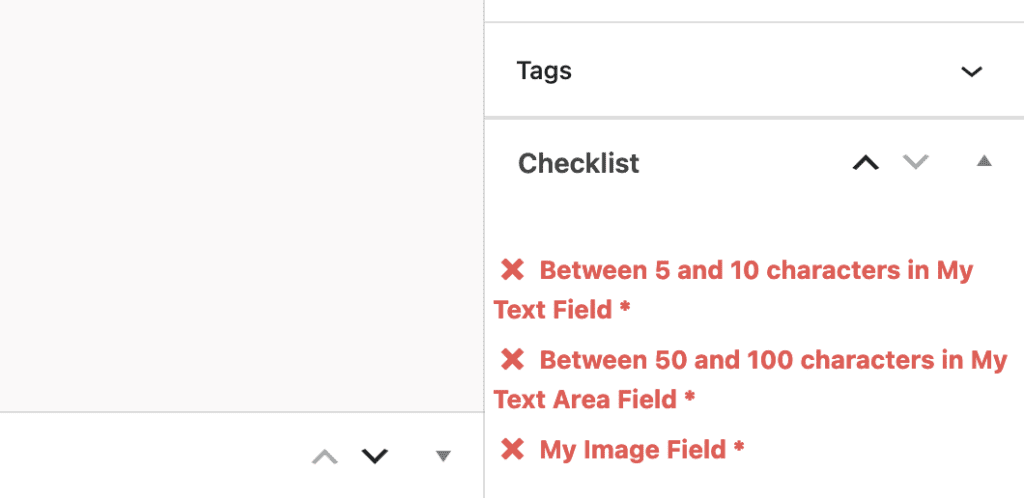
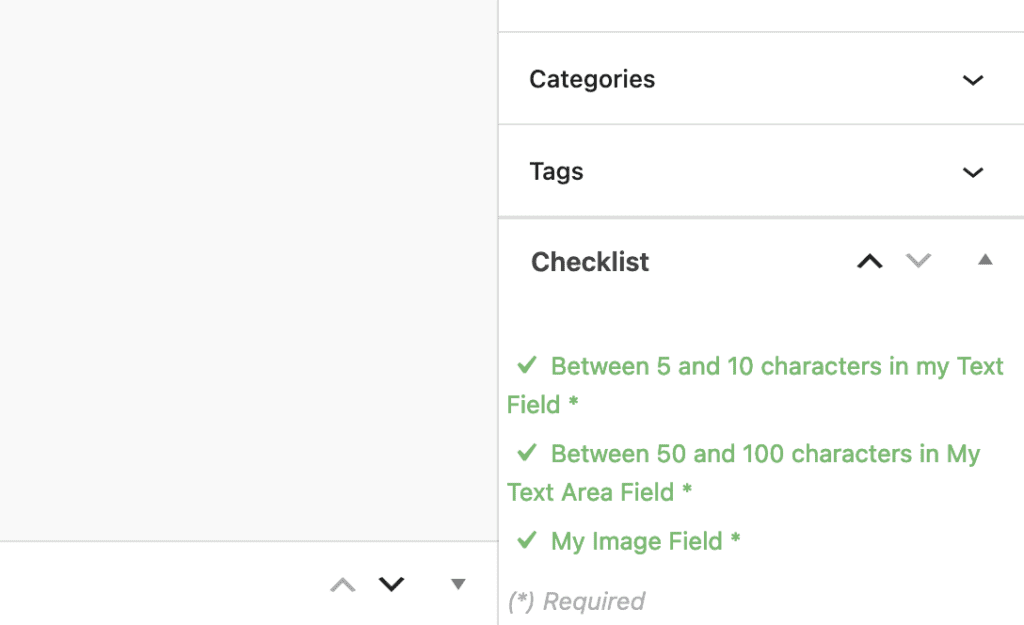
PublishPress Checklists Pro now allows you to validate fields in the ACF plugin. For example, you can require that text fields have a certain number of characters or that image fields are filled in. Click here for full ACF integration details.
If your ACF fields are not entered correctly, these tasks will be marked in red in the sidebar of each post:
If your ACF fields are entered correctly, these tasks will be marked in green in the sidebar:

Make sure all your posts meet your standards
When you use PublishPress Checklists, you can define tasks that authors must complete before content is published. You can ensure that all your WordPress posts meet your high standards.
