
How to Hide WordPress Metaboxes in the Post Editor
A WordPress website always starts by looking very clean. But after you choose a theme and install a lot of plugins, the user interface quickly becomes very crowded.
In other guides, we've shown you how to hide WordPress admin menus, hide the admin toolbar, and hide dashboard widgets. In this tutorial, we'll explain how to hide the “metaboxes” that appear below your WordPress posts and in the sidebar, when you're editing a post.
In the image below, you can see some typical metaboxes from the Yoast SEO and TaxoPress plugins.
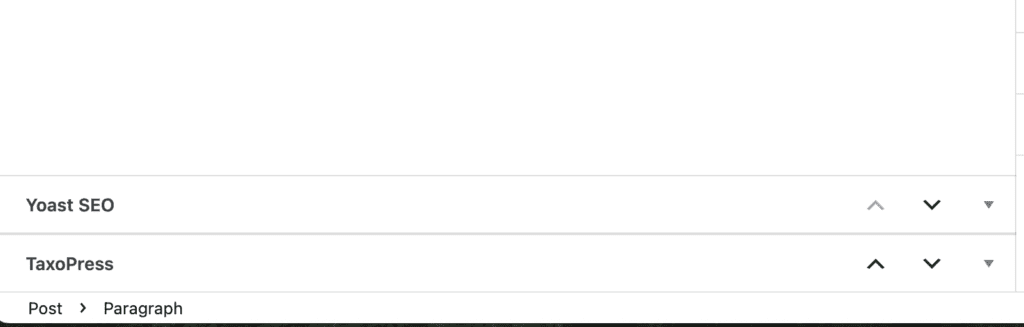
Table of Contents
Option #1. Hide the Meta Boxes for Yourself
This first option allows you to hide the meta boxes when you are editing posts.
- Click the three dots in the top-right corner of the screen.
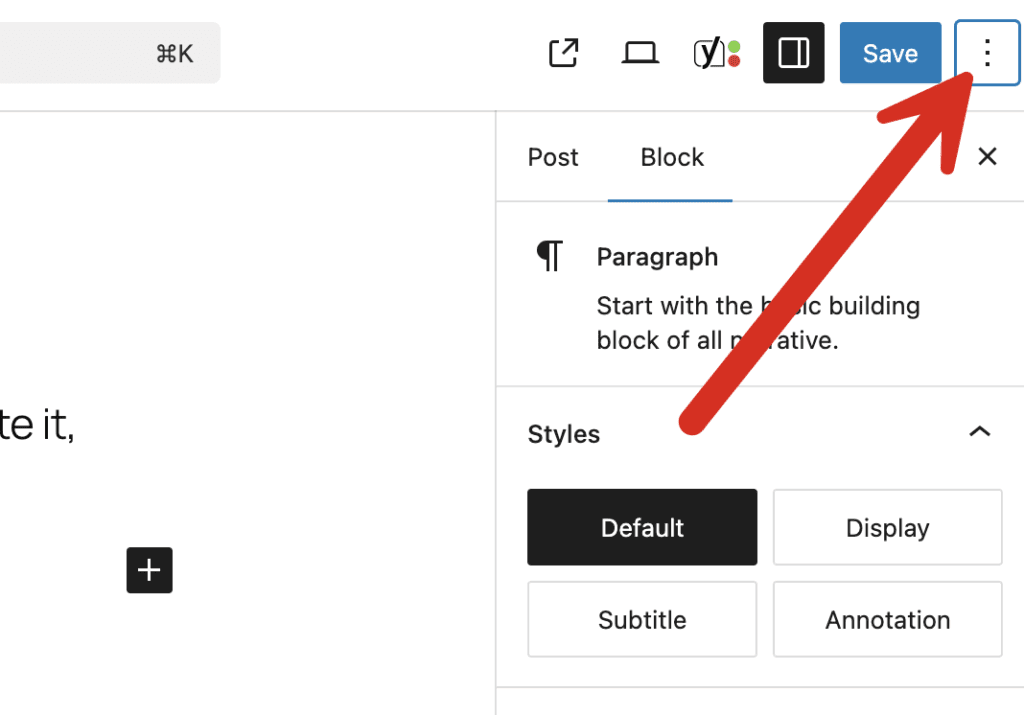
- Scroll to the bottom of the panel that appears in the right sidebar.
- Click the “Preferences” link.
- In the “General” area, you can disable any meta boxes that you don't want to see.

Option #2. Hide metaboxes for everyone
The Pro version of the PublishPress Capabilities plugin allows you to hide metaboxes for specific user roles.
To hide these metaboxes, follow these steps:
- Go to “PublishPress”, then “Editor Features” in your WordPress admin menu.
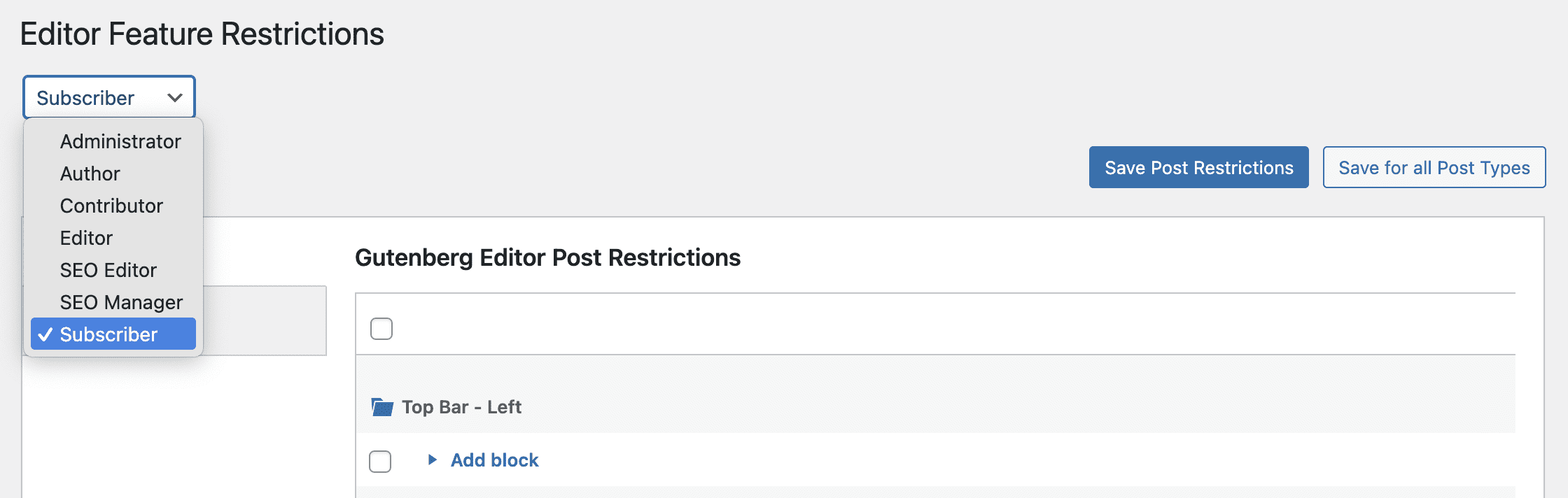
- Choose the user role you want to hide the metaboxes for:
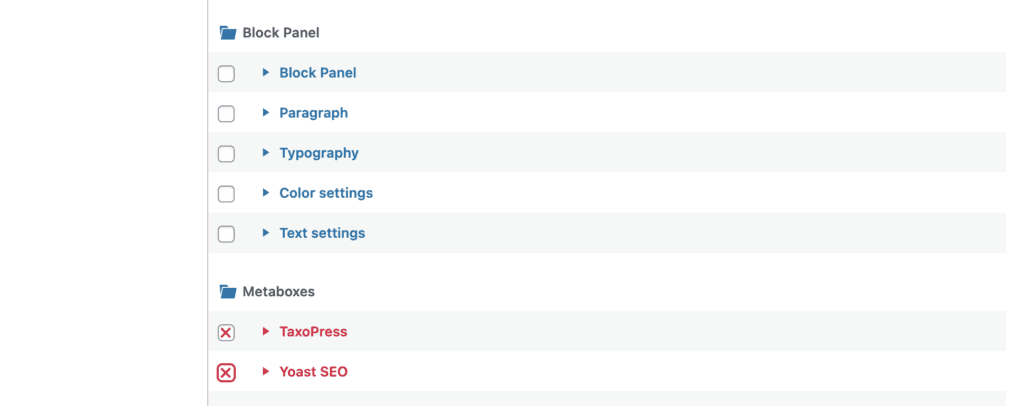
- Scroll down to the bottom and find the “Metaboxes” area. If you don't see all your metaboxes, go to edit a post and then reload this “Editor Features” screen. Place a red X for any metabox you want to hide. In the image below, we are hiding both the “TaxoPress” and “Yoast SEO” metaboxes.
- Click “Save Changes”.
- Visit the post editing screen as a user in the role you selected. You will no longer see the metaboxes you selected.
- You can repeat this process to hide the metaboxes for other roles.

The Best Plugin to Control Your WordPress Users
PublishPress Capabilities enables you to customize what users see in every area of WordPress from editing posts and pages to admin menus, profile pages.

Does option #1 do it for the post/page you are editing or all posts/pages? Your doc is unclear on that.
Hi Dozza. It should apply for all examples of the post type.