
There’s a New Design for PublishPress Permissions
PublishPress Permissions is the plugin that allows you to control access to posts, pages, categories, tags and more.
We've just released a big design update for PublishPress Permissions. We hope this makes it easier for you to control access to your content.
Table of Contents
Old Design vs New Design
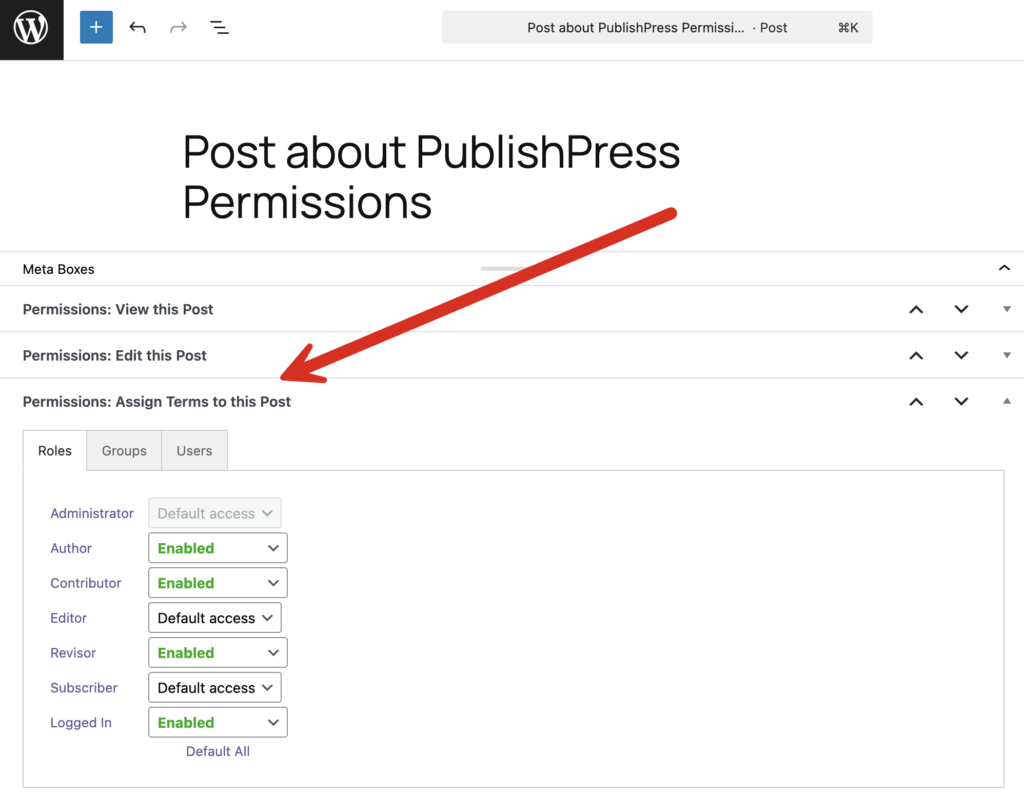
This screenshot shows the old design for the plugin. There were several key problems with this old design:
- Duplication: There are three separate metaboxes for “View this Post”, “Edit this Post” and “Assign Terms to this Post”. If you installed other PublishPress plugins, that could be more metaboxes.
- Didn't Scale: This design became difficult to manage for sites with dozens or hundreds of user roles. There weren't any filters to search for a specific user role or user.
- Dated Design: Visually, the layout and colors of this metabox hadn't changed much in over 10 years.
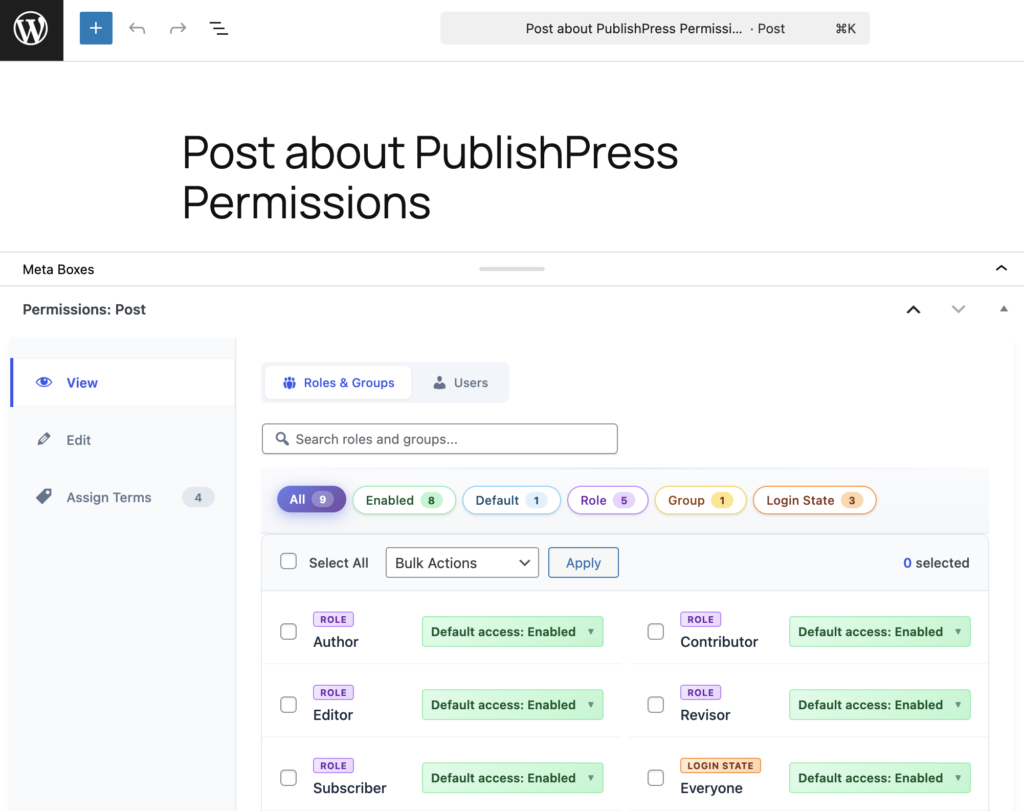
This next screenshot shows the new design for Permissions. Here's how we've solved the big problem with the old design:
- Unified: There is now only one metabox. “View”, “Edit” and “Assign Terms” are now tabs.
- Scale: There are now search boxes and filters. So if you want to find a specific user role or user, you can do that easily.
- Design: This updated version is more modern and colorful.
Features in the New Design
Let's take a closer look at some of the improvements in the new version of PublishPress Permissions.
First, the unified design. We hope that moving to one single metabox will make the plugin easier for you to use.
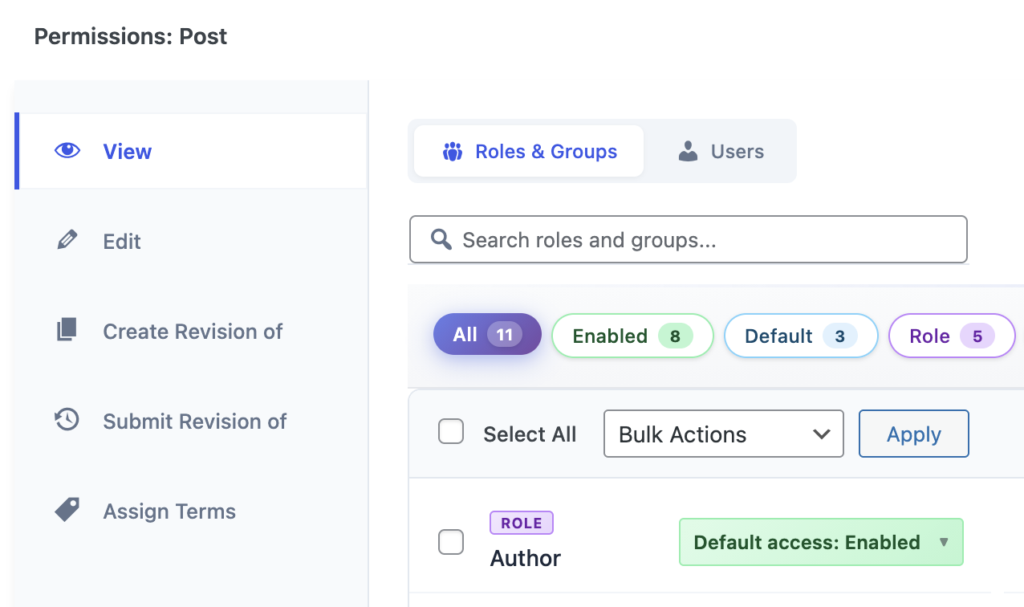
In this screenshot below, we also have the PublishPress Revisions plugin installed. There are now five ways to control what users can do with this post. So in addition to “View”, “Edit” and “Assign Terms”, you'll also see Create Revision of” and “Submit Revision of”. All of these options are available via tabs in just one metabox.
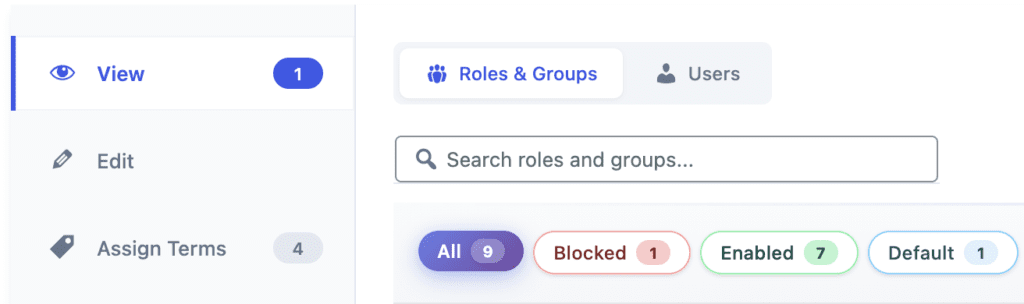
Second, the plugin can now scale better for large sites. In the screenshot below, you can see the new search box: “Search roles and groups”. You can also see some of the new filters: “Blocked”, “Enabled” and “Default” allow you to quick find user roles in one of those states.
There are also filters for the different ways that users are organized. You can see three of those filters in the next screenshot: “Role”, “Group” and “Login State”.
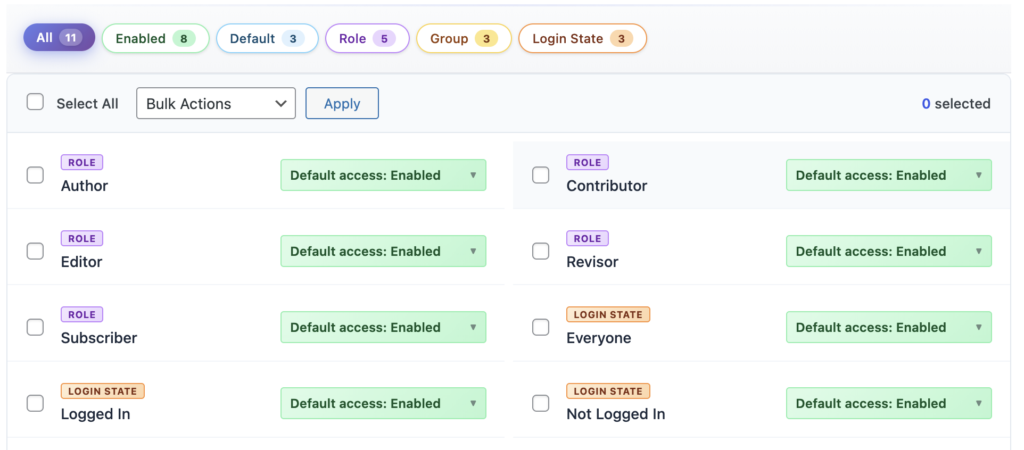
Finally, the new design of the plugin is more modern and colorful. You've seen lots of examples in the screenshots above. Our aim was to make PublishPress Permissions feel like a modern WordPress plugin or SaaS platform.

The Best Plugin to Approve and Schedule Changes to Your WordPress Posts
PublishPress Revisions is the ultimate tool for making content changes in WordPress. This plugin offers a safe space for users to work on content updates.
The Best Plugin to Control Access to Your WordPress Content
PublishPress Permissions allows you to enable or deny access to posts, pages, categories, tags and more. You can control who can view and edit your WordPress content.
