
PublishPress Authors Has a Gutenberg Block and More Profile Icons
PublishPress Authors 4.6 is now available, and it has several improvements to make the plugin easier to use.
When you install this update, you’ll find a new block so you can quickly add author profiles to the Gutenberg block editor.
You’ll also see a much better way to add icons to Author Boxes. For example, if you want to add Facebook, Instagram, LinkedIn or other fields for your authors, it’s now easy to find the appropriate icon.
Table of Contents
Icons for Author Fields
In this version of PublishPress Authors, it’s much easier to add icons to author fields. For example, you can show an email icon next to an “Email Address” field, or a Facebook icon next to a “Facebook Profile” field.
You’ll find support for two sources of icons: Dashicons and Font Awesome. Dashicons are part of the WordPress core, which means it is a lightweight and reliable source for icons. Font Awesome is a very popular source of icons for web projects.
In previous versions of PublishPress Authors, you had to find and insert the correct HTML for the icon. In this version, you’ll see a modal window. You can search for either a Dashicon or a Font Awesome icon and then add it to your Author Box with a single click.

In this screenshot below, I’ve added many different social icons. Choosing the right icon is now as simple as clicking a button and selecting the icon you want.

Gutenberg Block
There is now a Gutenberg block available for you to display the author box in any part of your content. Search for “Author Box” when inserting a new block.

In the sidebar of the editing screen, there are block settings that allow you to choose the Author Box format. With the addition of a block, there are now at least five different ways to add Author Fields to your site.

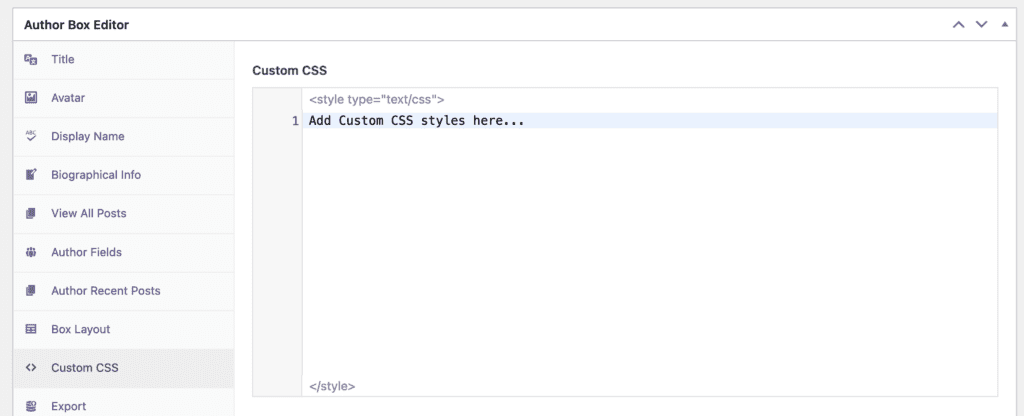
Code Editor for Author Boxes Custom CSS
When you add custom CSS to Author Boxes, there is now a code editor for you to use. This helps you enter accurate CSS and prevents any formatting issues.
More About PublishPress Authors
WordPress only allows you to add one author to each post. With the PublishPress Authors plugin, you can add many authors to one WordPress post.
Using PublishPress Authors, you can create detailed author profiles with fields and custom layouts. You can also organize your authors into categories, such as “Authors, “Coauthors”, “Reviewers” and more.

The author profile plugin for WordPress
The PublishPress Authors plugin allows you to create beautiful profiles for your site’s authors. You can add social media links, recent posts, custom layouts and much more.
