
How to Control Featured Image Permissions in WordPress
A couple of PublishPress users have asked us about the “Featured Image” feature in WordPress.
We have already talked about forcing users to add featured images and how to control the size of featured images.
These users wanted to know if it is possible to control who can add featured images to content. Yes, you can control this in WordPress, although it’s not entirely straightforward.
This image below shows where you will see the “Featured Image” box when editing a post:

Access to the “Featured Image” box is controlled by a WordPress permission called upload_files.
If a user doesn’t have the upload_files permission, they completely lose access to the Media Library. They can’t upload any files, and that includes the “Featured Image” area.
By default in WordPress, there is no distinction between permission to add “Featured Images” and permission to upload other images.
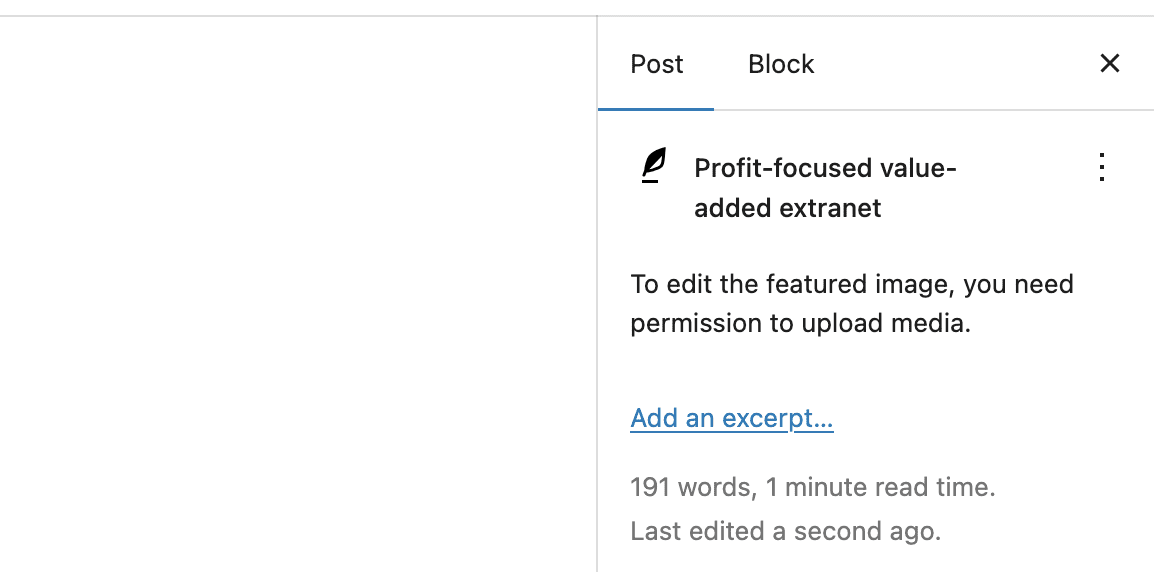
If a user doesn’t have the “upload_files” capability, this is what they will see when they try to add a Featured Image: “To edit the featured image, you need permission to upload media.”
If you want to control who has Featured Image access, I’ll show you how to do it …
- Install the PublishPress Capabilities plugin.
- Go to “Capabilities” in your WordPress admin menu.
- In the top-left corner of the screen, load the user role that you want to customize. In this example I’ll choose the “Editor” role.
- In the center of the screen, you can now set the permissions. If you want to allow people in the Editor role to create posts, click the “Media” tab and then check the “upload files” box:

If you want more on access the Media Library in WordPress, check out the tutorial, “Which WordPress Users Can Delete Files From the Media Library?“
Table of Contents
Join PublishPress and power up your WordPress site
Join PublishPress today and you’ll get powerful publishing and permissions plugins to improve your WordPress site.

Control your WordPress users
PublishPress Capabilities enables you to customize what users see in every area of WordPress from editing posts and pages to admin menus, profile pages.

Make sure all your posts meet your standards
When you use PublishPress Checklists, you can define tasks that authors must complete before content is published. You can ensure that all your WordPress posts meet your high standards.
