
PublishPress Shortlinks 1.7: Auto Linking for Keywords
This post is about a release of the PublishPress Shortlinks plugin. This is the link manger for WordPress. The plugin is ideal for affiliate marketers or anyone who needs to track the performance of links on their website.
PublishPress Shortlinks v1.7.0 is a feature rich update focused on making shortlinks easier to create, reuse, manage, and secure. The headline addition is auto linking: you can connect keywords to shortlinks so relevant words in your content can be linked automatically.
Table of Contents
Feature highlights
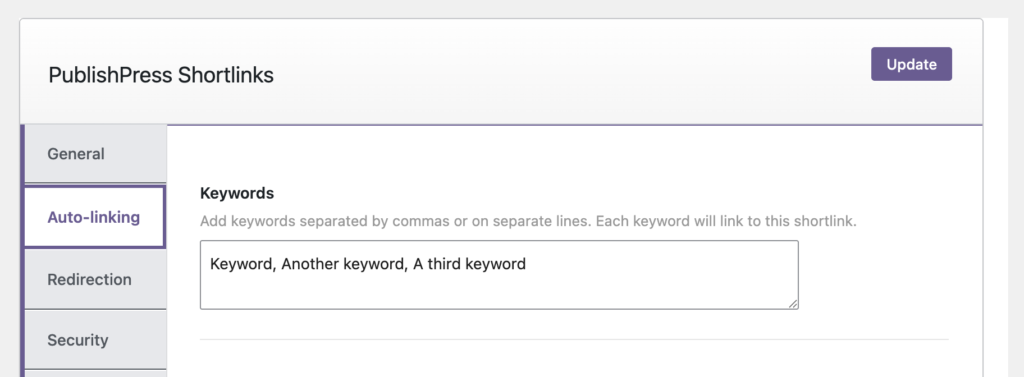
- Auto linking for shortlinks: Assign keywords to shortlinks so the plugin can automatically link matching text in supported content.
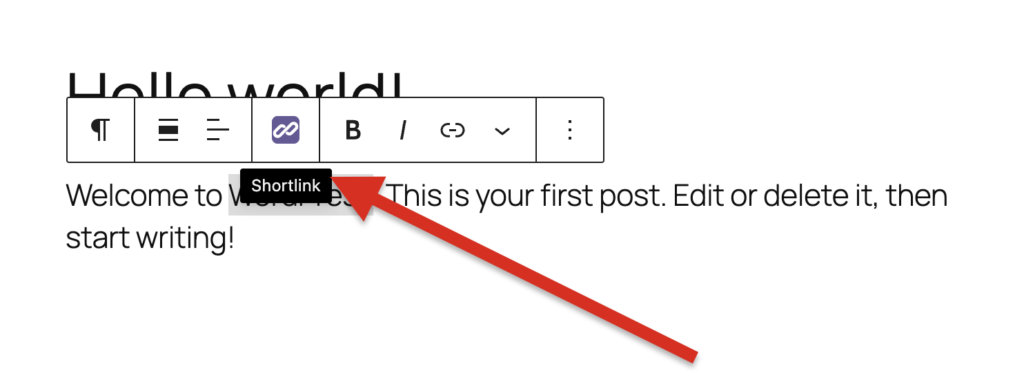
- Gutenberg link tool: A new editor tool makes it easier to add shortlinks while writing or editing posts in the block editor.
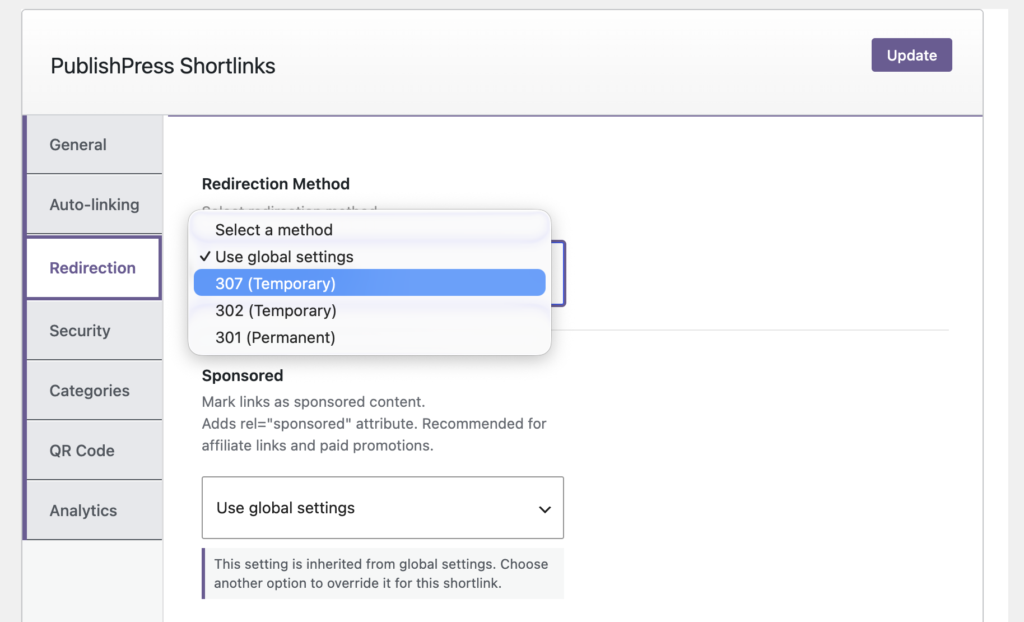
- Global shortlink settings: Security, redirection, and expired link settings can now be managed globally, with clearer controls for links that should use site defaults.
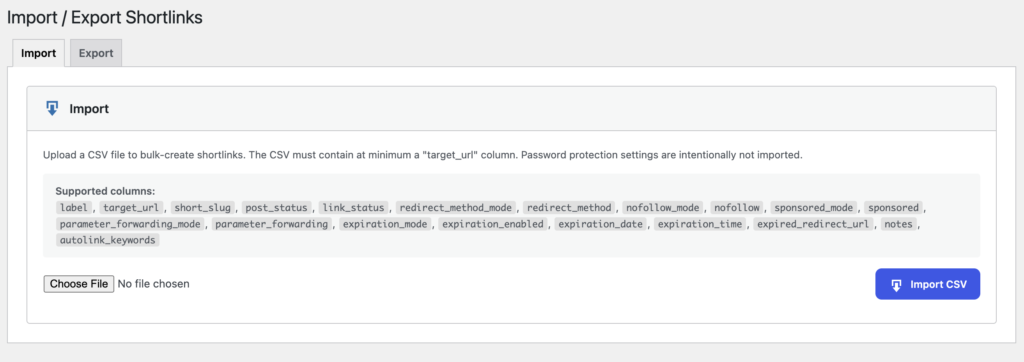
- Import/export in Shortlinks Free: The import/export tools have moved into the free version and have been improved for smoother site management.
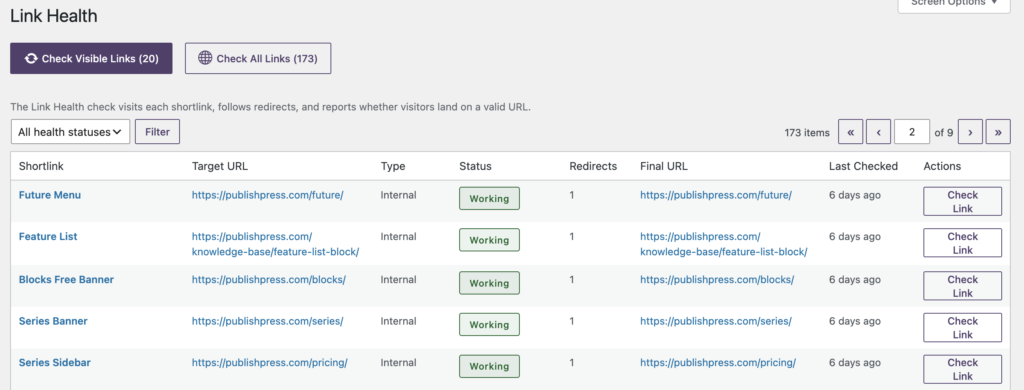
- Link health scanner (Shortlinks Pro): Pro users get a health feature to help identify shortlinks that may need attention.
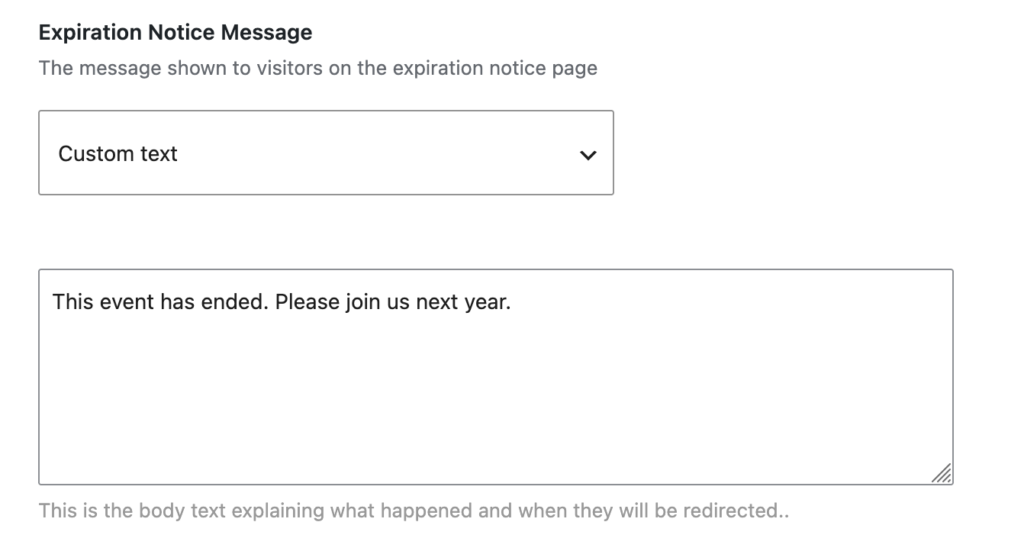
- Custom visitor messages (Shortlinks Pro): Site owners can customize the message shown when a shortlink has expired or when a shortlink points to unpublished content.
If you regularly mention the same products, resources, partners, or campaign pages, the new auto linking feature can save time and improve consistency. Create or edit a shortlink, assign the keywords you want to target, and use the auto link settings to control where matching text should be linked.
The auto linking feature also received several refinements in this release, including support for more post types, alt text support, and a transparent default color so automatically created links better inherit your theme styling.
Other improvements
- Cleaner admin screens: The shortlink tabs now use a vertical layout, the trash button moved to a clearer location, and the Gutenberg icon was updated to match PublishPress styling.
- Better analytics display: A single data point in the analytics graph is now easier to see.
- More reliable redirects: The release improves revision visitor redirection, exact slug collision checks, and draft rendering fallbacks for Elementor and the Hello theme.
- Expanded localization support: Updated language files, a Loco XML file, and bundled translation support are included.
Security and reliability fixes
This release includes several security improvements, so updating promptly is recommended for all sites, especially sites that use password protected links, exports, or shortlinks to preview unpublished content.
- Safer preview access: Visitor access for non public content viewed through shortlinks has been tightened.
- CSV export protection: Exports are hardened against spreadsheet formula injection.
- Password protection hardening: Protected shortlinks now use a constant time password comparison.
- Stronger authorization checks: Analytics resets and Shortlinks settings now have harder permission checks.
- Safer admin interactions: The shortlink creation popup is protected against HTML injection, and autolist AJAX errors no longer expose stack traces.
- Better guessing resistance: Public shortlinks are harder to guess.
This post provides an overview of the new features in this release of the PublishPress Shortlinks plugin. The complete changelogs for both Free and Pro versions are available in our Docs area.

The link manager for WordPress
With PublishPress Shortlinks you can create custom links for your posts. These links are brandable, trackable, and can have custom view permissions.
