
PublishPress Capabilities 2.51: Admin Menu Improvements
This post is about a release of the PublishPress Capabilities plugin. This is the best plugin to control permissions in WordPress. You can completely customize what your users can do inside your website.
PublishPress Capabilities 2.51 focuses on making Admin Menu management faster and more flexible, especially for sites with several roles to manage. This update also includes accessibility improvements, performance fixes, and security hardening.
Table of Contents
Admin Menu improvements
For Capabilities Pro users, there are key improvements to the “Admin Menus” screen. At the top of the screen, a new “Save for All Roles” button lets you apply your Admin Menu setup across every role more quickly.
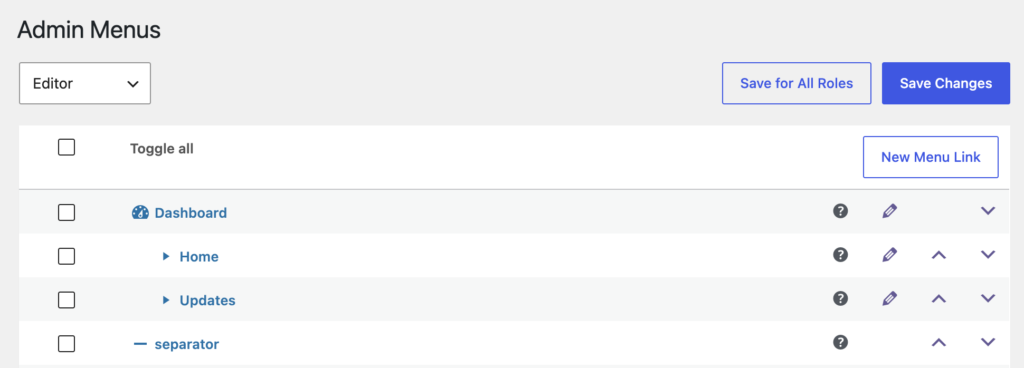
Plus, the Admin Menu separators can now use lines with custom colors, empty spaces, and text headings.
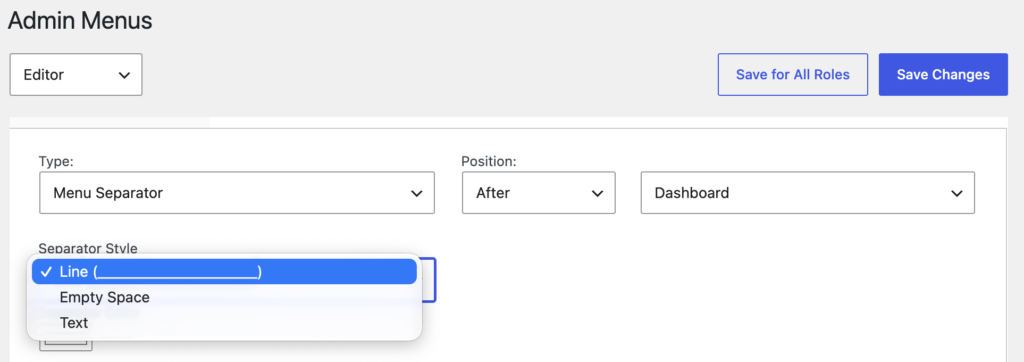
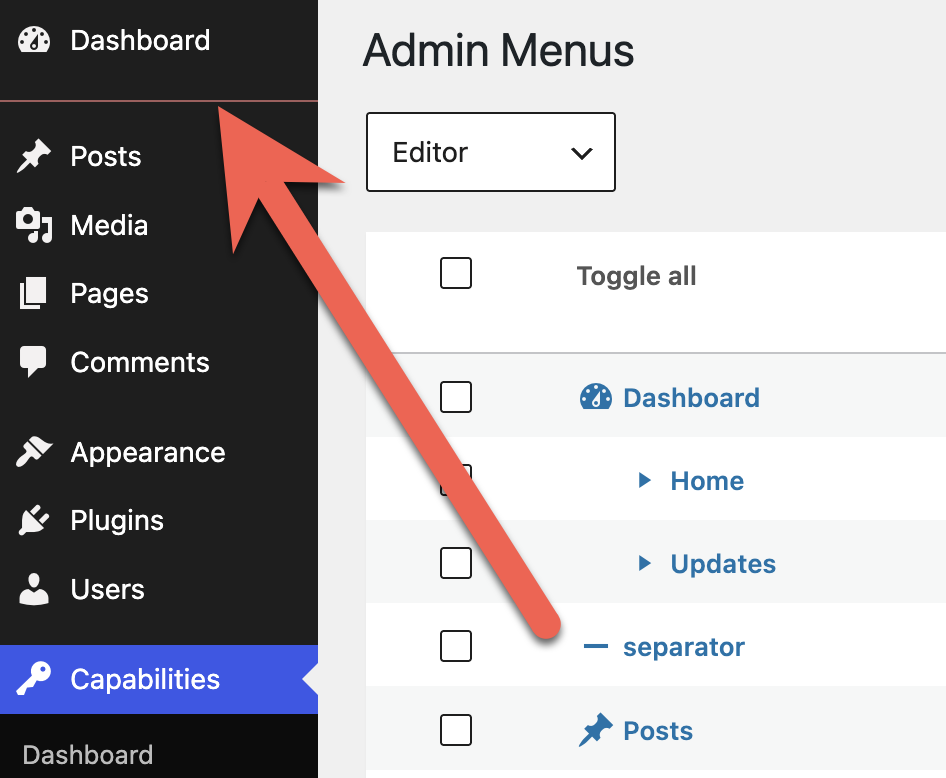
This next screenshot shows an example. You can choose the color for your separators. Here, we chose a red color.
Per User Capabilities View
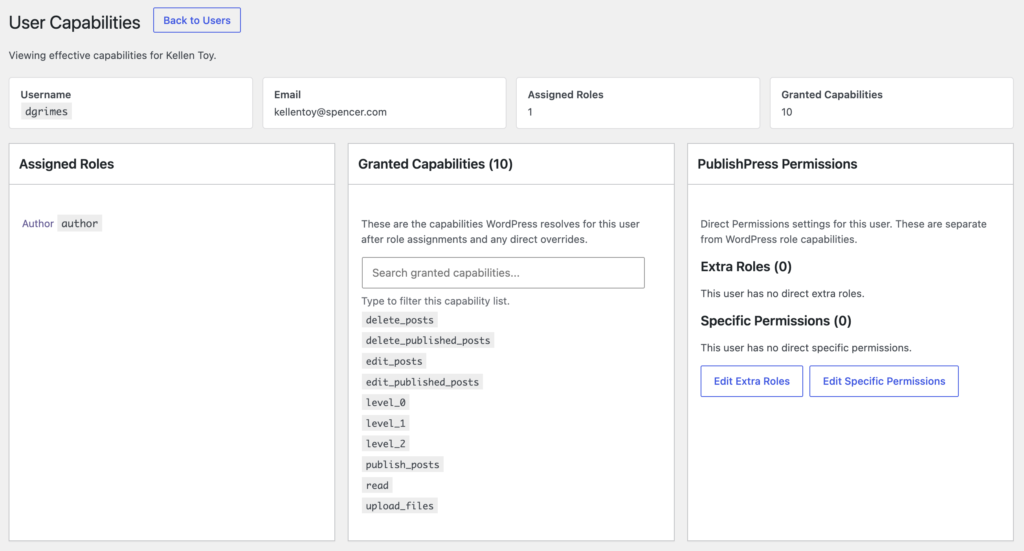
There’s a new way to review capabilities for individual users. On the “Users” screen, click the “Capabilities” link under each user.
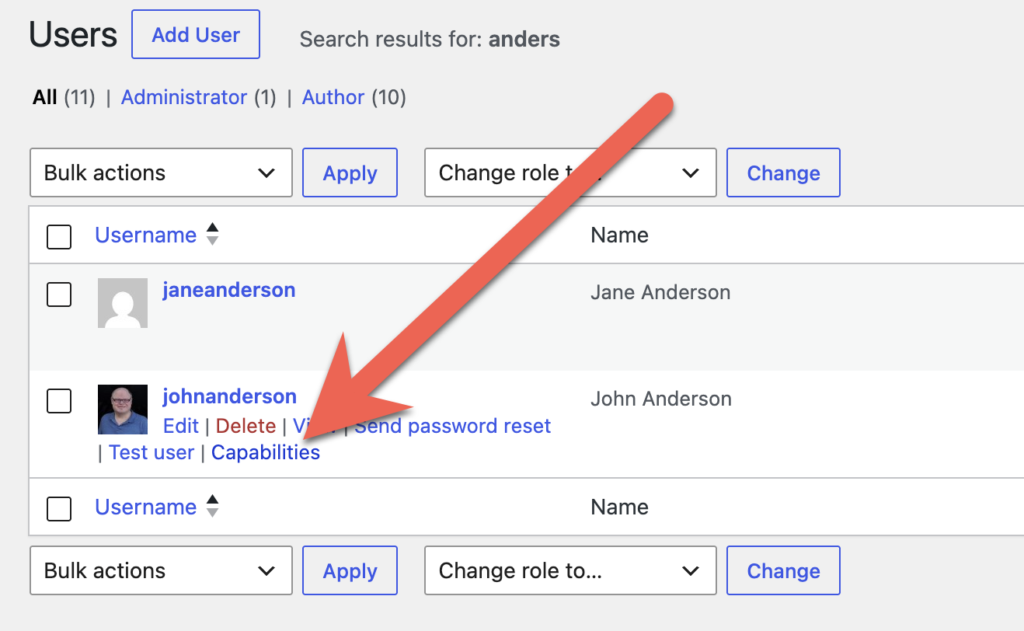
You will now be able to see a screen that gives you specific details on the roles and capabilities for that user.
Menu Restrictions
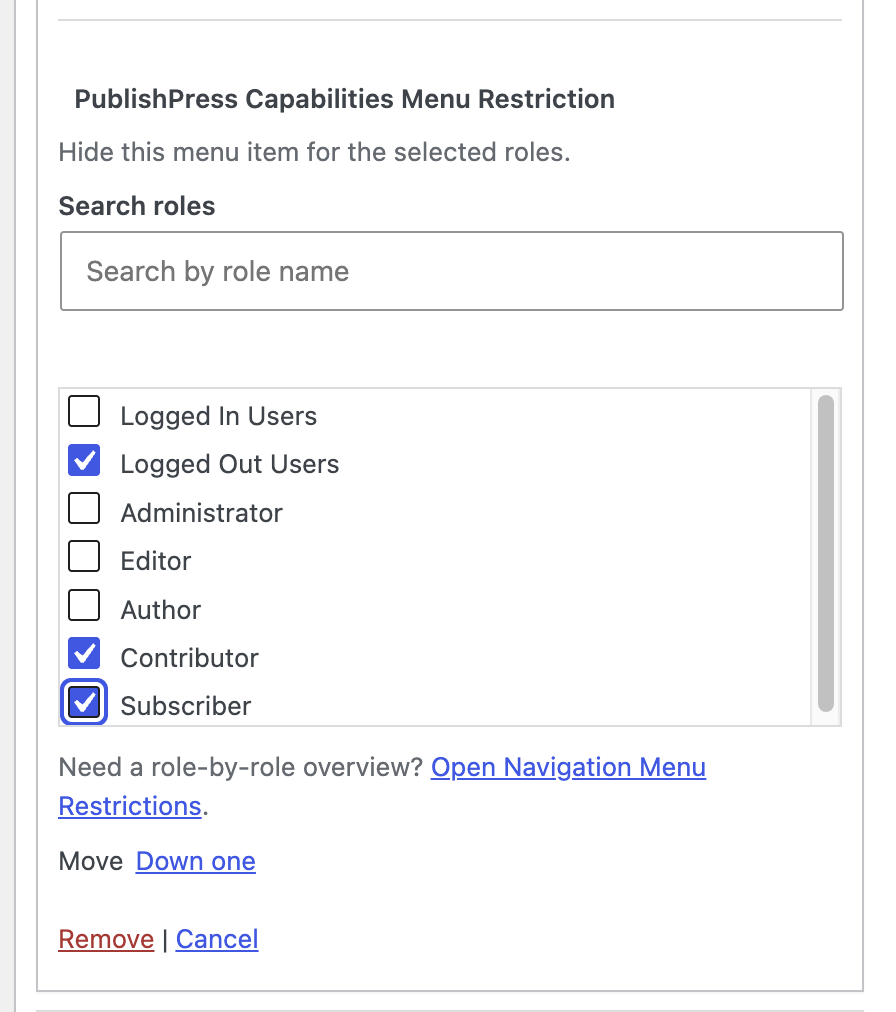
You can now adjust menu restrictions more directly while working on the “Menus” screen. Previously this was done via the “Navigation Menus” screen in PublishPress Capabilities. Now you have more ways to restrict who can see the menu links on the front of your site.
Accessibility improvements
This release improves the experience for keyboard users and people using assistive technology. Capability controls are now more keyboard accessible, form inputs have clearer labels, missing image alt text has been added, and heading structure has been cleaned up.
Other fixes and security updates
- Security hardening: The update improves nonce validation, request data handling, redirects, output escaping, and unauthorized role action handling.
- Admin Menu fixes: Restrictions for Customize and Background should now persist correctly.
- Performance improvements: Admin assets now use minified files, and repeated post meta queries have been reduced.
- Backup import improvement: Backup imports now use the WordPress filesystem API.
- User testing fix: The “Test this user” feature no longer invalidates nonces in editor tabs that are already open.
This post provides an overview of the new features in this release of the PublishPress Capabilities plugin. The complete changelogs for both Free and Pro versions are available in our Docs area.

Control your WordPress users
PublishPress Capabilities enables you to customize what users see in every area of WordPress from editing posts and pages to admin menus, profile pages.
