
Capabilities for Reusable Blocks / Synced Patterns
Reusable Blocks / Synced Patterns are one of my favorite features in the WordPress block editor. They allow you to easily re-use content in multiple places across your site.
However, WordPress does place access control limits on Reusable Blocks (that’s what I’ll call them in this post, although Synced Patterns is more commonly used). We realized this problem when a PublishPress customer complained that Authors on his site could not see Resuable Blocks that he had created.
Table of Contents
Access Control for Reusable Blocks
Here’s how the access control work for Reusable Blocks.
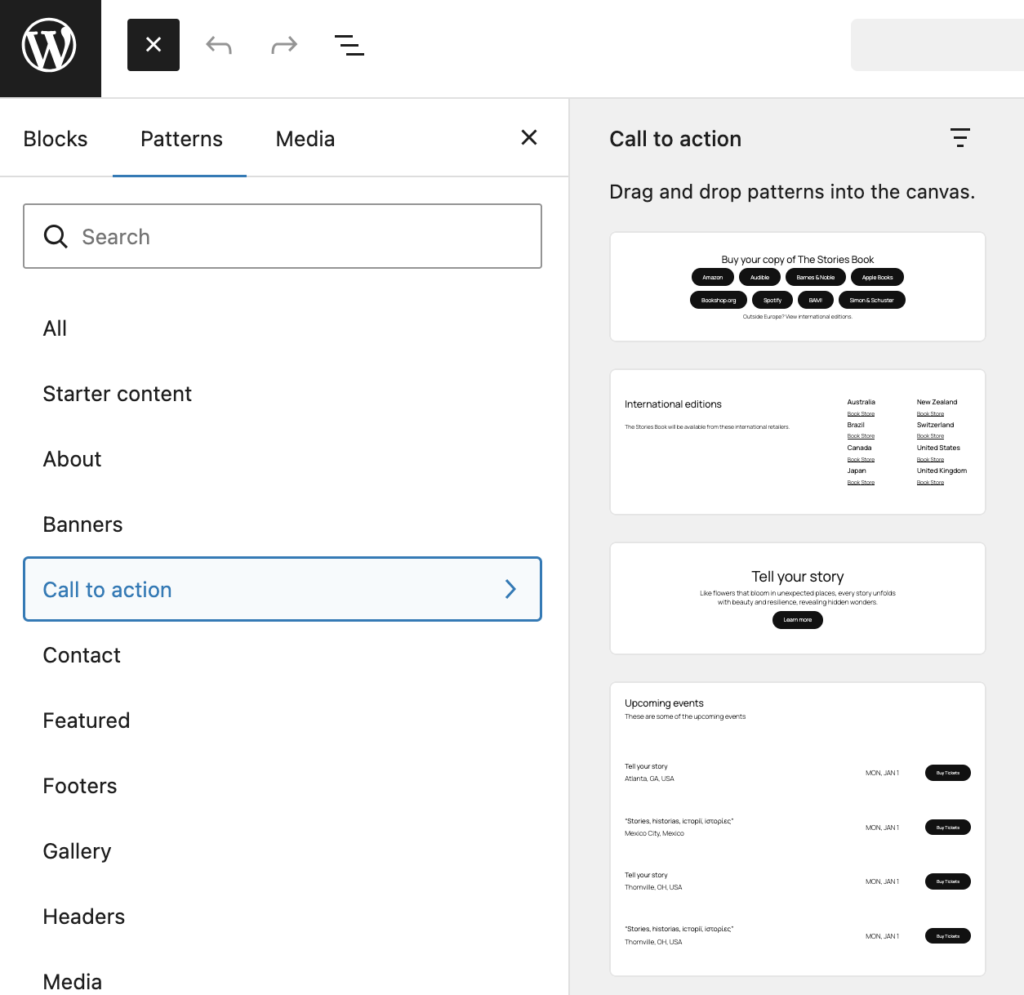
First, all users can see the default Reusable Blocks provided by your theme. This screenshot shows what a Contributor user sees on a site using the Twenty Twenty Five theme when they access the “Patterns” area. They have access to all the theme’s patterns.
The problem comes when you’re dealing with Reusable Blocks created by other users. There are limitations here:
- Administrators and Editors: They can create Reusable Blocks. They can see all the ones created by other users.
- Authors: They can create Reusable Blocks. But they can not see ones created by other users.
- Contributors: They can not create Reusable Blocks or see any Reusable Blocks created by other users.
How to Modify View Access for Reusable Blocks
It is possible to change the access that users have to Reusable Blocks. You can do this with the PublishPress Capabilities plugin.
By default, Reusable Blocks rely on the same capabilities as Posts. This is the normal behavior in WordPress: if a post type doesn’t have it’s own access control, it falls back to the control set for Posts.
- Go to the “Capabilities” screen.
- In the sidebar, under “Unique Post Type Capabilities”, check the box for “Reusable Blocks” .
- Click “Update”.
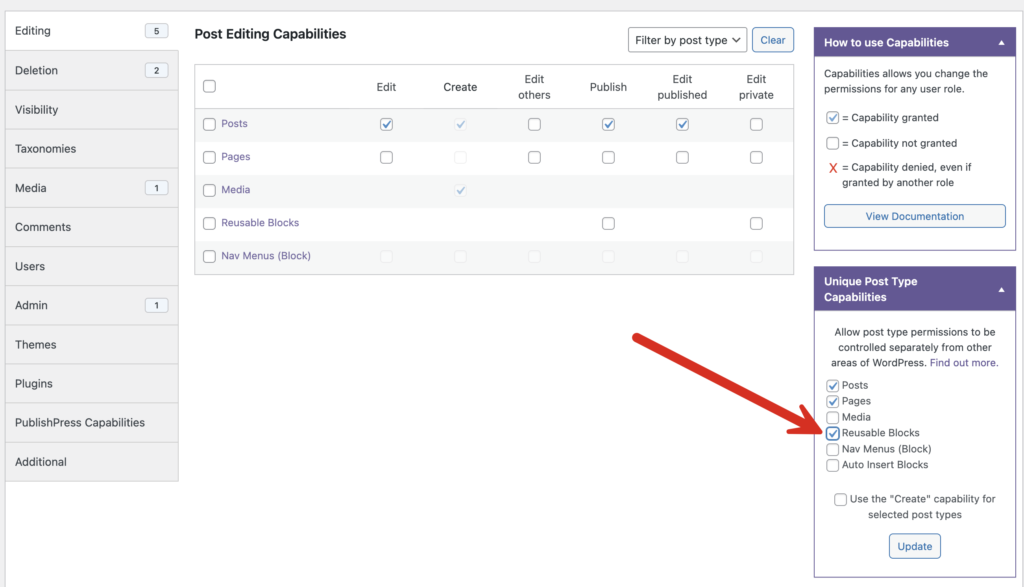
As soon as you’ve made that change, in the center of the “Capabilities” screen, you’ll now see additional boxes in the “Reusable Blocks” row. This allows you to customize access to Reusable Blocks.
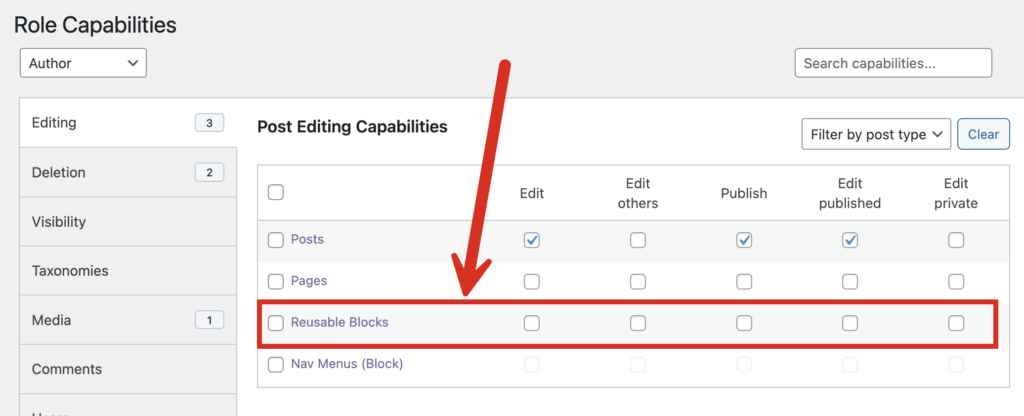
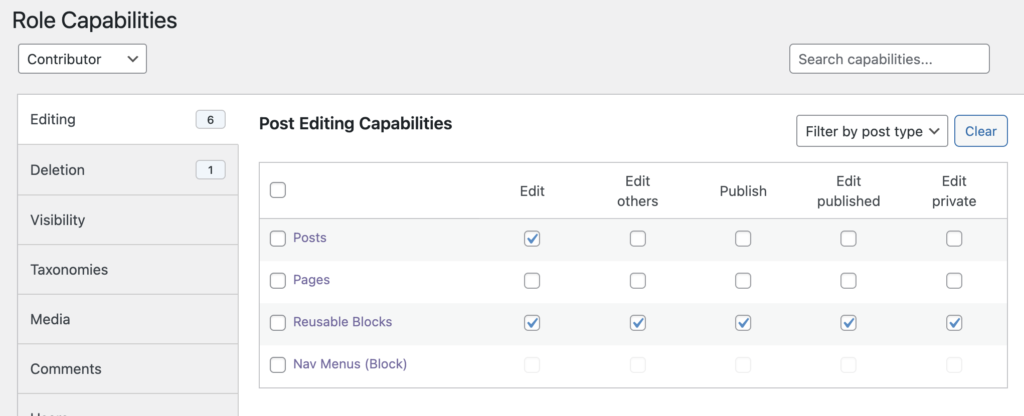
If you check the boxes in this row, you will give the user role access to view all the Reusable Blocks, even those created by other users.

Control your WordPress users
PublishPress Capabilities enables you to customize what users see in every area of WordPress from editing posts and pages to admin menus, profile pages.

The complete toolkit for the WordPress block editor
PublishPress Blocks is the plugin that gives you more control over the WordPress block editor. You get a complete set of management tools for your blocks.
