
PublishPress Statuses Pro is Now Available
I’m delighted to announce the launch of our 10th Pro plugin.
Have you ever wanted to label a WordPress post something other than “Draft” or “Pending Review”? The PublishPress Statuses plugin can help.
PublishPress Statuses allows you to create additional statuses for your posts. For example, you can add statuses to use before you publish content. Some example statuses are “Pitch”, “Needs Work”, or “Rejected”. This allows you to accurately organize and label your content before it goes live on your site.
This screenshot shows PublishPress Statuses inside the post editor. I’ve created a status called “Pitch” and will use this to categorize posts that are just the early draft of an idea.
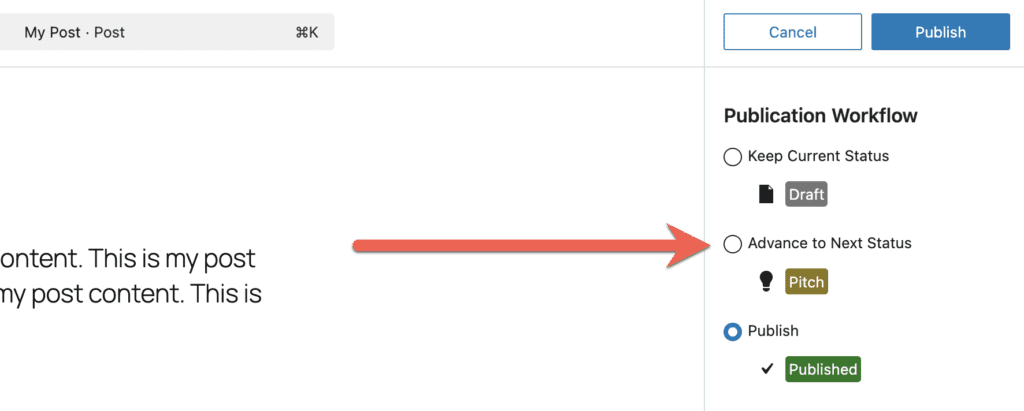
Table of Contents
Where to Get PublishPress Statuses
There is a free version of the plugin on WordPress.org. The Pro version is available for PublishPress members to download on this site.
New Feature: Revisions Statuses
The main feature in PublishPress Statuses is the ability to add new types of statuses. There are three types of statuses:
- Pre-Publication Statuses: You can create a workflow for unpublished content.
- Visibility Statuses: You can control who is able to view published content.
- NEW! Revision Statuses: The PublishPress Revisions plugin allows you to submit changes to existing posts on your site. The Statuses Pro plugin now enables you to add statuses to these changes. This means you to process those changes through a workflow before they are published.
This screenshot below shows the “Revisions” tab in PublishPress Statuses. This feature allows you to process those changes through a workflow before they are published.
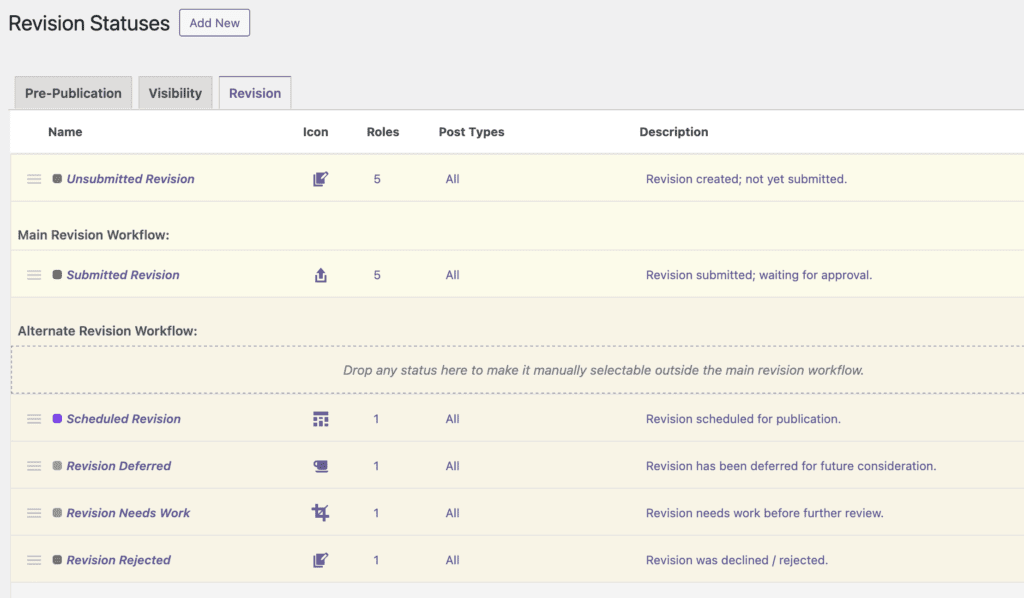
These statuses have the same features as other statuses in the PublishPress Revisions plugin:
- Name: Choose the name, color, and icon for the status.
- Labels: Select the labels that are used for this status when editing a revision.
- Post Types: Choose which post types this status will apply to.
- Roles: Select which user roles can assign this status to a post.
- Post Access: This gives you detailed control over who can edit and delete content in this status.
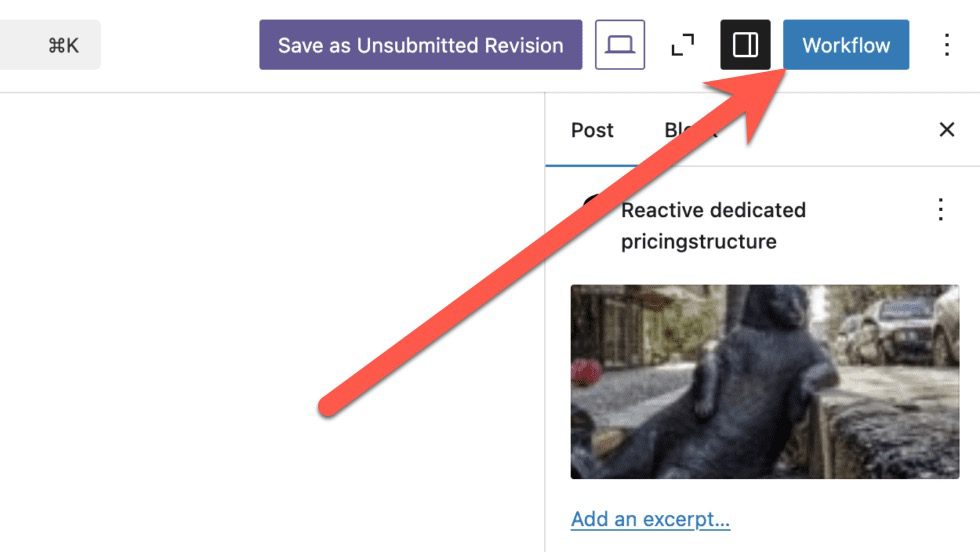
These statuses will appear in the post editor when you are working on a revision. Click the “Workflow” button as shown in this screenshot:
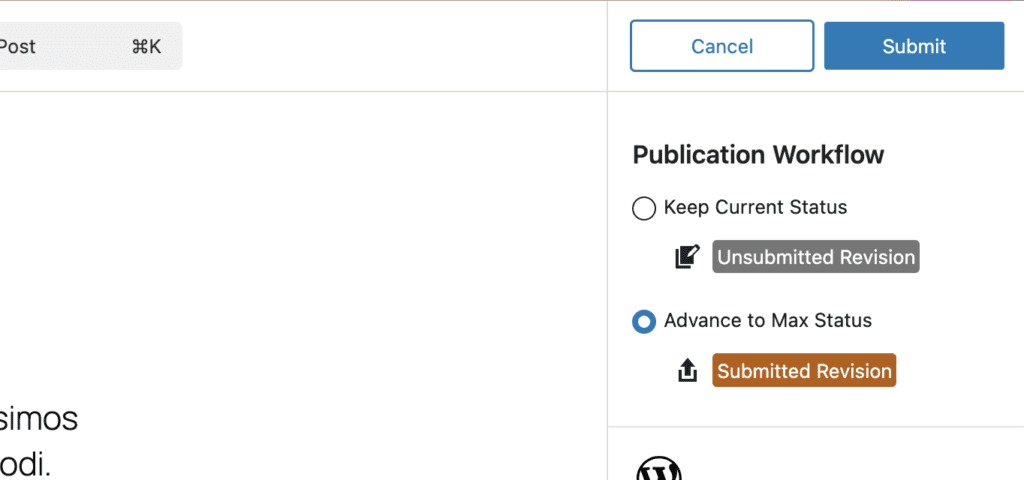
You will then be given a choice of which status to move this revision to, as in this next screenshot:
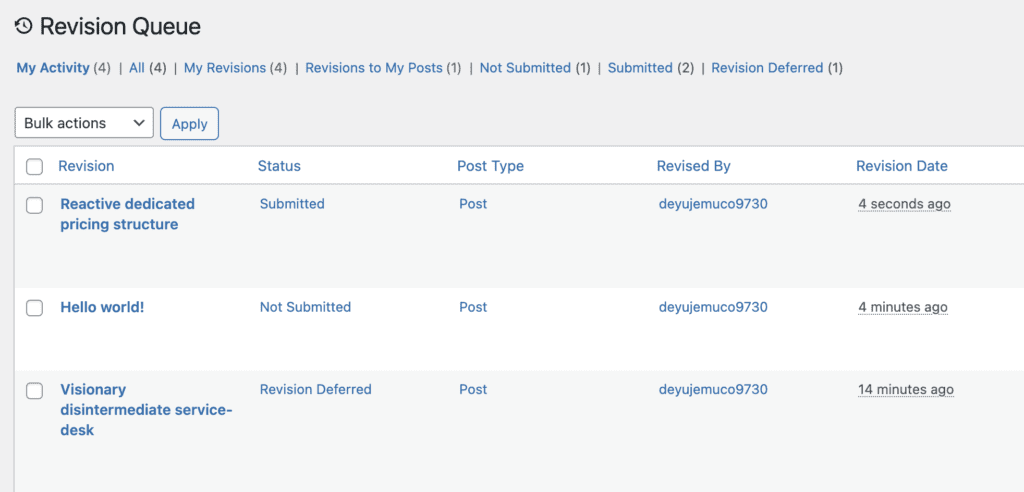
These statuses will be labelled on the “Revisions Queue” screen. In this screenshot below, you can see the “Status” column is reflecting the custom statuses.
Integration with PublishPress Planner
We’ve been working hard to make sure that the PublishPress Statuses plugin works with the other PublishPress plugins.
For example, in this release, there’s improved integration with the PublishPress Planner plugin.
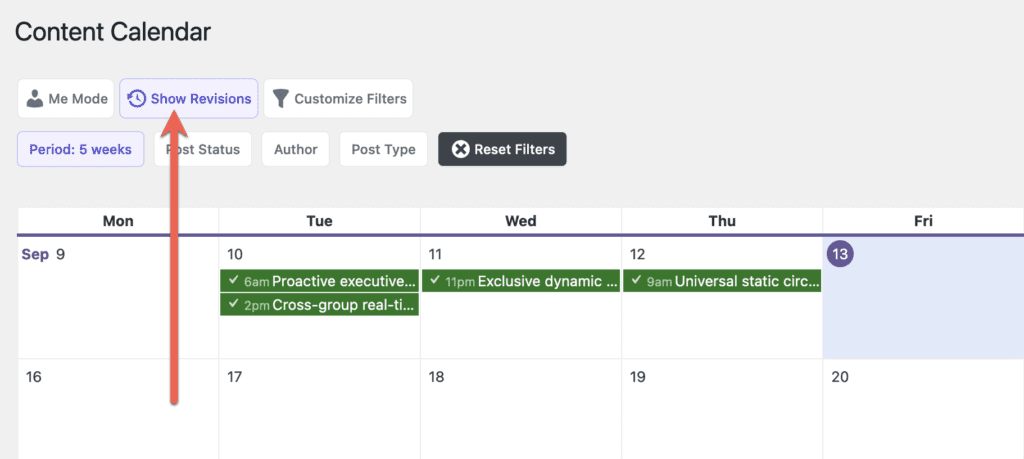
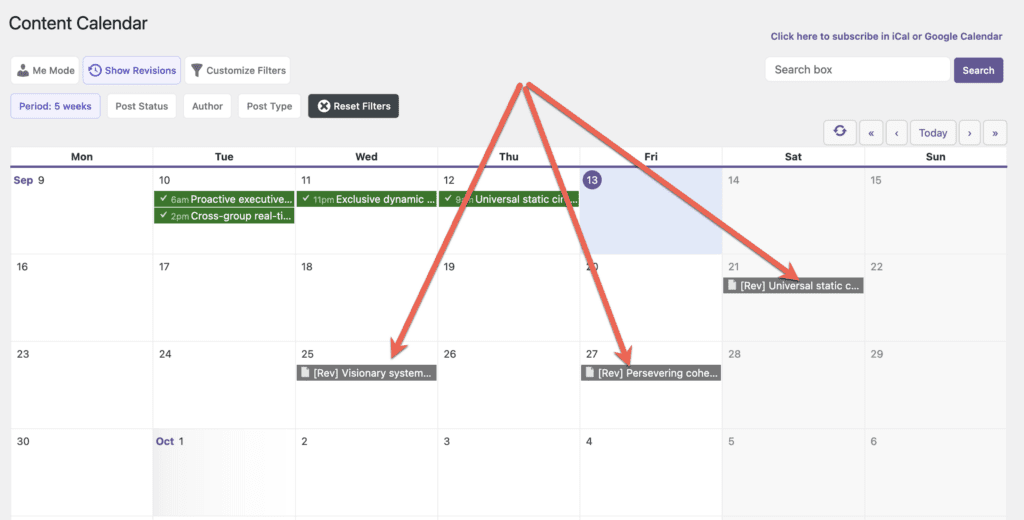
In the Revisions plugin, you can schedule revisions to be automatically published in the future. This allows you to update content now, but publish those changes at a later date. You can see all your scheduled revisions on the Content Calendar screen in PublishPress Planner. In the screenshot below, you’ll see the “Show Revisions” button.
After you click the “Show Revisions” button, you’ll be able to see all your scheduled revisions, as in this screenshot below:
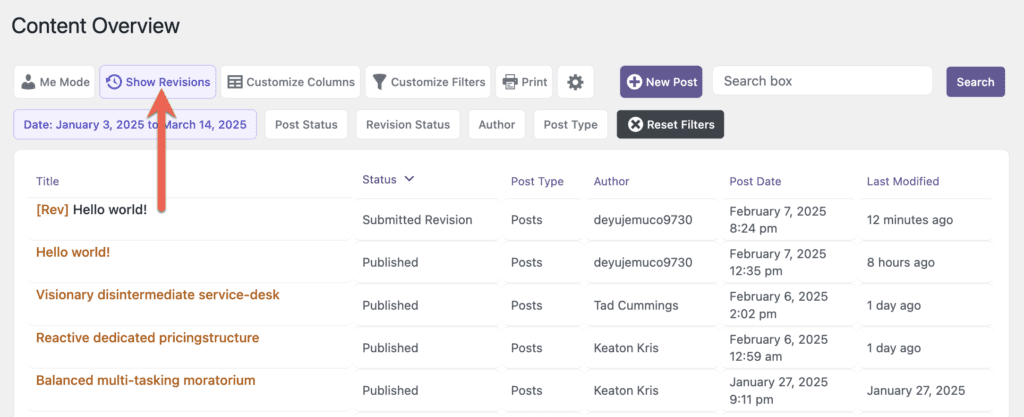
This approach also works for the Content Overview and Content Board screens. This next screen shows how to view revisions on the Content Overview screen:
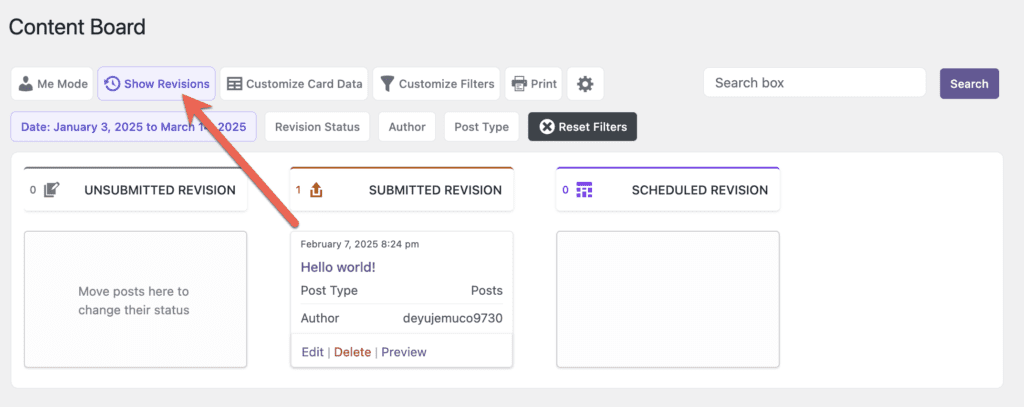
This next screen shows how to view revisions on the Content Board screen. If you click “Show Revisions”, only the revision statuses will be shown.
What’s next for PublishPress?
In our review of 2024, I looked ahead to this coming year and said that we’re going to focus on one word for 2025: Integrate. At the moment we offer 10 different plugins. By the end of 2025, we hope to turn those plugins into a unified suite that is easy to use and can power your WordPress publishing.

Create workflows for your WordPress content
PublishPress Statuses allows you to add custom statuses for your posts. You can use these statuses to create custom publishing workflows.

Approve and schedule changes to your posts
PublishPress Revisions is the ultimate tool for making content changes in WordPress. This plugin offers a safe space for users to work on content updates.

Plan and manage your WordPress content
PublishPress Planner has all the tools you need to plan and schedule WordPress content, including a scheduling calendar, Kanban Board, editorial notifications and more.
