
How to Control Your WordPress Category and Tag Boxes
PublishPress Taxonomies 3.30 is available now. The Free version is available from the WordPress plugin directory and PublishPress Taxonomies members can download the Pro version from this website.
We’re starting 2025 by working on the feature that’s most requested by PublishPress Taxonomies users.
In this version of PublishPress Taxonomies, you get a lot more control over the Category and Tags boxes that appear when you’re writing posts. By default, there are some problems and limitations with these boxes as provided by the WordPress core. Many of those are solved in this release of PublishPress Taxonomies.
Table of Contents
The problems we’re solving for PublishPress Taxonomies users
Over the last couple of years, a lot of customers have asked us to improve on the default way of adding Categories and Tags in WordPress. You can see those default options in the screenshot below. The Categories are shown in a series of checkboxes. The Tags are shown in a search box. There’s no way to modify either of those displays.
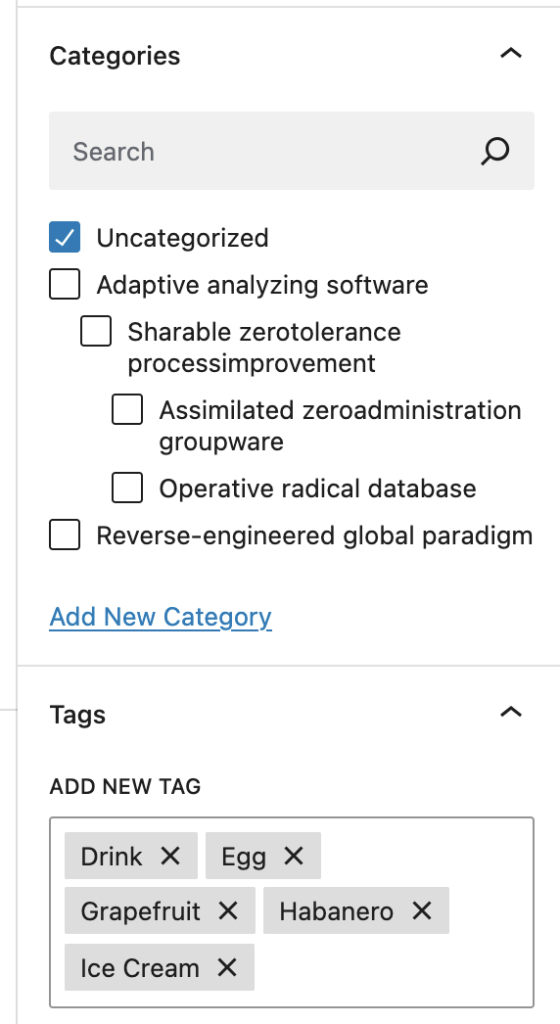
Here are some of the customer requests that are not possible with the default WordPress options:
- “I want to sort the Categories alphabetically.”
- “I need to see the most popular Tags first.”
- “Can I allow authors to add new Categories but not Tags?”
- “How do I set a maximum or minimum number of Categories to add?”
Replace the default metaboxes
With PublishPress Taxonomies you can now remove the normal metaboxes and create your own. There’s an option in PublishPress Taxonomies called “Remove Default Metaboxes”. You can enable or disable this option for each user role. For example, you can disable these boxes for the Author role so user in that role can’t add any terms.
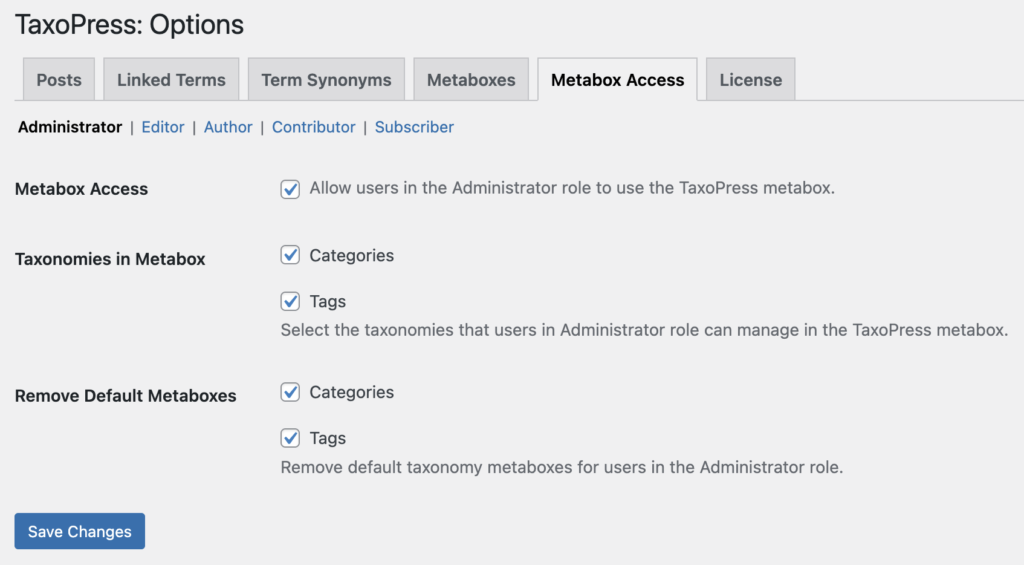
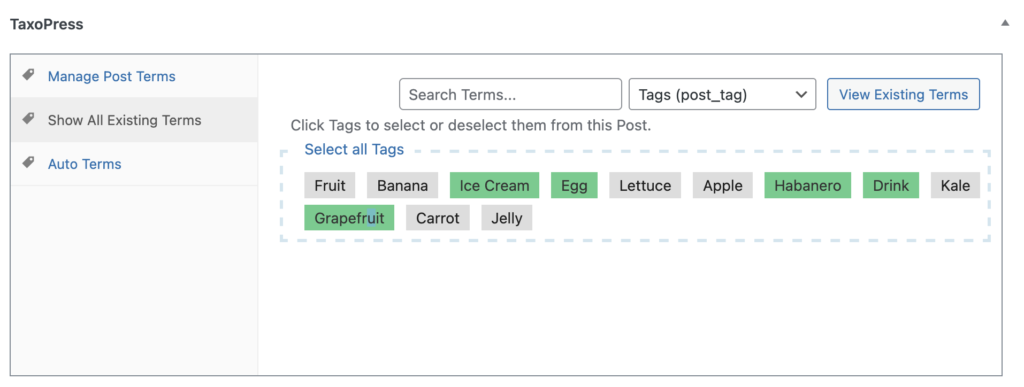
You can now customize the replacement PublishPress Taxonomies metabox. This next screenshot shows the default view that’s available in both the Free and Pro version.
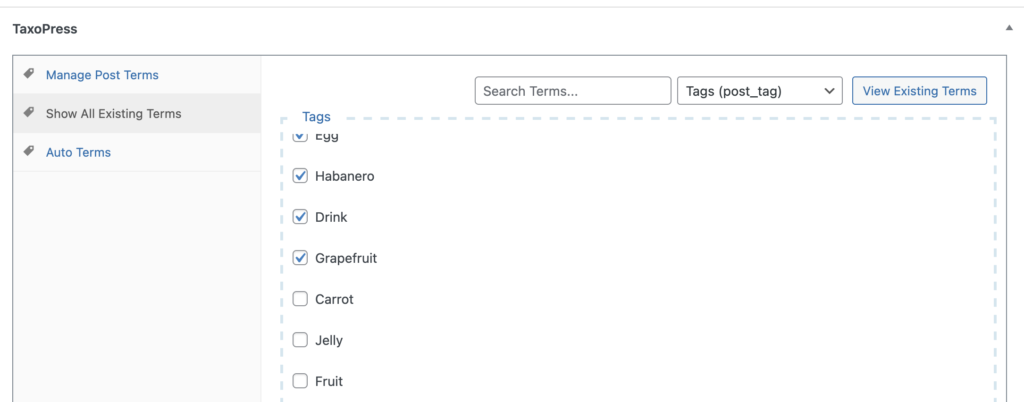
You can use the PublishPress Taxonomies Pro settings to customize this layout. This next screenshot shows a “Checkbox” display. With this display it’s no longer possible to add any more Tags or Categories. The authors can only choose terms that already exist.
You can customize the appearance of this metabox. For example, this next screenshot shows the same terms, but organized by popularity. You’ll always see the most commonly-used terms on the top of the list.
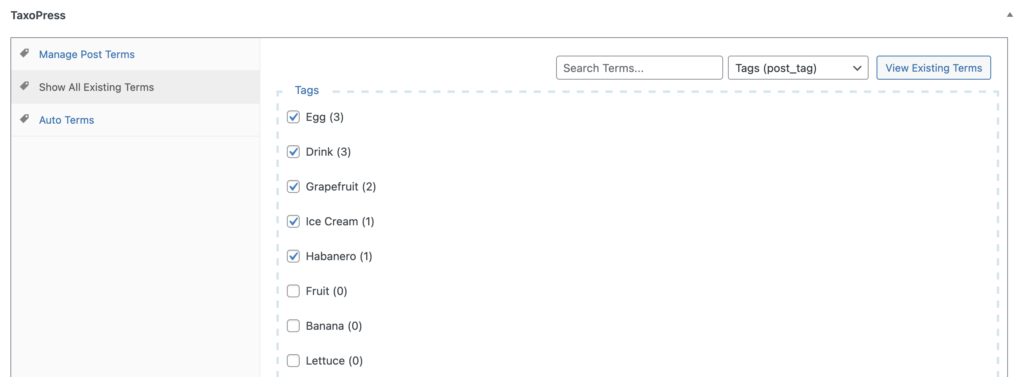
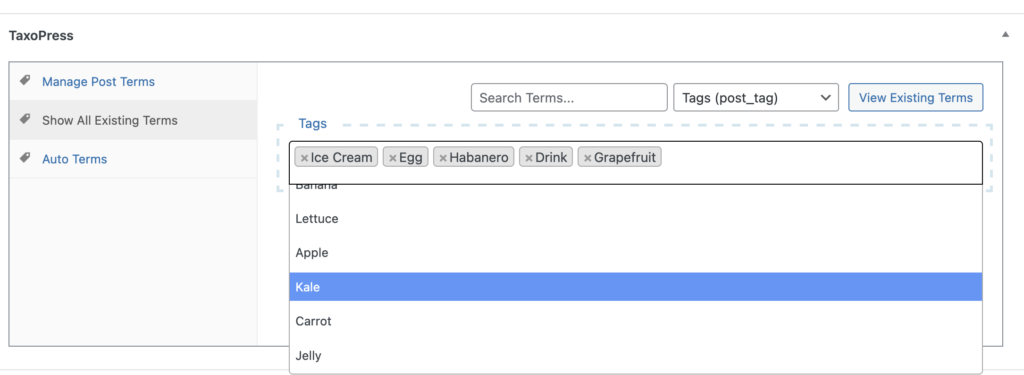
This next screenshot shows another way to customize the metabox. You can choose a search box display. This is ideal if you have really large number of terms.
What’s next for PublishPress Taxonomies?
We have at least one more big release coming for this “Metaboxes” feature. We’re going to add more layout, display, and filter options. So if you want control over how your users add terms, go ahead and download PublishPress Taxonomies Pro.
Everything in this week’s update came from a user request. If you have any ideas on how to expand this feature, please let us know.

Organize your WordPress content
PublishPress Taxonomies allows you to create and manage Tags, Categories, and all your WordPress taxonomy terms.
