
Block Permissions: Control Blocks for User Roles
“Block Permissions” is one of the most popular features in the PublishPress Blocks plugin. This feature allows you to control which blocks are available to different user roles.
For example, if you want to prevent some user roles from adding “Table” blocks, you can block them from doing that with this feature.
The system is based on user roles so you can remove blocks for specific groups of users.
Table of Contents
How to Remove Blocks for User Roles
- To get started, install the PublishPress Blocks plugin.
- Go to “Blocks”, then “Block Permissions” in your WordPress admin menu.
- In the top-left corner, you can choose the user role you want to edit.
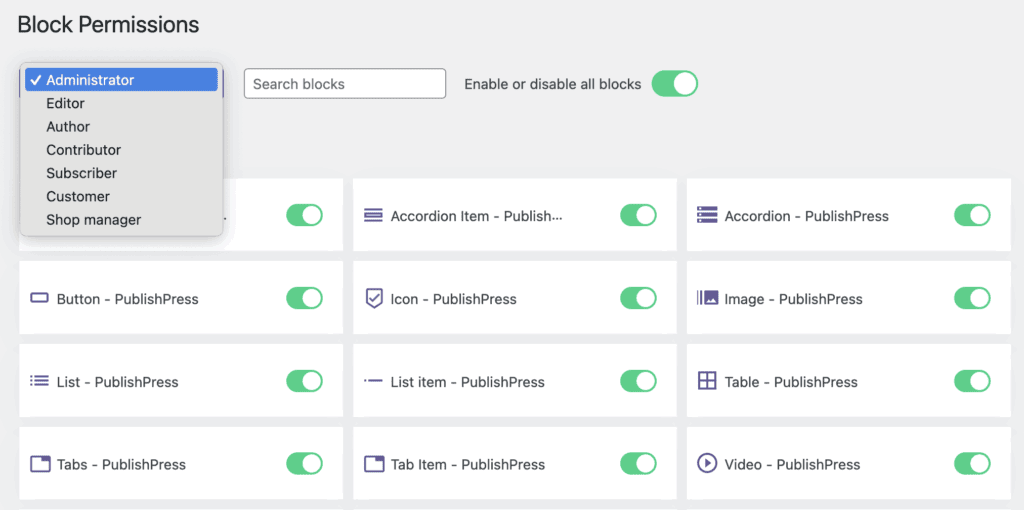
- You can enable/disable blocks in Gutenberg by clicking on them.
- When you're finished, press the “Save Block Access” button to update the user role.

- Once saved, the blocks will be available (or not available) in the post editor when the user creates content.

An example of Block Permissions in action
One of the most common uses of the Block Permissions feature is removing blocks for low-level users.
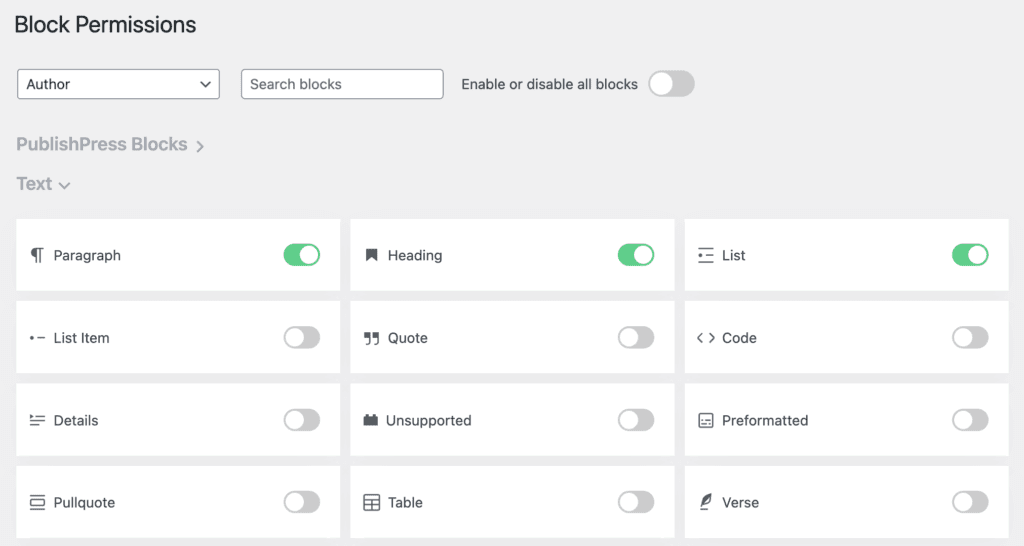
In the image below, I've selected the “Author” role and disabled all the blocks except for a few key blocks including Paragraph, Heading, List, and Image.
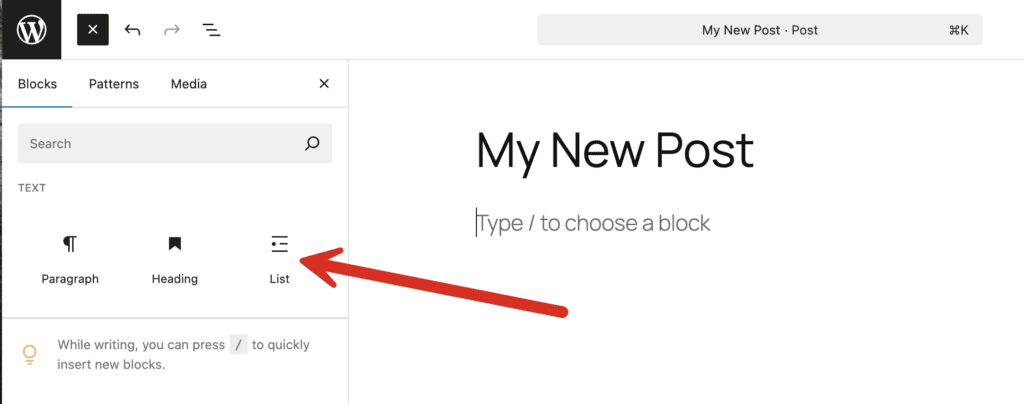
This next image shows what a user in the Author role will see when they write a post. Only those few blocks are available. This is a great way to make sure that low-level users don't add the type of content that you want to restrict.
Video Guide to Removing Blocks for Users
More about Controlling Access to Gutenberg
The PublishPress plugins offer a wide variety of ways to control the Gutenberg editor. For example, there are ways to disable the Gutenberg editor for specific roles. You can also hide metaboxes from 3rd party plugins or even remove specific links from the block toolbar menu.
You can also hide elements in the Gutenberg with the Editor Features screen or force users to use either Gutenberg or the Classic Editor. Finally, you can prevent users from having access to some blocks, or even stop them adding any new blocks.

The Best Plugin to Control Your WordPress Users
PublishPress Capabilities enables you to customize what users see in every area of WordPress from editing posts and pages to admin menus, profile pages.

Your Complete Toolkit for the WordPress Block Editor
PublishPress Blocks is the plugin that gives you more control over the WordPress block editor. You get a complete set of management tools for your blocks.
