
Block All Users in a Role from Viewing a Post Type
We had a question from a PublishPress customer who wanted to prevent everyone in a specific user role from accessing a post type on their site. For example, they wanted to block all users in the “Author” role from viewing Pages on their site.
This is possible with the PublishPress Permissions plugin. In this short guide, I'll show you how this is done.
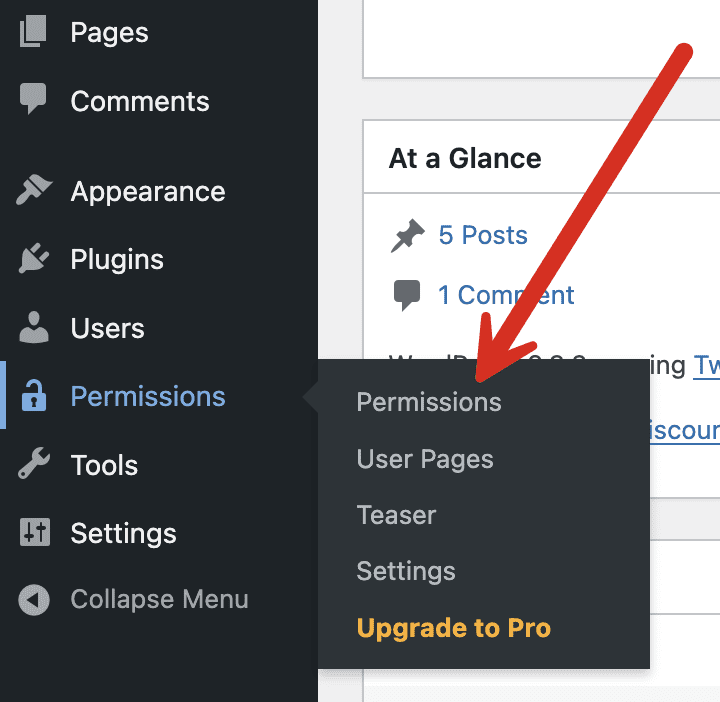
- Go to the “Permissions” link in your WordPress admin area. You can see that link in this next screenshot.
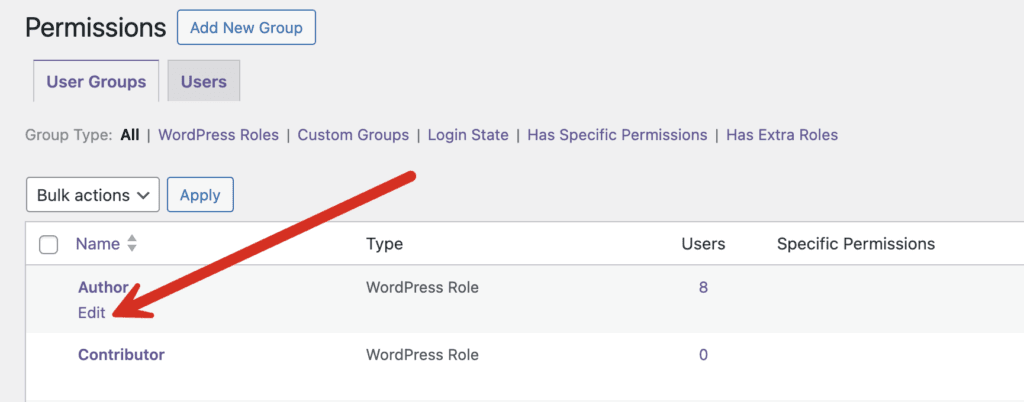
- Click on the user role you want to edit. It will be “Author” in this example.
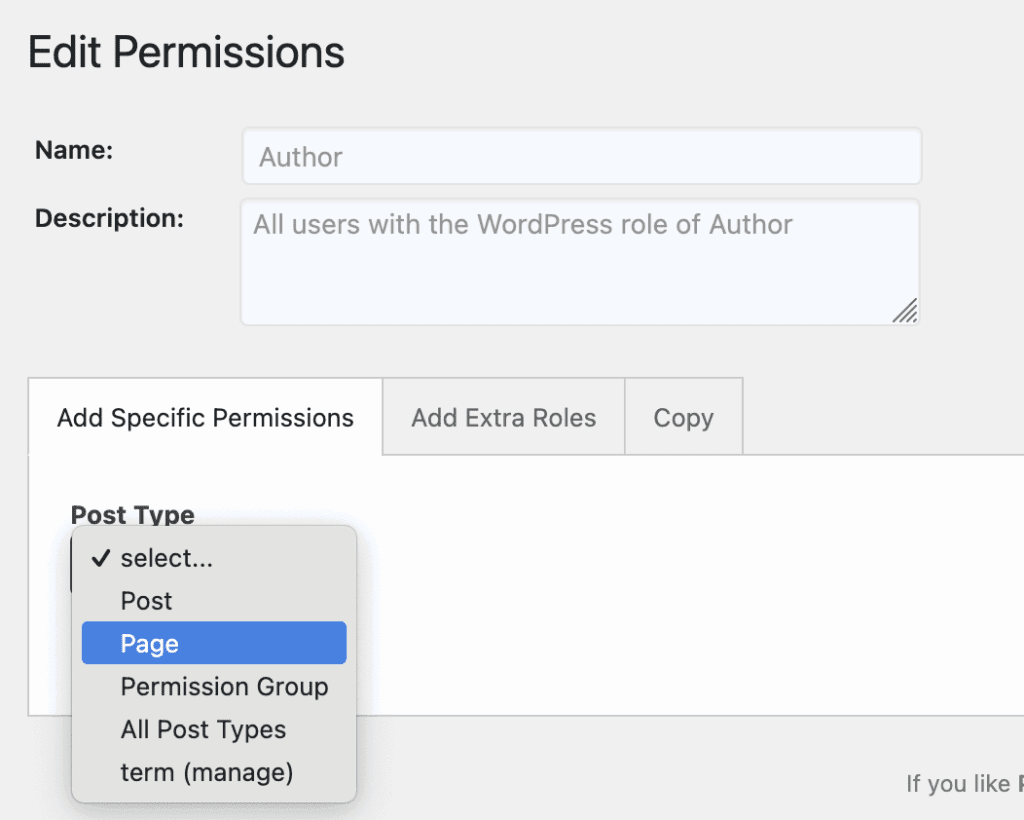
- On the next screen, select the “Add Specific Permissions” tab
- Select your post type. In this screenshot below, we choose the “Page” option.
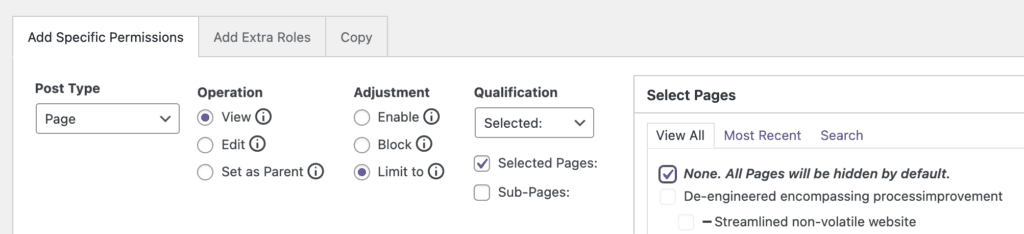
- Choose “View” in the Operation column.
- Choose “Limit to” in the Adjustment column.
- In the “Select Pages” box area, check “None. All Pages will be hidden by default”.
- Click the “Add Selected” button.
- Click the “Save Permissions” button.
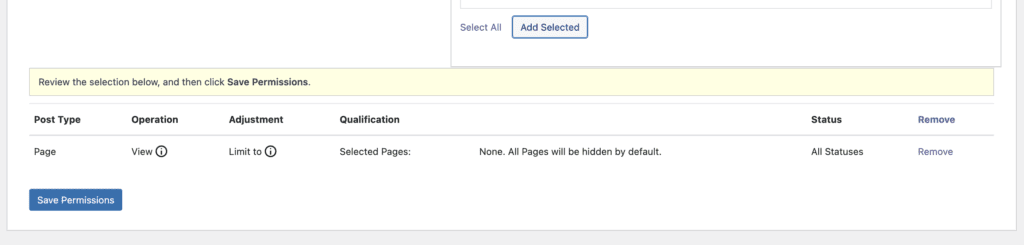
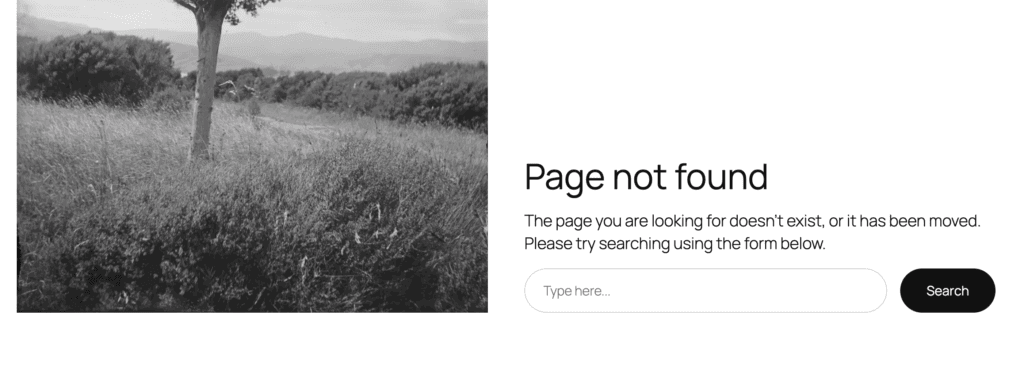
That's it. You've finished the process. Now when any user in the Author role tries to visit a page on the front of your site, they will see a “Page not Found” error. You can customize what these users see with the Teaser feature in the Pro version of PublishPress Permissions.
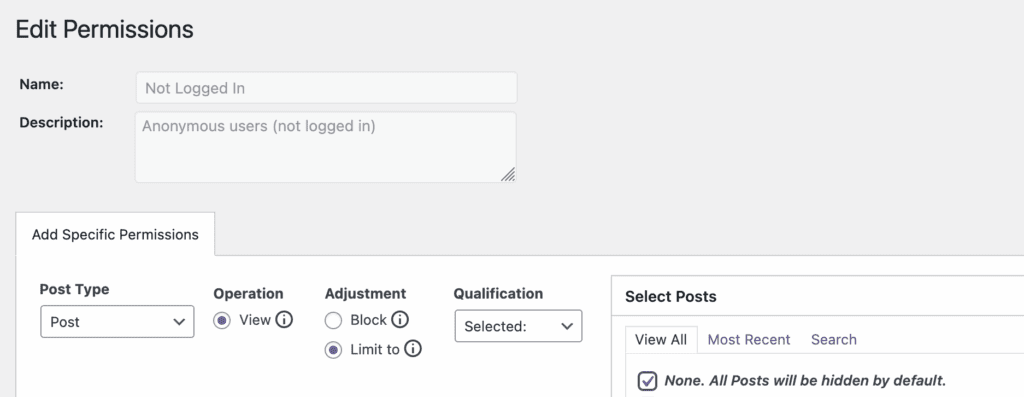
There are many possible use-cases for this. For example, you could easily block all non-logged in users from seeing the content in a particular post type. The screenshot below shows how that's done. I've edited the permissions for everything who is “Not Logged In” and blocked them from seeing all the Posts on the site.
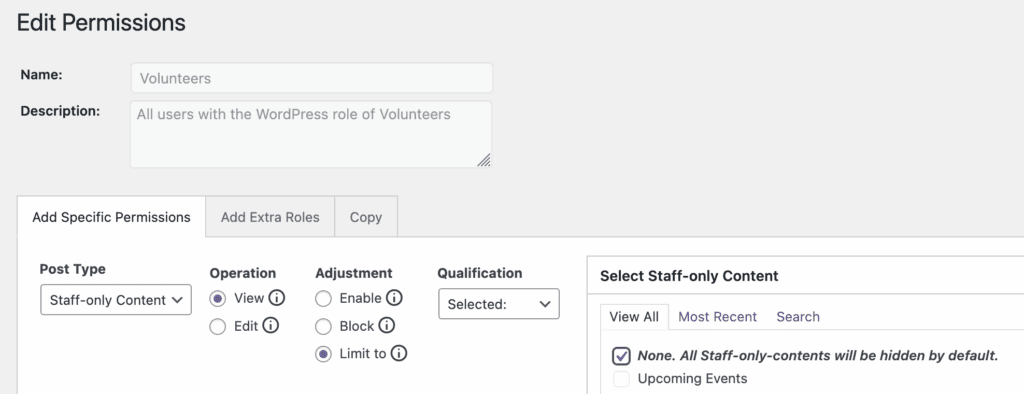
Or less see a second scenario. Imagine that you have a website for an organization. Both staff members and volunteers and logging in to the site. There is a “Staff-Only Content” section of the website that you don't want users to access. This screenshot below shows how that's done by editing the permissions for the “Volunteer” role.
The Best Plugin to Control Access to Your WordPress Content
PublishPress Permissions allows you to enable or deny access to posts, pages, categories, tags and more. You can control who can view and edit your WordPress content.
