
How to Clean Up the WooCommerce Product Screen
If I had to pick a word to describe my experience with busy WooCommerce sites, it's “overwhelming”.
There are so many admin notices, plugin alerts, review requests, and other demands for your attention. In the product editor, there are a ton of sidebar, tabs, settings, metaboxes, and configuration options.
So with PublishPress Capabilities, we're helping you simplify the WooCommerce admin area. This plugin provides all the features you need for a clean dashboard and product editing screens.
I'm going to give you a guide to cleaning up the WooCommerce Products screen. All of the features in this guide are available in the Free version of PublishPress Capabilities.
Table of Contents
Cleaning the WooCommerce Product Screens
I've attached a screenshot below showing a normal WordPress post without any extra plugins. With PublishPress Capabilities, it's really easy to clean up this screen.
PublishPress Capabilities is capable of cleaning up most post types, including WooCommerce products. This image below shows a typical product page.

You can use the “Editor Features” option to clean up this screen too. Because WooCommerce still uses the Classic Editor, click the “Classic” tab. You should also choose the “Product” tab.
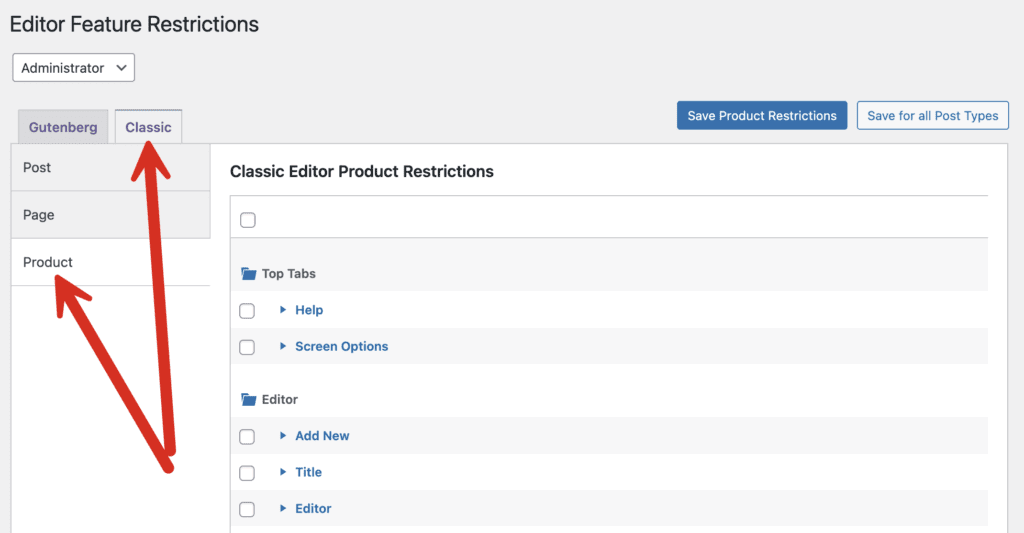
In this example, I'm going to check almost all the boxes on the screen with the exception of “Publish Box” and “Product Data”:
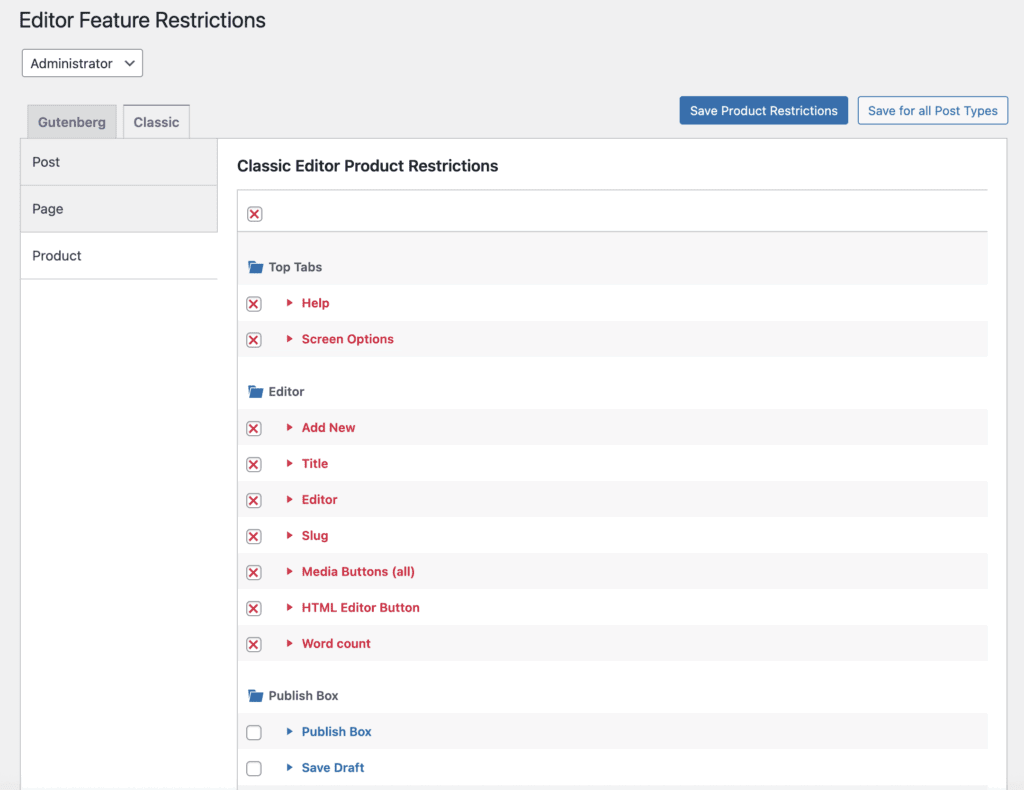
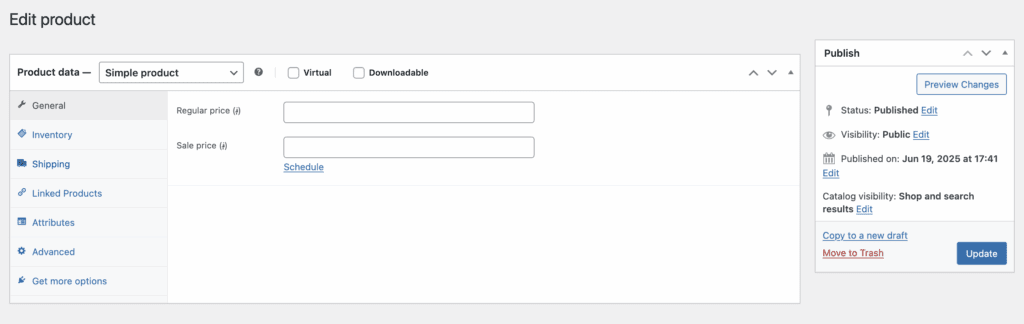
What remains on the WooCommerce products screen is what you see in the image below. A user who sees this can not update the title, content, description or other items for the product. They can only modify the product data and click “Update”.
WooCommerce and PublishPress Summary
WooCommerce and the PublishPress plugins are a powerful combination. You can configure the permissions on your eCommerce store to meet your exact needs.
Other examples include hiding the “Refund” button from some users, managing permissions for WooCommerce Orders and creating WooCommerce users who can only view and edit orders.
You'll also find guides to allowing some users to accept payments on orders on behalf of your customers and understanding the WooCommerce database.

The Best Plugin to Control Your WordPress Users
PublishPress Capabilities enables you to customize what users see in every area of WordPress from editing posts and pages to admin menus, profile pages.
