
Make Your WordPress Admin Areas Colorful and Unique
If you work with multiple WordPress sites, I'm 100% sure that you get confused sometimes.
Every site has the same black and white admin area. Every site looks identical!
It's easy to get mixed up, and sometimes make changes on the wrong site!
Is this the live site? Or is this the staging site? Which website am I editing now?
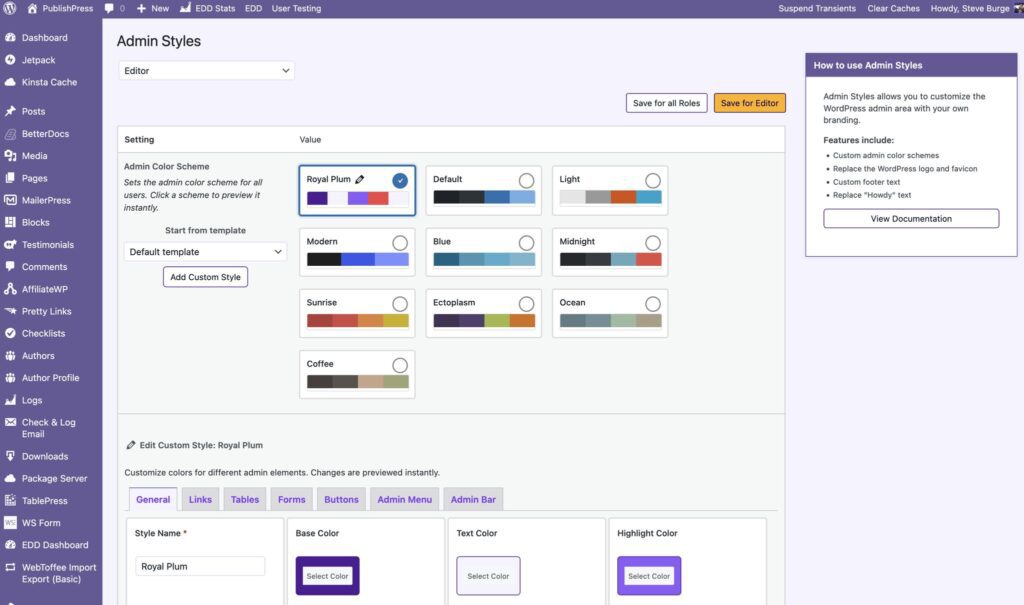
We're solving that with the “Admin Styles” feature in the PublishPress Capabilities plugin. This screenshot shows the new style for the PublishPress admin area. All the screens use the purple color of the PublishPress brand. For our staging site, we've chosen a different color from the PublishPress brand.
This next screenshot shows the admin area for the MetaSlider plugin, which has an orange brand.
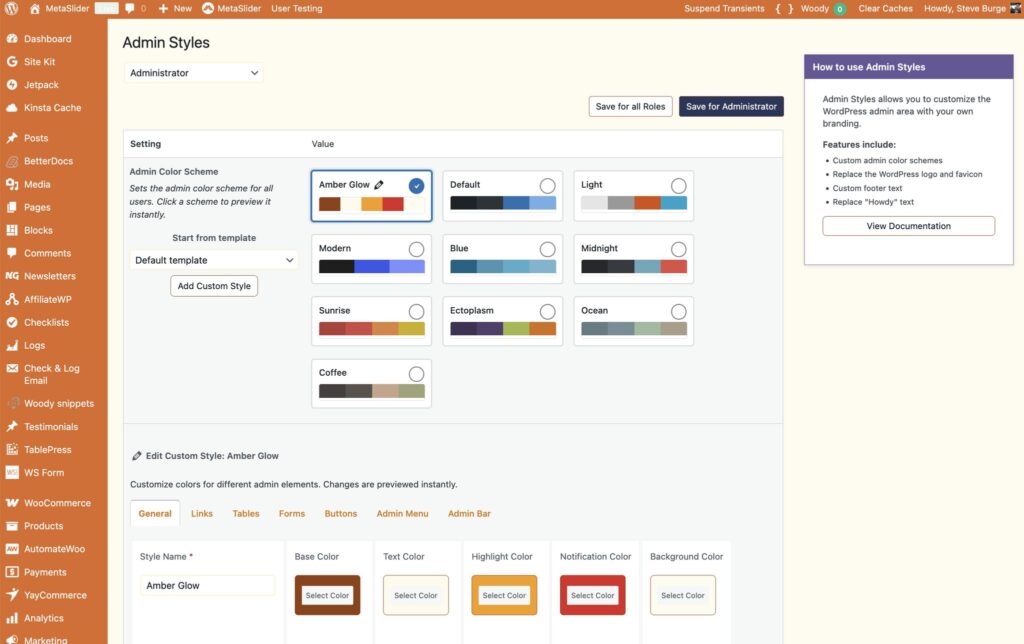
You can do these changes for different sites and also for different roles. For example, the “Administrator” role can see the site in one color scheme, and the “Subscriber” role can see the site in very different colors.
The Admin Styles feature makes it really easy to choose colors you want.
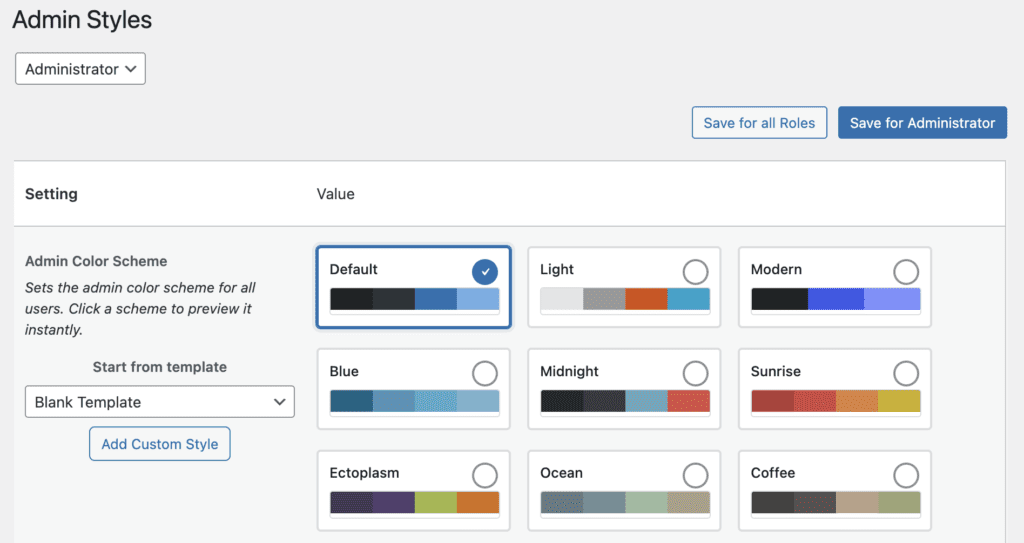
You can select from several core WordPress options: Default, Light, Modern, Blue, Midnight, Sunrise, Ectoplasm, Ocean, Coffee.
You can also click the “Add Custom Style” button, which allows you to create your own color scheme.
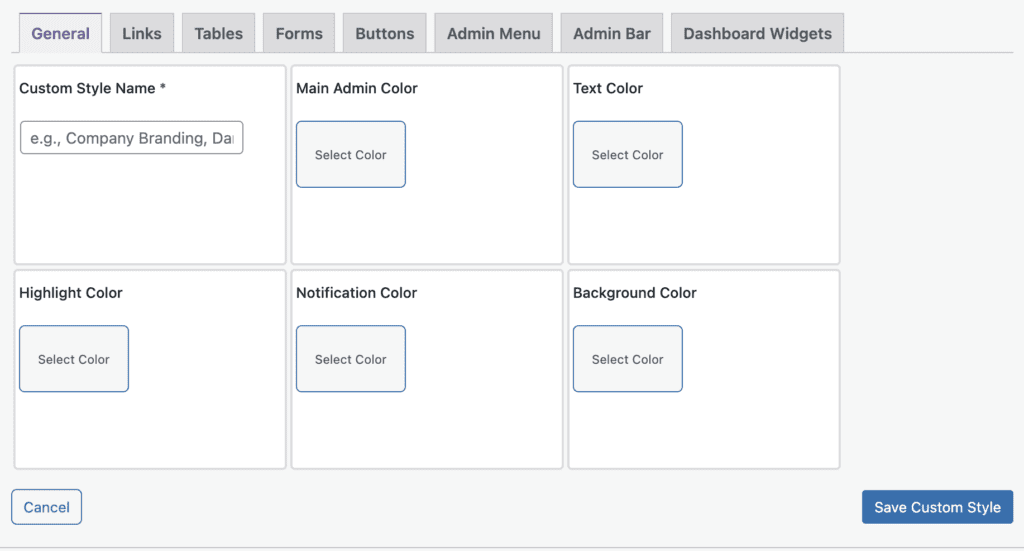
The Custom Style Editor enables you to choose many different colors for features in the WordPress admin area. This screenshot below shows the “Blank Template” option. To save your custom colors, make sure to enter a name into the “Custom Style Name” field.
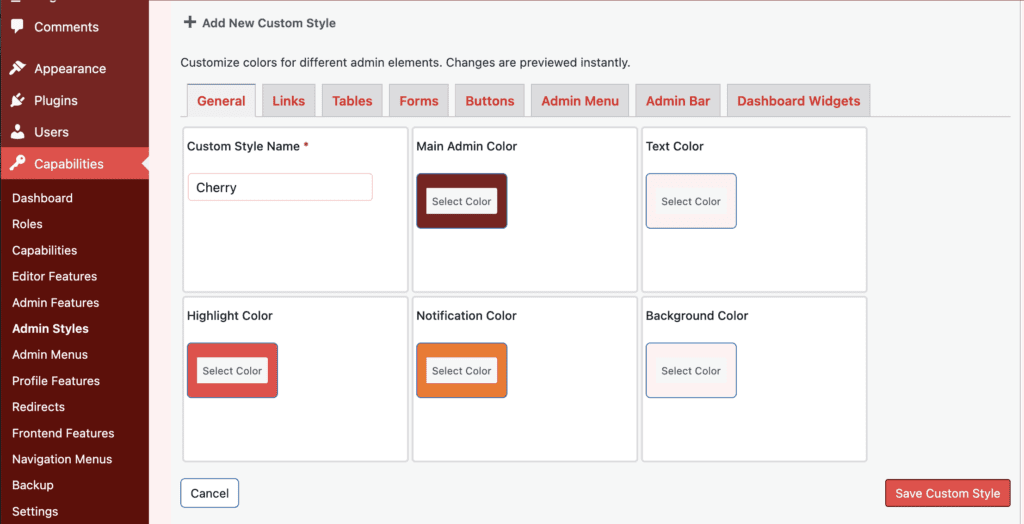
Alternatively, you can choose one of the pre-built custom styles that are provided with PublishPress Capabilities. This screenshot below shows the “Cherry” custom style.
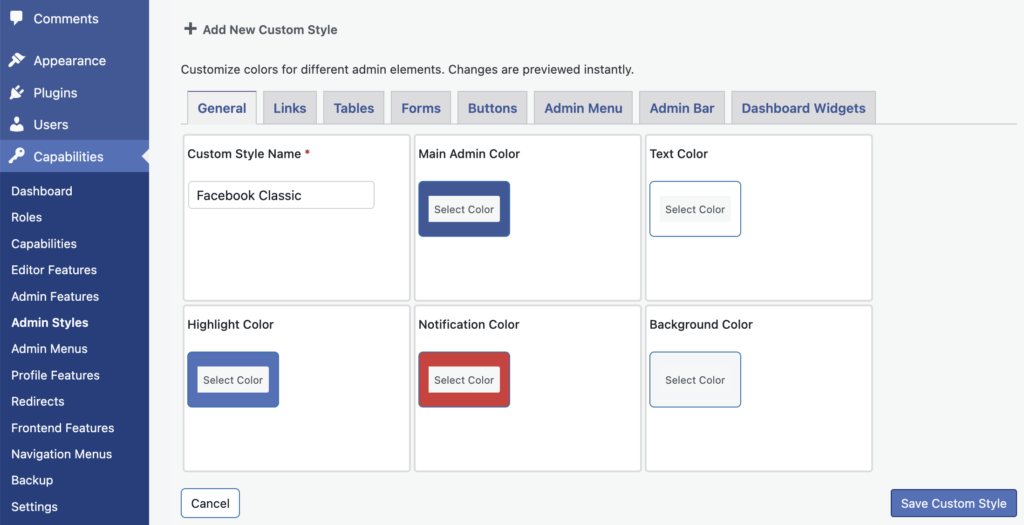
This next screenshot shows the “Facebook Classic” custom style.
We hope this new Admin Styles feature adds some fun and freshness to your WordPress work. After testing this feature for several weeks, our team has found Admin Styles to be a big help. Now we always know what site we're working on, and the brighter colors make our admin tasks more enjoyable.
Here's a video guide to the Admin Styles feature:

The Best Plugin to Control Your WordPress Users
PublishPress Capabilities enables you to customize what users see in every area of WordPress from editing posts and pages to admin menus, profile pages.
