
Improved Admin Menus and Redirect Features
PublishPress Capabilities 2.17 is out now. This is our final big release of 2024, and it's a good one!
If you're using the free version of PublishPress Capabilities, you'll see a new “Redirects” screen to control where users are sent when they log in and log out.
If you're using the Pro version, you will also see improvements to the “Admin Menus” screen. You can now add new links to the WordPress admin menu.
Table of Contents
Add new Admin Menu links
The “Admin Menus” screen is one of the most powerful features in the PublishPress Capabilities plugin. Over the last couple of months we've added many new features to this screen. You can now have access control for admin menu links, plus you can re-order the links and change the names and icons.
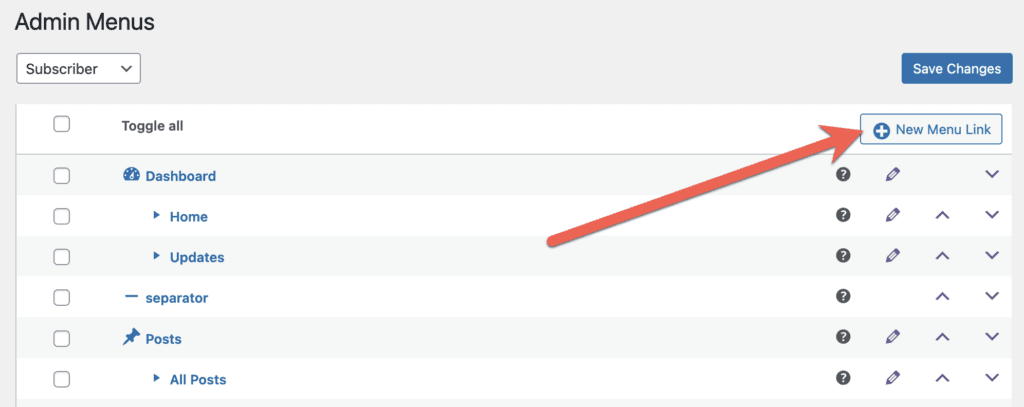
In this new release, you can also add new menu links. To get use this feature, click the “New Menu Link” button shown in the screenshot below:
There are several choices you can make for each new menu link:
- Type: Choose from “Menu”, “Submenu”, “Menu Separator”, or “Submenu Separator”.
- Position: Choose to display this new link either “After” or “Before” a specific menu link.
- Menu Title: This is the text that users will see.
- Menu URL: This can be either an internal or external URL.
- Menu Capability: This is the capability required to see the menu link. “read” is the default and will give access to anyone in the WordPress admin area. Choose “manage_options” to restrict the link only to administrators. You can check who has each capability via the Capabilities screen.
- Menu Icon: This is the icon that users will see.
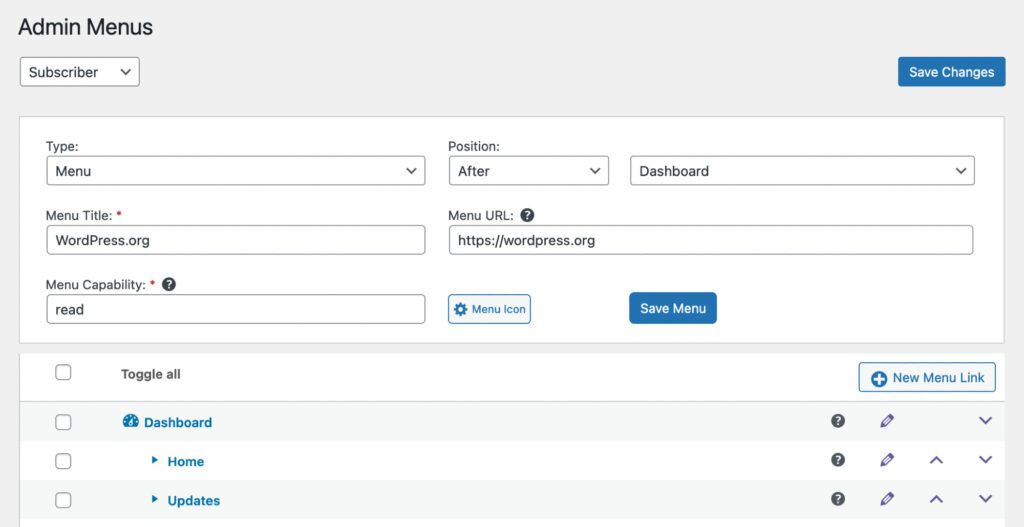
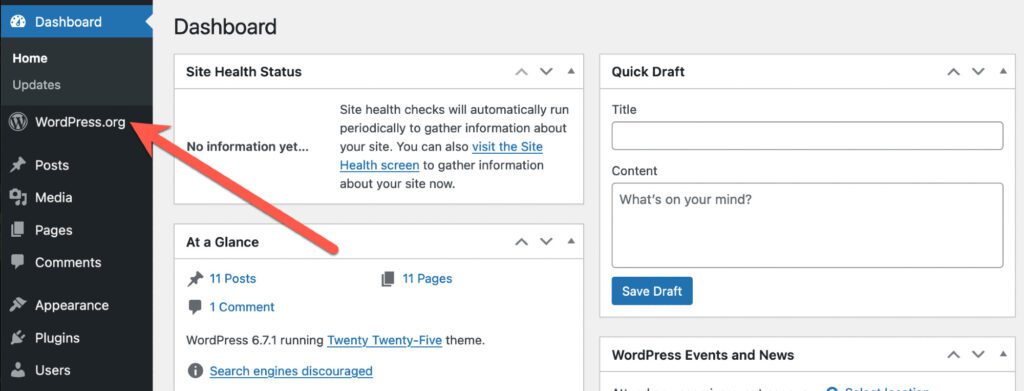
In this example, I've added a link to WordPress.org to my dashboard. The link has a WordPress icon and I've placed it directly after the main “Dashboard” link.
New Redirects screen
PublishPress Capabilities has a new “Redirects” screen that allows you to control where users are sent before and after logging in to your site. There are four options available:
- Login Redirect: Where users are sent when they log in. You can choose a specific URL, or to redirect them to the URL where they were viewing before logging in.
- Logout Redirect: Where users are sent when they log out.
- Registration Redirect: Where users are sent when they register on your site.
- First Login Redirect: Where users are sent when they log in to your site for the first time.

Thank you from the PublishPress team
We really appreciate all of you using the PublishPress plugins. We truly don't take your support for granted, and will keep working hard in 2025 to continue to earn your loyalty. We'll be back after the holidays with more great plugin releases. If you want to see a specific new feature, please let us know in comments.

The Best Plugin to Control Your WordPress Users
PublishPress Capabilities enables you to customize what users see in every area of WordPress from editing posts and pages to admin menus, profile pages.
