
How to Remove “Category” and “Tag” from Your WordPress Permalinks
We had an interesting question from a PublishPress Taxonomies user this week. They wanted to remove the “tag” part of their site’s permalinks.
By default, WordPress tags will be located at URLs such as /tag/wordpress/ and /tag/tutorials/. They wanted to change those URLs to be simply /wordpress/ and /tutorials/.
One solution is possible using the WordPress core. The downside is that this may not work on some hosting setups, including localhost.
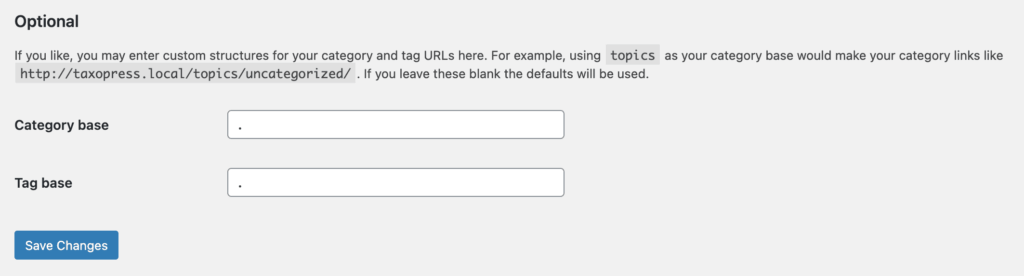
- Go to Settings > Permalinks.
- Enter only a . for “Category base”
- Enter only a . for “Tag base”
- Click “Save changes”.
If that doesn’t work, you can also try the “Remove Category URL” plugin. This only works with Categories, not Tags or other taxonomies.

Organize your WordPress content
PublishPress Taxonomies allows you to create and manage Tags, Categories, and all your WordPress taxonomy terms.
