
Schedule Changes to All Your Post Details
PublishPress Future is the plugin for scheduling changes to your content.
Version 4.5 is now available. This is a major new release and it really expands what is possible with the plugin.
There is a new “Update post” action available. This opens a world of possibilities for scheduling updates to your content.
With the “Update post” action, you can now schedule changes to your post's Date, Title, Slug, Content, Excerpt, Author, and much more.
Table of Contents
The new “Update post” action
Let's take a look at some examples so you can see how this “Update post” feature works.
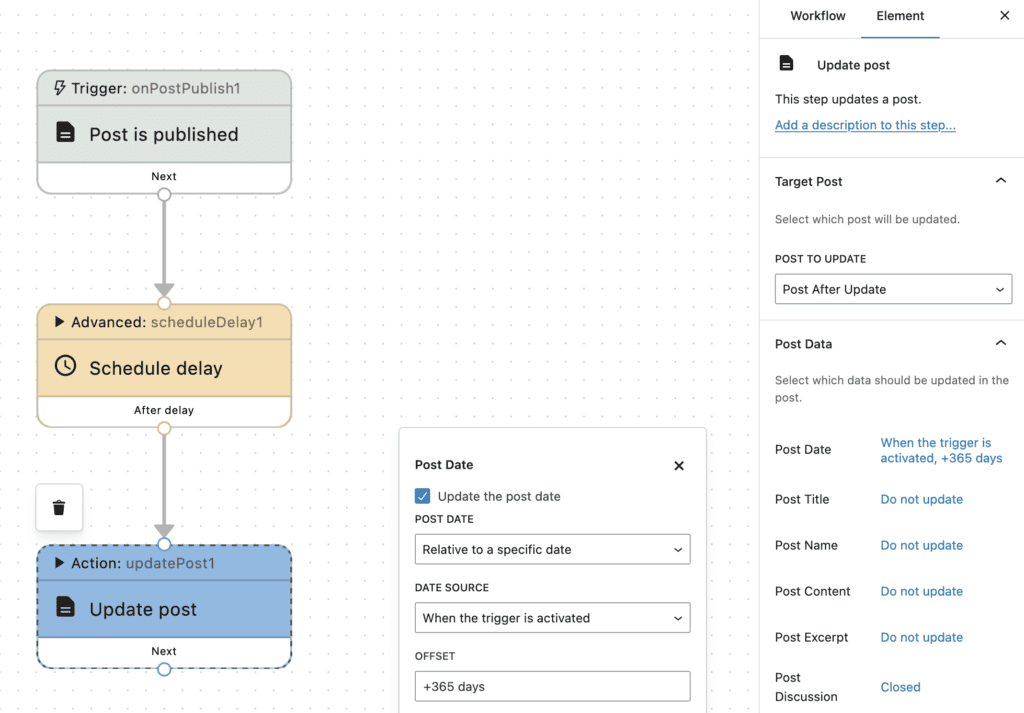
In the first example, shown in the screenshot below, you can see that I'm scheduling an update to the “Post Date”. I'm planning to update the publication date every year. This is an easy way to make your content look fresh. In the “Update post” action, I've set the publication date to update to the current date. And not shown in this screenshot, inside the “Schedule delay” option, the delay is set to 365 days.
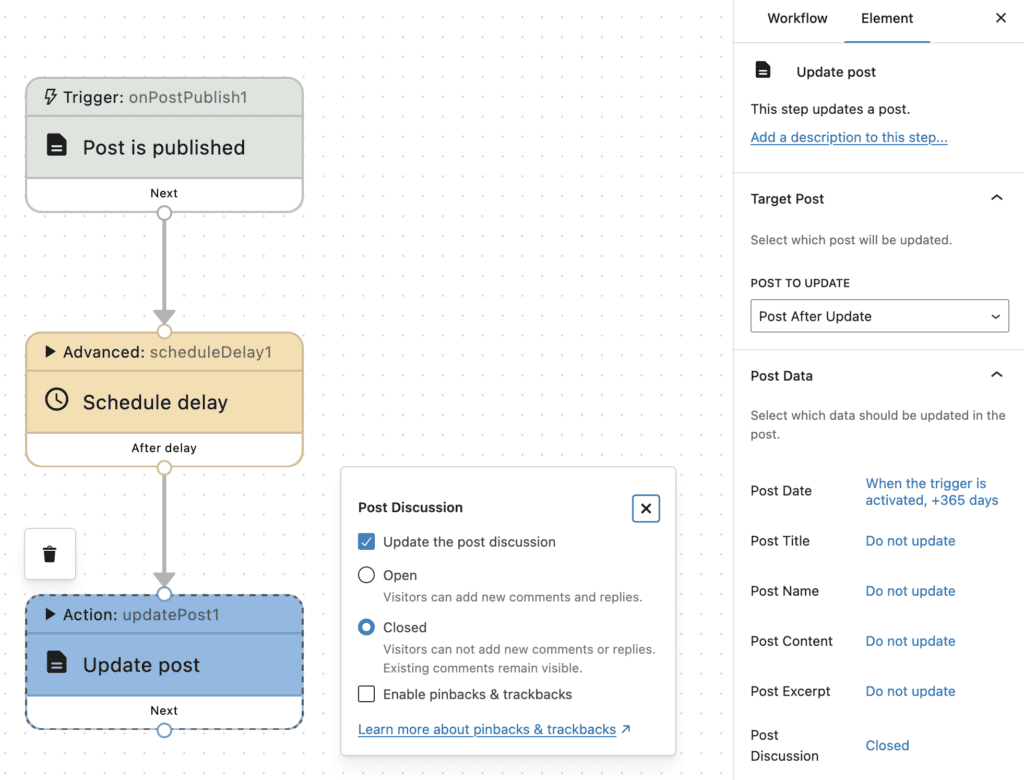
Here's a second example. The workflow in this next screenshot will automatically close comments on a post after 30 days. In the “Update post” action, I've set the “Post Discussion” option to “Closed”. Not shown in this screenshot, I went to the “Schedule delay” option and set the delay to 30 days.
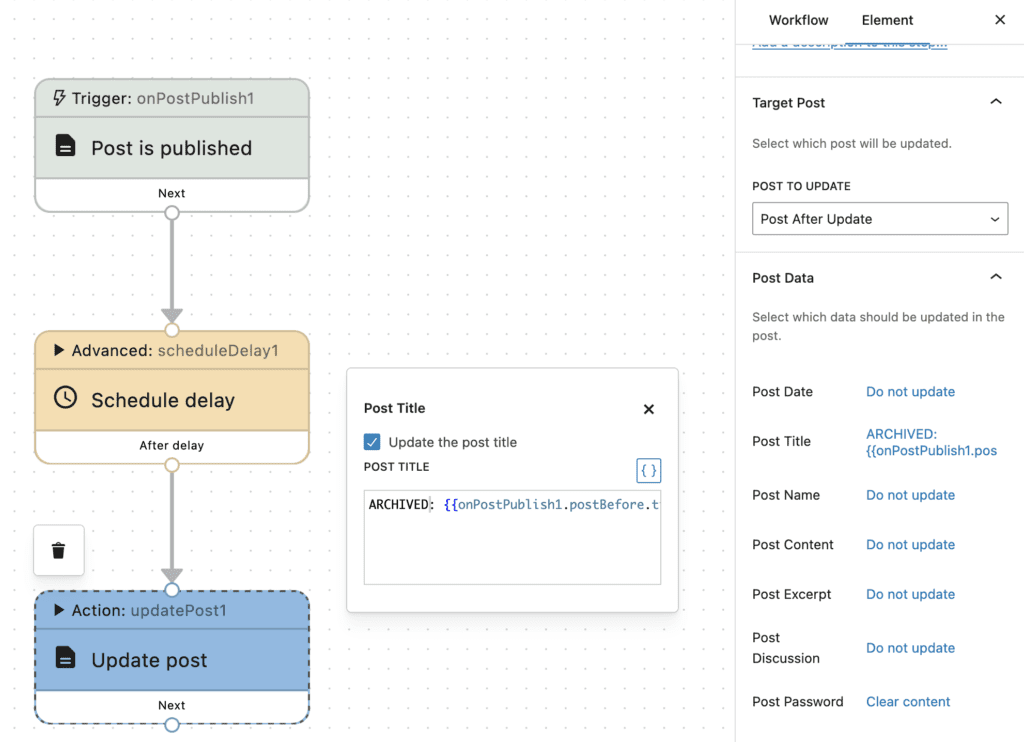
There's a third example in this next screenshot. This workflow will automatically add the word “ARCHIVED” to all post titles after 6 months. In the “Update post” action, I've edited the “Post Content” option. I've included the word “ARCHIVED”, followed by the shortcode for the post title. And to control the timeframe, I can go to the “Schedule delay” option and set the delay to 6 months.
New trigger filters
There are new filters available when you're starting workflows. In the screenshot below, the filter is set to run only for Posts. However, you can click the “Edit Filters” button and customize this filter in many different ways.
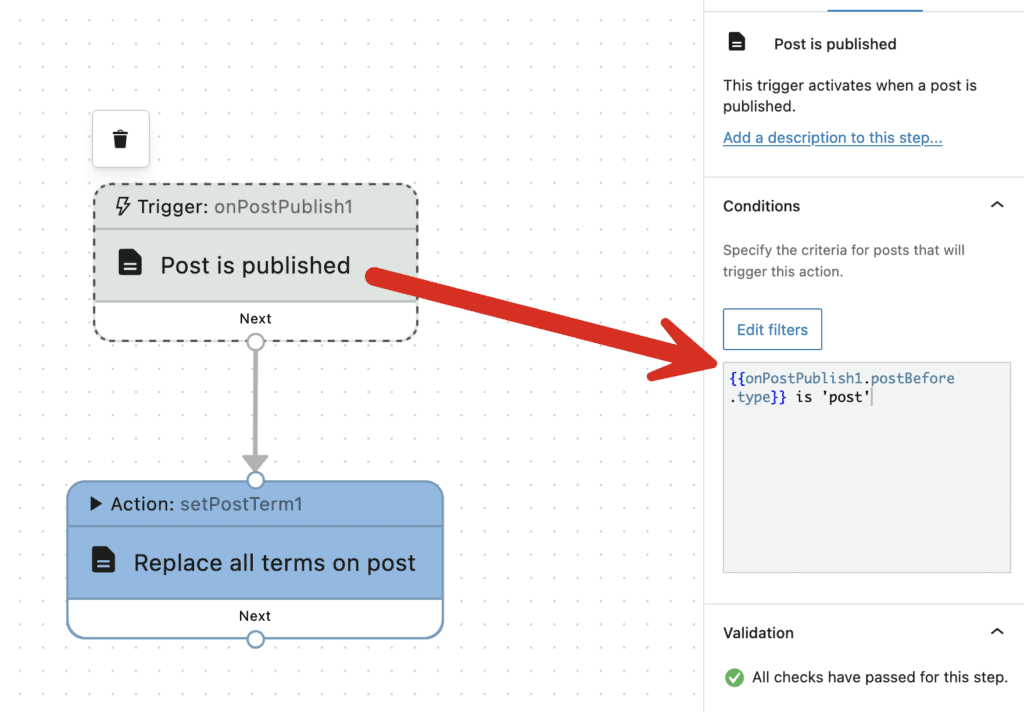
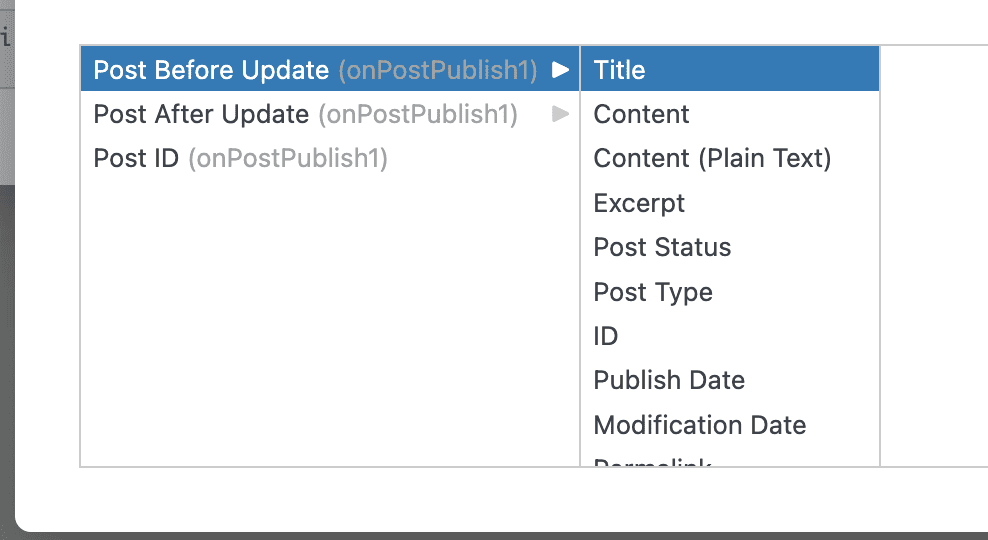
You can choose to filter this workflow based on the condition of the post before or after it was published. And you can use a wide range of available filters. You can run this workflow based on the post's Title, Content, Status, Publish Date, Permalink, Author, Metadata, and much more.
This new feature gives you great flexibility to make automatic changes to only the content that meets the specific criteria that you require. In this screenshot below you can choose from all the filter options. Click here for the full details on these new filters.
New triggers
There are two new trigger available in PublishPress Future Pro. Click here to see all the available triggers.
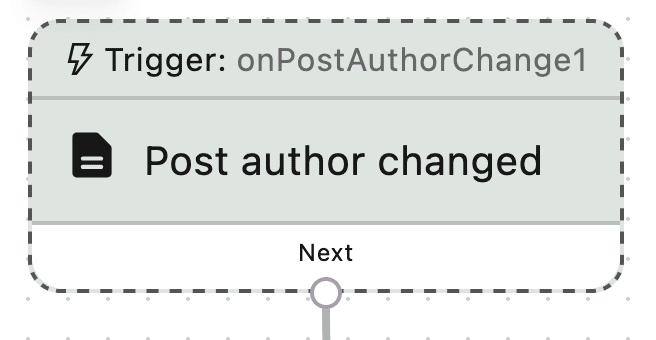
The first new trigger allows you to start a workflow when the author is changed on a post.
The other new trigger provides now an extra way to start your workflows in PublishPress Future Pro. This trigger is called “Manually run via post row action”.
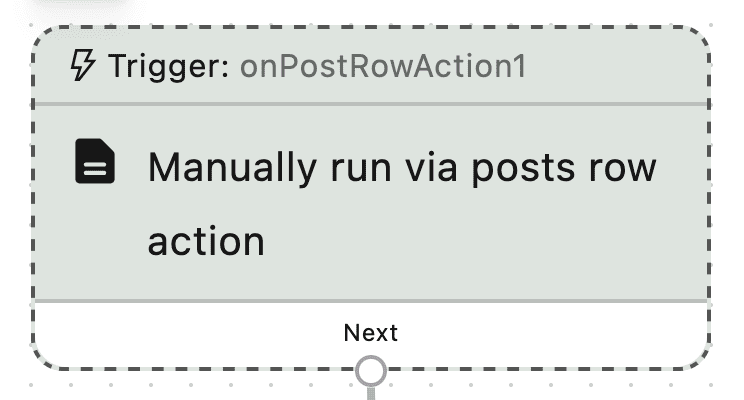
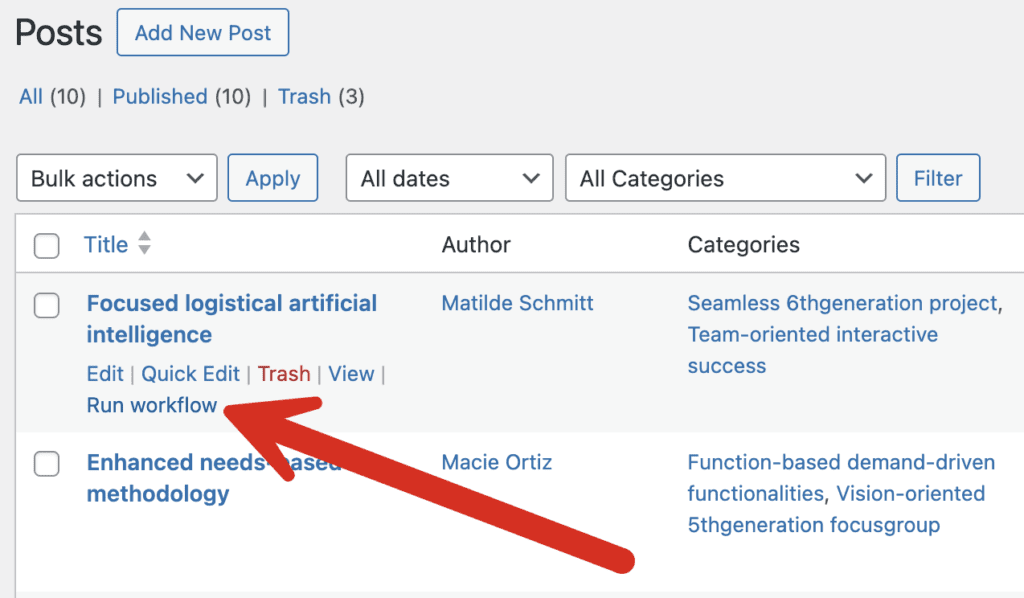
When you use this trigger, this will add an action link to your posts. You can click this link to start the workflow.
Improvements for repeating workflows
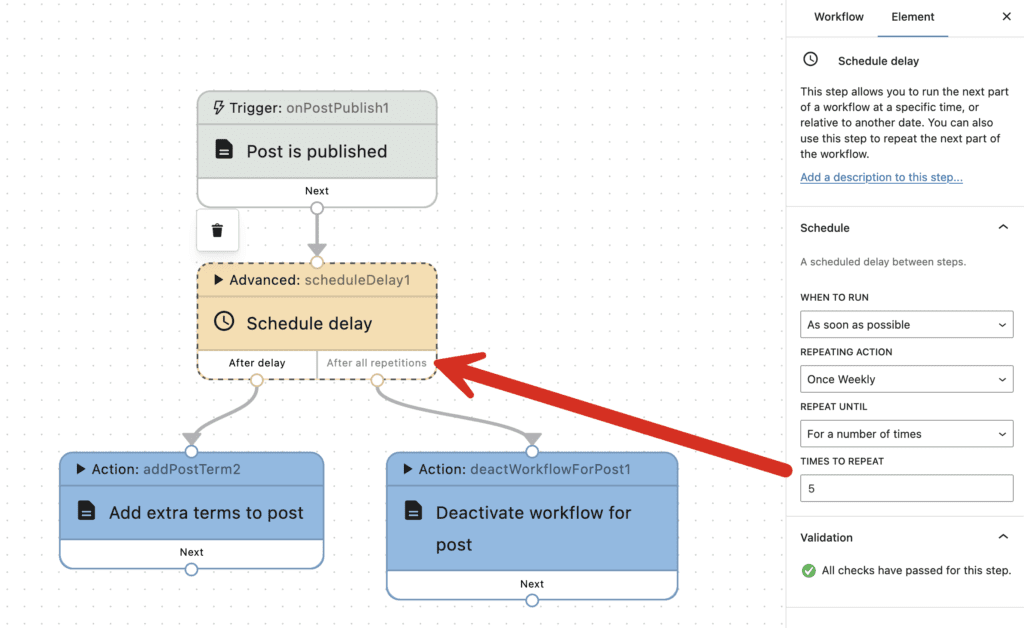
PublishPress Future Pro now has more advanced settings for repeating workflows. In the screenshot below, you can see that the workflow has been designed to repeat five times. In this version of PublishPress Future, you can choose what happens after all the repetitions have finished. You could decide to complete the workflow, or you could start a whole new part of the workflow.
What's next for PublishPress Future?
We've got big plans for PublishPress Future to be the centerpiece of the PublishPress plugins. We're working right now on integrations between PublishPress Future with our other plugins. We're also looking at integrations with other popular plugins such as WooCommerce. If you want to schedule changes to a particular plugin, let us know and we'll do our best to make it happen!

The Best Plugin to Schedule Changes to Your WordPress Content
The PublishPress Future plugin allows you to schedule automatic changes to posts. You can update your content using custom workflows involving multiple steps.
