
The WordPress Alternative to Notion, ClickUp and Trello
If you're an online publisher, there's a very good chance you use WordPress to manage your content.
Why use also use Trello, ClickUp, Notion, or other products when you already have WordPress?
PublishPress Planner is a WordPress plugin that can replace your expensive content management services. You can write, plan, and publish your content entirely inside WordPress.
Table of Contents
Video Guide to PublishPress Planner
How to Plan Content in WordPress
When you install the PublishPress Planner plugin now, you'll see three major screens. Each screen is designed to replicate features you'll normally find in a content planning SaaS service. Each screen provides a different approach to planning your content.
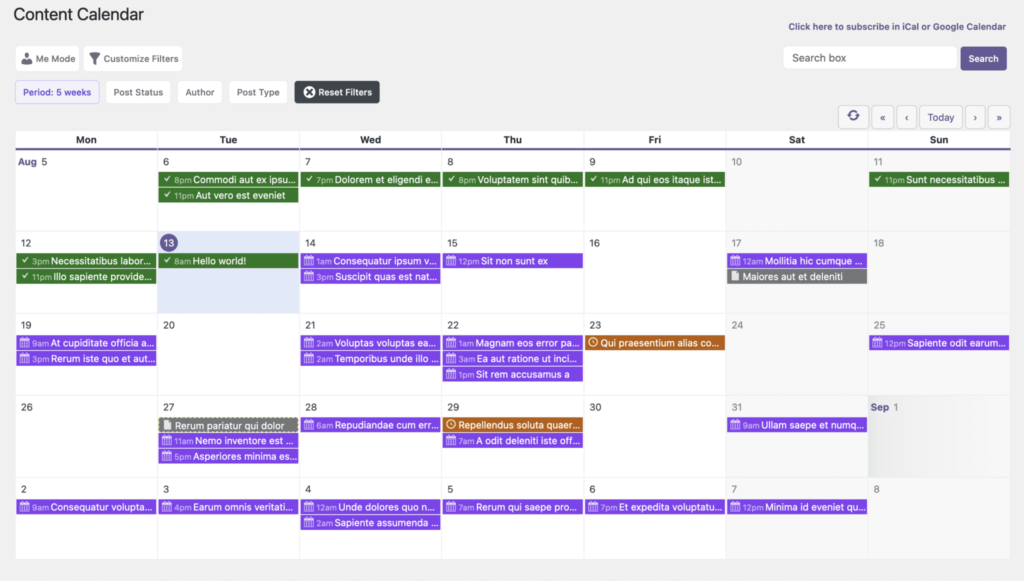
The Content Calendar screen allows you to view and schedule your content by date. You can drag-and-drop content to a new publication date. You can click on any day in the calendar to create a new post on that date.
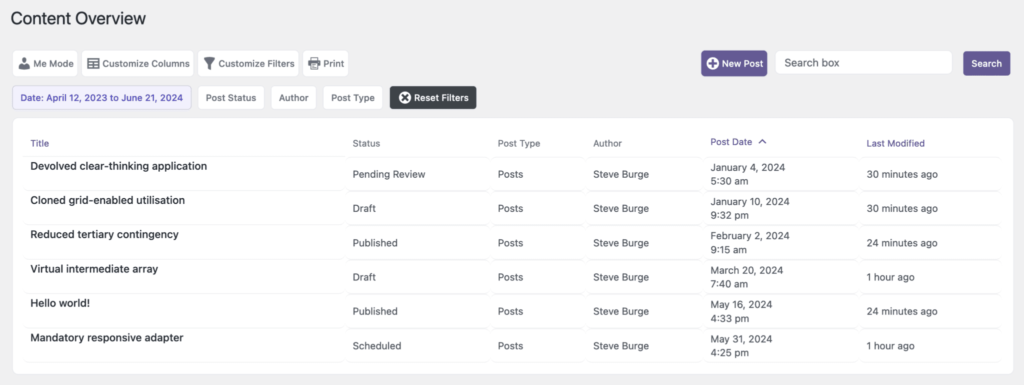
The Content Overview screen provides a powerful way to explore your content, with options to sort and filter by status, category, author, and more. Think of it as an enhanced version of the standard “Posts” screen. You can also customize it further by adding your own columns and filters for a tailored experience.
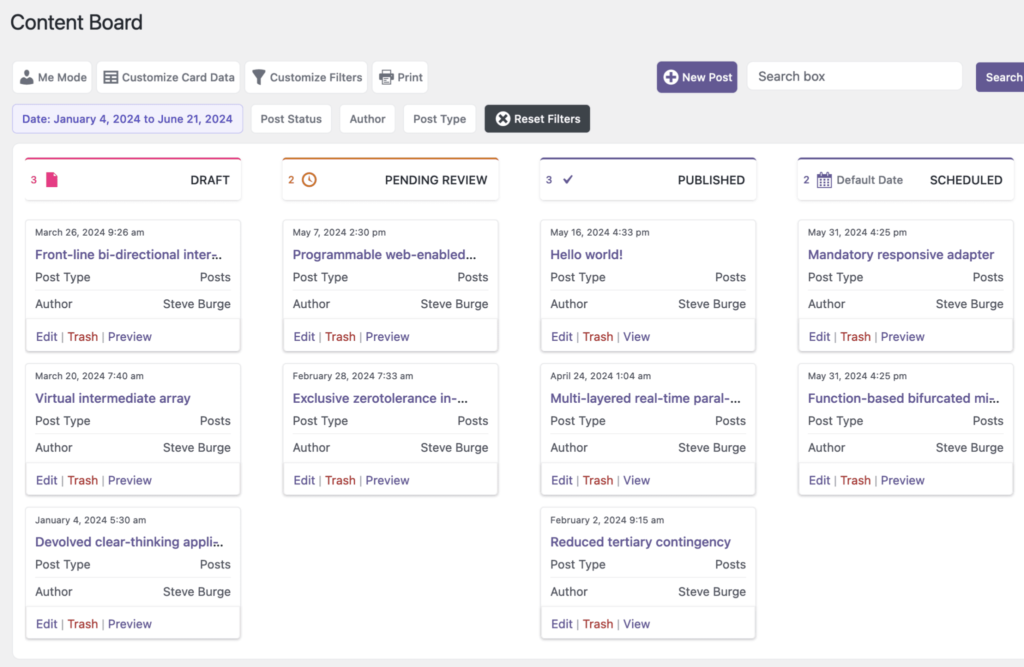
The Content Board screen is a kanban board for planning your WordPress content. You can drag-and-drop content to different statuses. This is the place to go when you want to see how your content is progressing. How many posts do you have in “Draft” or “Pending Review”? How many posts are scheduled to go live? You can expand this feature with custom statuses thanks to the PublishPress Statuses plugin.
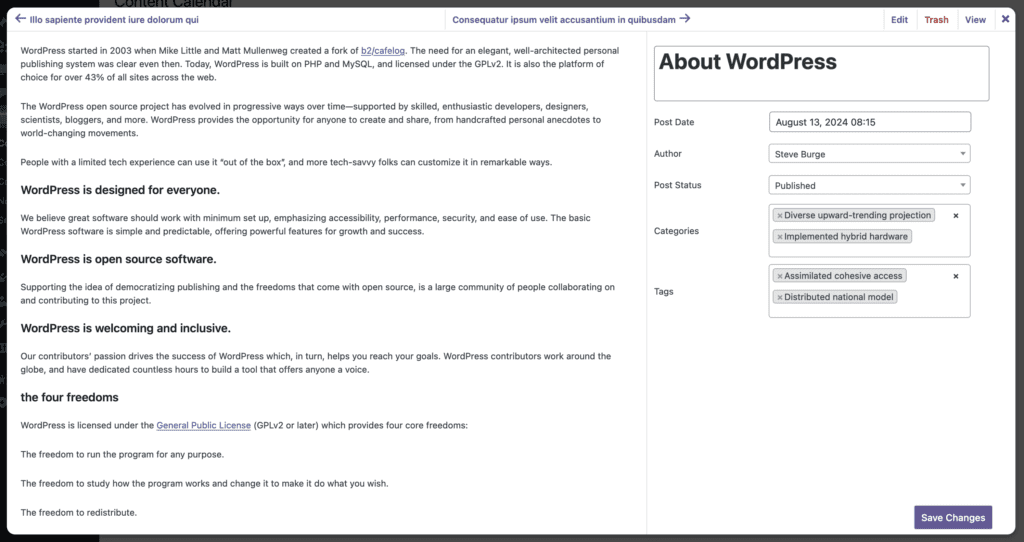
Planner has Fast-Editing Modals
If you’re using the Pro version of PublishPress Planner, you’ll unlock an additional feature across all three main screens. Simply click on any post title, and a new editing modal will appear. This modal provides full access to the post’s content, allowing you to make changes directly. You can also update key details, such as the title, publishing date, status, Tags, Categories, and more. These modals are designed to streamline your workflow by enabling you to manage everything from within the PublishPress Planner screens—eliminating the need to navigate to other parts of WordPress.
PublishPress Planner Summary
When you rely on a SaaS tool for content planning, your workflow becomes fragmented and difficult to manage.
In one common situation, you plan your content on the SaaS platform, but the actual writing and publishing happen in WordPress. This back-and-forth between two systems creates unnecessary hassle and inefficiency.
In another scenario, both your planning and content creation happen within the SaaS tool, but when it’s time to publish, you need to transfer everything to WordPress. Moving content between platforms can be time-consuming and frustrating—especially when updates are involved.
That’s where PublishPress Planner comes in. Say goodbye to costly monthly subscriptions and scattered workflows. With PublishPress Planner, you can plan, write, and publish your content seamlessly from one place—right inside WordPress.

The Best Plugin to Create Workflows for Your WordPress Content
PublishPress Statuses allows you to add custom statuses for your posts. You can use these statuses to create custom publishing workflows.

The Best Plugin to Plan and Manage Your WordPress content
PublishPress Planner has all the tools you need to plan and schedule WordPress content, including a Content Calendar, Kanban Board, editorial notifications and more.
