
Get In-Site Notifications with PublishPress Future
The PublishPress Future plugin allows you to schedule changes to posts, pages and other content types.
The great thing about these changes is that they can happen automatically, when you're busy doing something else.
But it can be important to get notifications when these changes happen.
You can now get notifications for all those changes directly inside your WordPress site. We believe this will make it much easier for you to keep track of your scheduled changes.
This new feature is called “In-site Notifications”. In this screenshot below, you can see an alert notification:

When you click the notification icon, you'll see a notification sidebar appear with your message, as in this screenshot below.
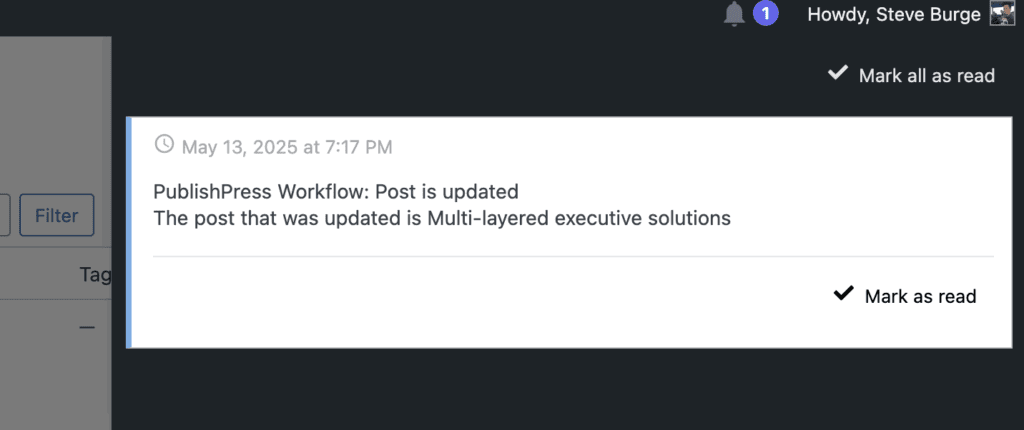
Table of Contents
How to Use In-Site Notifications
This feature is available in the “Action Workflows” area of PublishPress Future. You can add a “Send in-site notification” step from the “Actions” tab of the “Action Workflows” area.
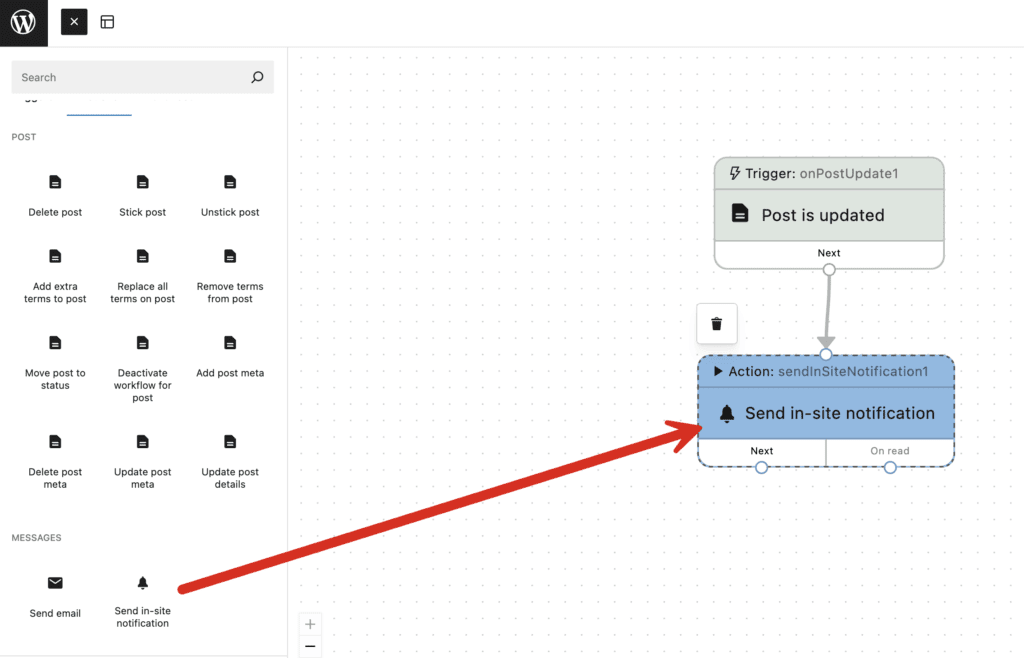
The settings for the “Send in-site notification” step are available in the right sidebar:
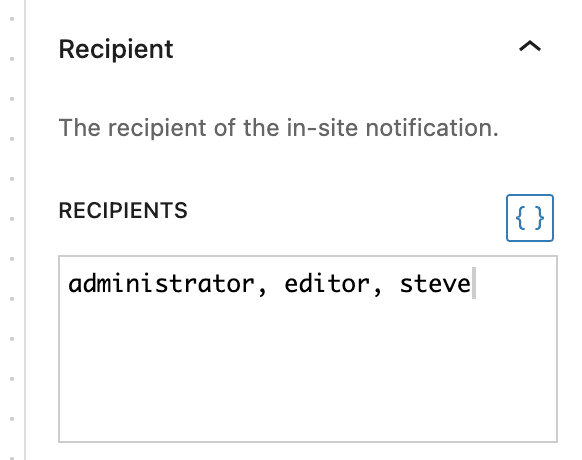
- Recipient: You can choose specific usernames, user IDs, emails or user roles to send this message to.
- Subject: You can customize the message title with shortcodes.
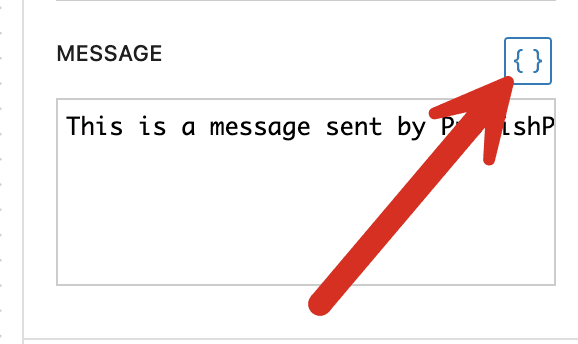
- Message: You can customize the message with shortcodes.

This next image shows an example of what's possible. You can enter the user roles you want to receive this notification. You can also enter the username for a specific user.
There are shortcodes available to customize the notifications sent by Action Workflows. To see the options, click the brackets icon shown in this screenshot:
Video Guide to In-Site Notifications

The Best Plugin to Schedule Changes to Your WordPress Content
The PublishPress Future plugin allows you to schedule automatic changes to posts. You can update your content using custom workflows involving multiple steps.
