
PublishPress Tag Groups 3.0.2: New AI Integrations and Tag Styles
This post is about a release of PublishPress Tag Groups. This plugin helps you display your WordPress Tags and Categories with stylish layouts and designs.
PublishPress Tag Groups 3.0.2 is a feature packed update for anyone who displays large sets of tags on a WordPress site.
There’s a new native MCP integration for compatible AI tools. You can use your favorite AI tool to create and manage the tags on your site.
You now have more visual styles, better browsing tools, tag icons, and image based layouts that can make your tag pages easier for visitors to scan and use.
Table of Contents
AI abilities integration
The new MCP support is helpful for teams exploring AI tools that connect with WordPress workflows. If you use compatible tools, PublishPress Tag Groups can now fit more naturally into that setup. Here’s a table of all the tasks you can do with your AI tool and PublishPress Tag Groups.
| Result | |
|---|---|
save-group | Pass: created groups 1 and 2, renamed group 1 |
set-group-order | Pass: swapped order to 2, 1 |
create-terms | Pass: created tag 13 in group 1 |
set-term-groups | Pass: moved tag 13 to group 2 |
bulk-set-term-groups | Pass: tag 13 in groups 1 and 2 (Pro multiple groups) |
update-plugin-settings | Pass: enabled metabox for post_tag, later restored |
set-post-groups | Pass: set tag 13 under group 1 on draft post 185, then cleared |
get-group | Pass: returns hash plus affected term and post counts |
delete-group | Pass: both groups deleted, memberships removed |
New ways to display tags
This release adds several new presentation options for the Tabbed Tag Cloud and Accordion displays, giving you more control over how tag groups appear on the front end of your site.
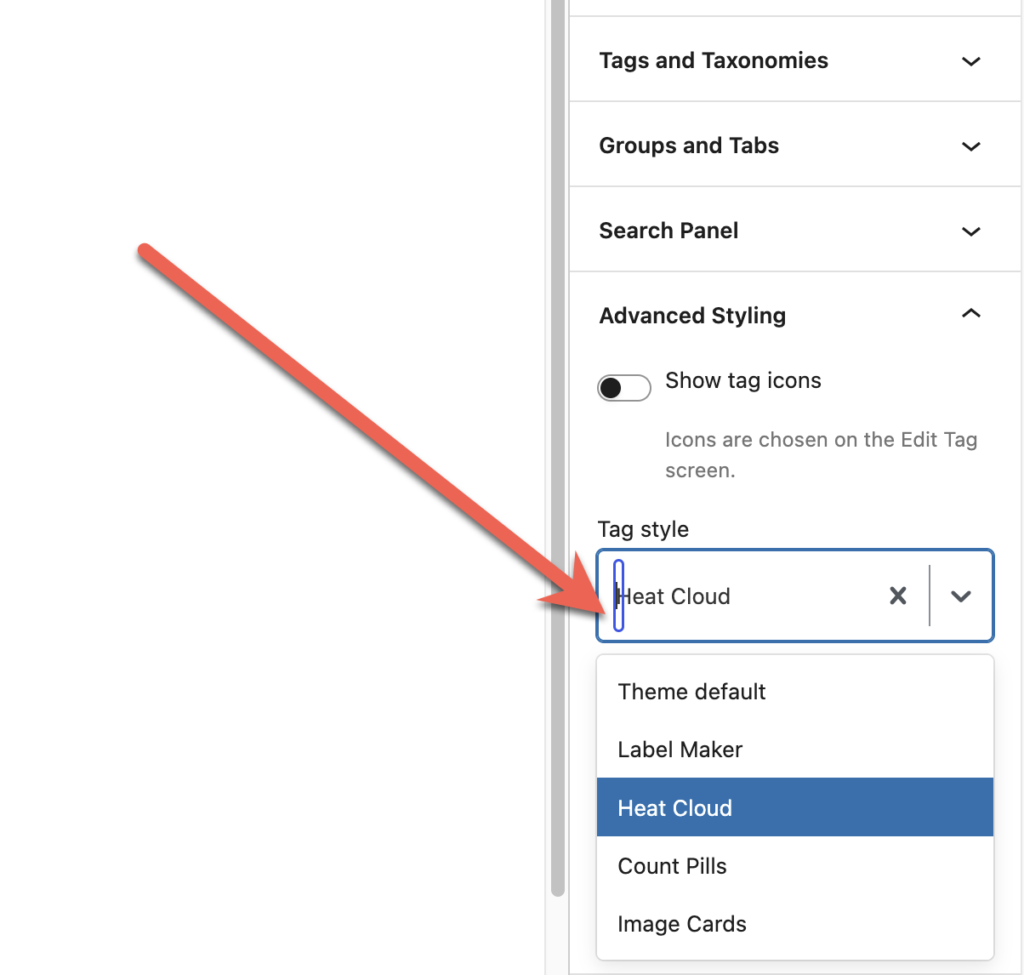
- Label Maker style: Show tags as bold label strips for a distinctive, playful look.
- Heat Cloud style: Highlight popular tags with stronger colors instead of changing the text size.
- Count Pills style: Display post counts in compact pill shaped badges beside each tag.
- Image Cards style: Add images to tags and present them as visual cards that are easier to recognize at a glance.
You’ll find these design options under the “Advanced Styling” box in the right sidebar.
Better navigation for large tag collections
If your site has many tags, this update makes it easier for visitors to find the right one without opening every group or scrolling through long lists.
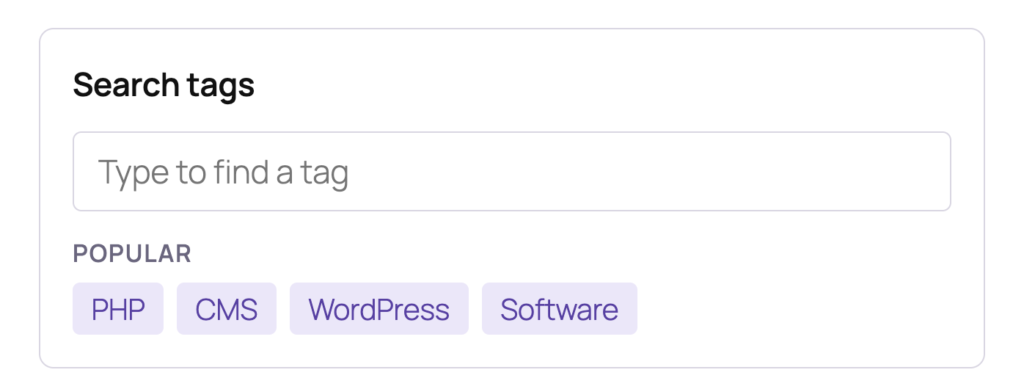
- Search Panel: Add a live search area above Tabbed Tag Cloud and Accordion displays so visitors can quickly filter matching tags. You’ll find this option in the “Search Panel” box in the block editor.
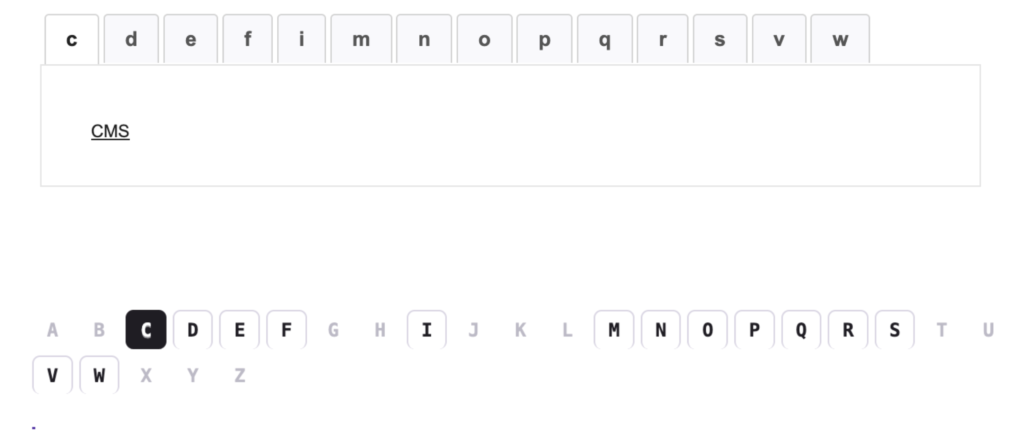
- Letter Strip: Use a compact A to Z bar for Alphabetical Tabs, with inactive letters greyed out and active letters clearly highlighted. You’ll find this option in the “Alphabet and Tabs” box in the block editor. This next image shows the default Alphabetical Tabs and then below you will the same display with the Letter Strip enabled.
Add Icons and Images to Tags
Editors can now make individual tags more recognizable by adding icons or images. These options are useful for directories, knowledge bases, recipes, product topics, and other sites where visual cues help people move faster.
- Tag icons: Add an icon to a tag and show it before the tag name in supported displays.
- Tag images: Add an image field to tags and use it with the new “Image Cards” display style.
Accessibility and maintenance improvements
PublishPress Tag Groups 3.0.2 also includes accessibility improvements aimed at making tag displays easier to use for more visitors. The release includes maintenance updates, including a security related update to an included library and behind the scenes improvements to release checks and quality control.
This post provides an overview of the new features in this release of the PublishPress Tag Groups plugin. The complete changelogs for both Free and Pro versions are available in our Docs area.

Display your Tags and Categories
PublishPress Tag Groups allows you to display your WordPress Tags and Categories with stylish layouts and designs.
