
Allow Users to Interact With Your WordPress Workflows
With the PublishPress Future plugin, you can update your content using custom workflows.
You can create workflows to automatically unpublish, delete, change metadata, change post details, send emails, and much more.
PublishPress Future 4.7 is here and it makes the plugin insanely more powerful. In this version, you can add interactive steps so your users can make choices during the workflow. And you can now connect to custom code and almost any plugin.
Let’s take a look at what these two new features can do for you and your WordPress sites.
Table of Contents
Add interactive steps to your workflows
In the Pro version of PublishPress Future, you’ll find a new option called “User interaction“. This requires user action before the workflow can proceed.
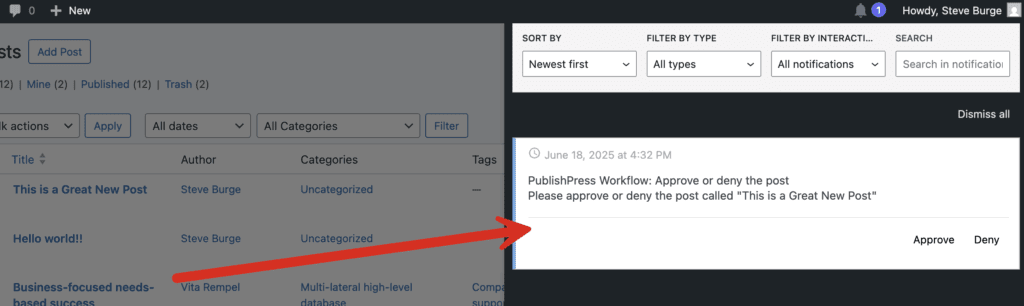
This screenshot shows an example of the “User interaction” action. The user can click either “Approve” or “Deny”.
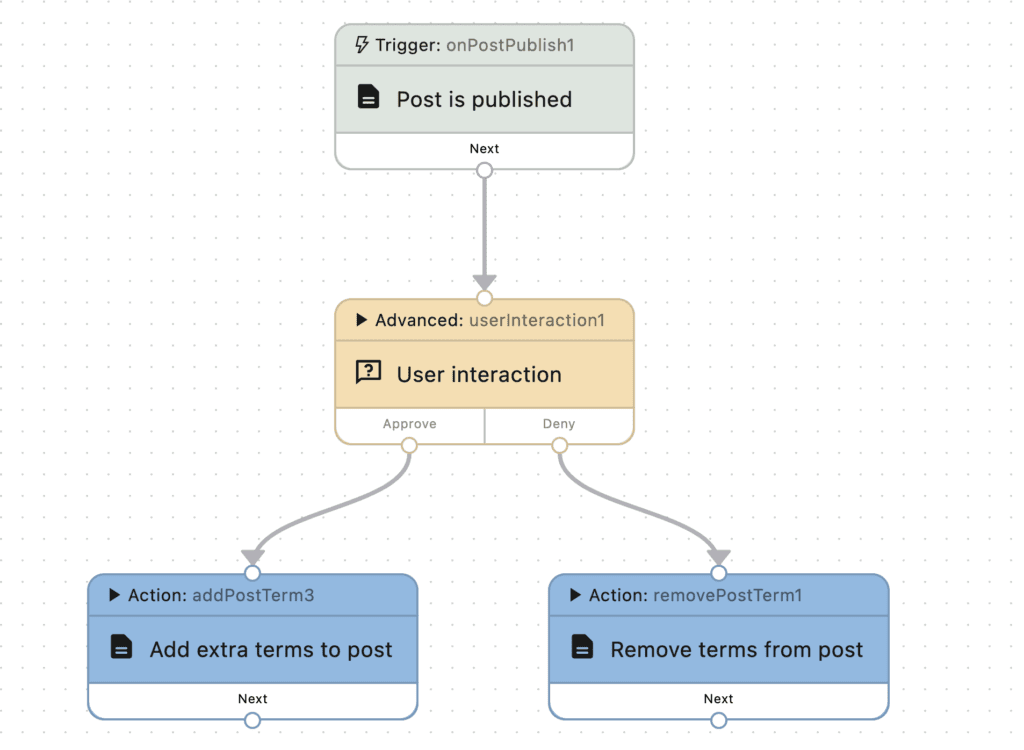
This next screenshot shows how this workflow could be configured, using a “User interaction” action. If the user clicks “Approve”, extra terms will be added to the post. If the user clicks “Deny”, terms will be removed from the post.
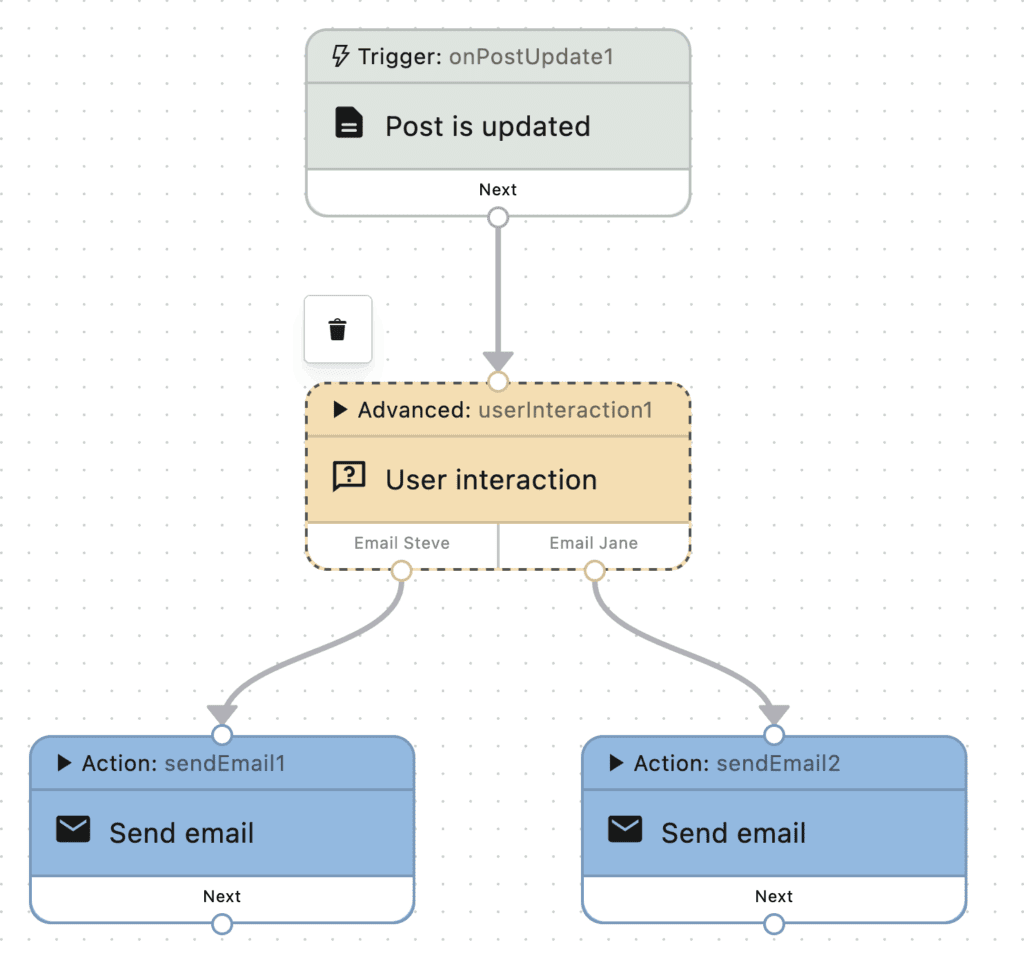
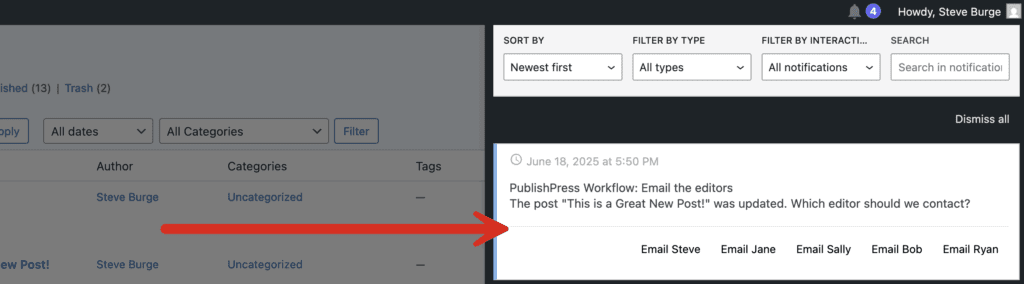
This next screenshot shows another example of “User interaction”. Instead of “Approve” or “Deny”, you can customize the interactive text. I’ve chosen “Email Steve” and “Email Jane” as the two options. The user can choose who receives an email from this workflow.
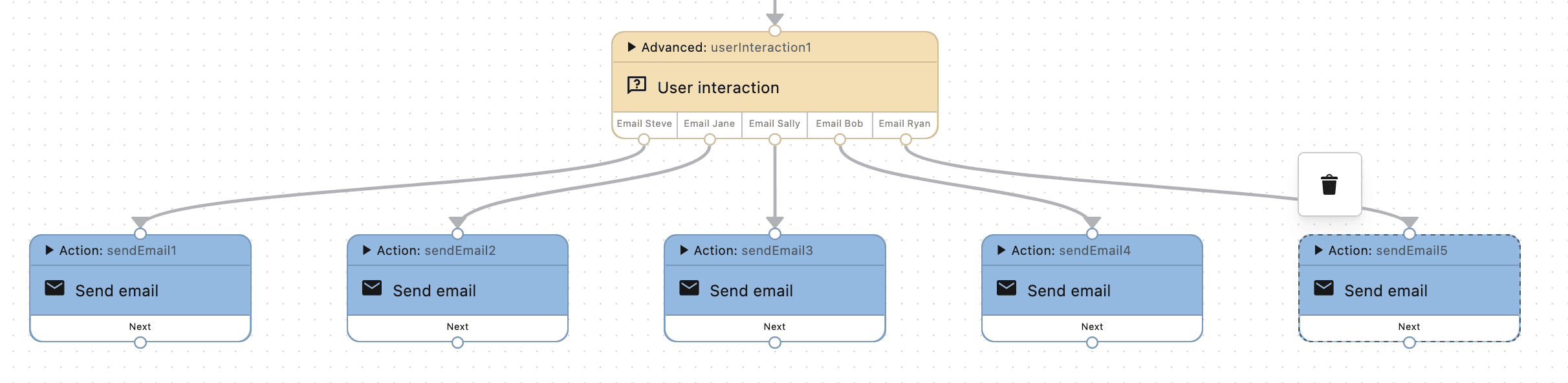
We’ve shown examples with two choices, but this feature will expand up to five choices. In this next screenshot, we’ve added five paths to the workflow.
Here’s how that notification would appear with all five options:
Here’s a video guide to this User Interaction feature:
Integrate your workflow with other plugins
It’s now possible to integrate PublishPress Future with almost any custom code or third party plugin. When a workflow is running, you can tell PublishPress Future to execute a hook that connects to your custom code or plugin.
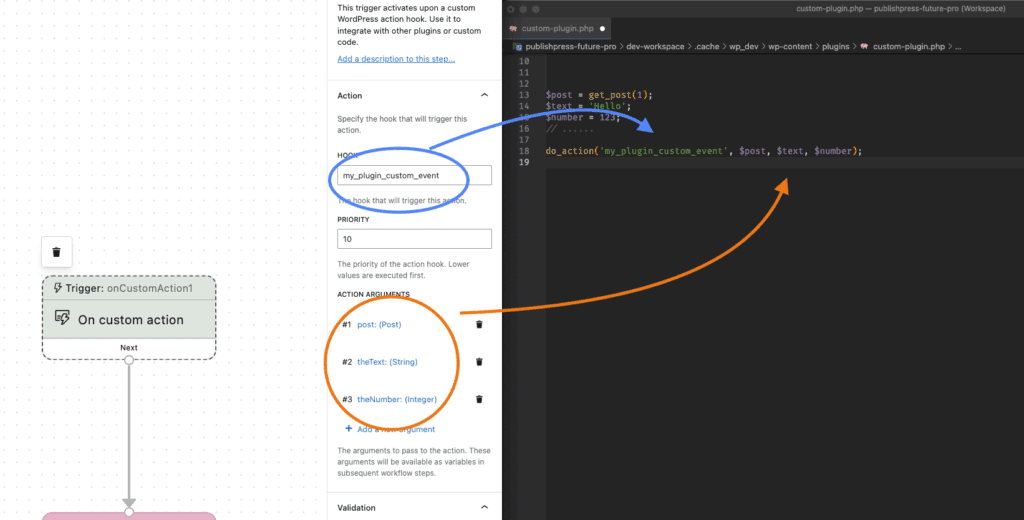
The Pro version of PublishPress Future provides a trigger called “On custom action“. You can use this to start a workflow and a step called “Do action“, which allows you to activate a hook during a workflow.
Let’s see an example of the “On custom action” trigger. In this example, when the my_plugin_custom_event trigger runs, the workflow will start.
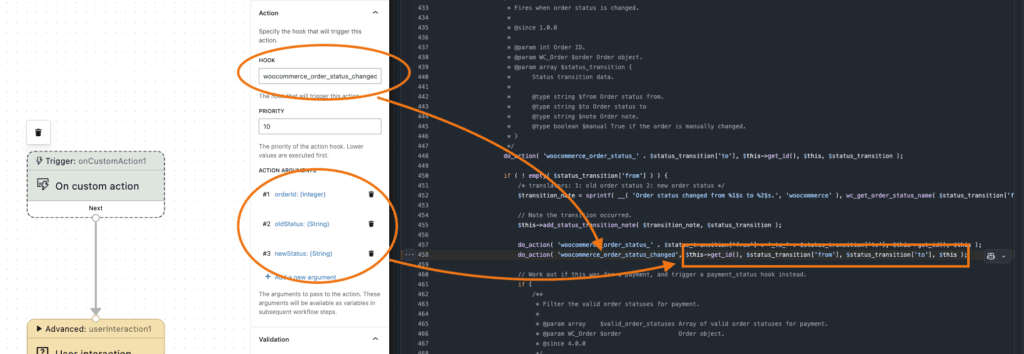
In this second example below, we’re integrating PublishPress Future Pro with WooCommerce. The hook is woocommerce_order_status_changed. When an order status is changed in WooCommerce, the workflow will start to run. This opens up many possibilities for WooCommerce users. There is an extensive list of hooks available in WooCommerce, and you can now use any of those to create a custom process for your WordPress site.
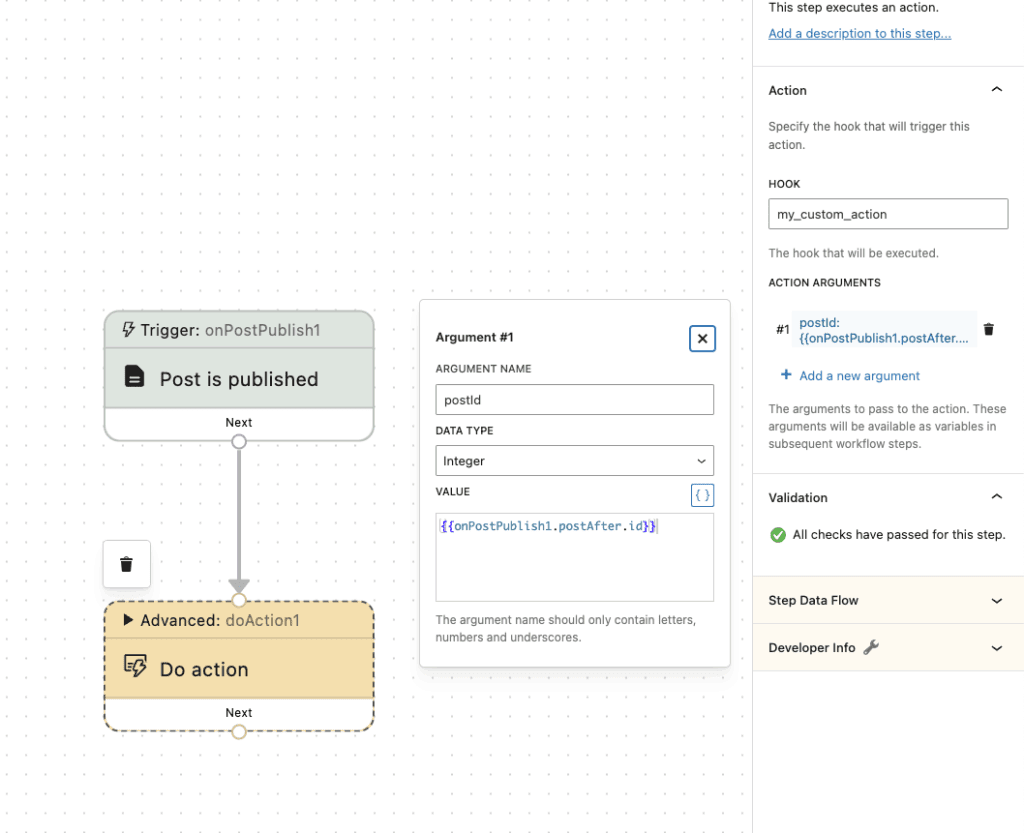
Not only is it possible to start a workflow when something happens in another plugin, it’s also possible to make something happen in that other plugin.
This screenshot below shows an example of the “Do action” step. In this example, when a post is published, the workflow will trigger the custom code. Click here to see more details on the Do action step.
Here’s a video guide to this new feature:
Putting it together into powerful workflows
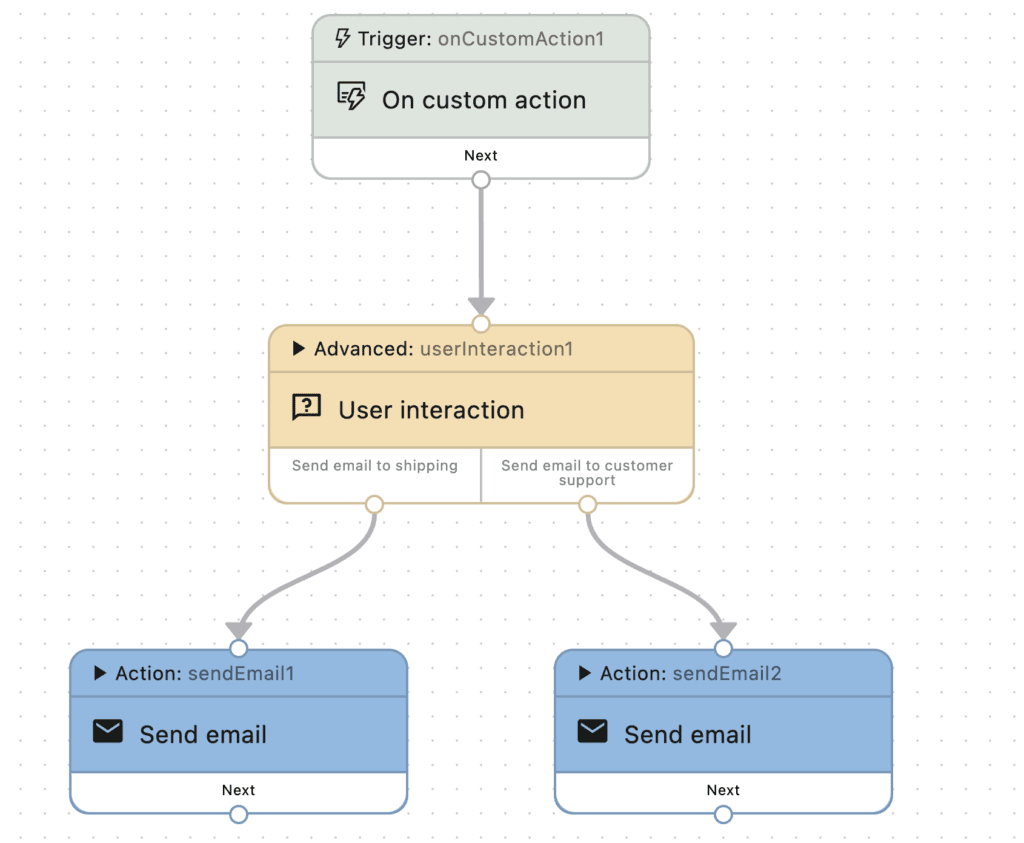
If you wanted to, you can combine the two new improvements we’ve introduced in this blog post. Take a look at the workflow in the screenshot below:
- On custom action: This triggers on
woocommerce_order_status_changed, when an order status is changed in WooCommerce. - User interaction: The site administrator gets a notification. They can check the order and either send an email to shipping or to customer support, depending on what needs to be done next.

Schedule changes to your WordPress content
The PublishPress Future plugin allows you to schedule automatic changes to posts. You can update your content using custom workflows involving multiple steps.
