
How to Publish Consistently Excellent Content in WordPress
Are you frustrated by inconsistent content on your WordPress site?
Do you find that some posts are missing the featured image?
Perhaps you keep discovering posts with broken links?
Or do you regularly see posts that lack any Tags or Categories?
PublishPress Checklists is the solution. This plugin can ensure that your content is consistently excellent.
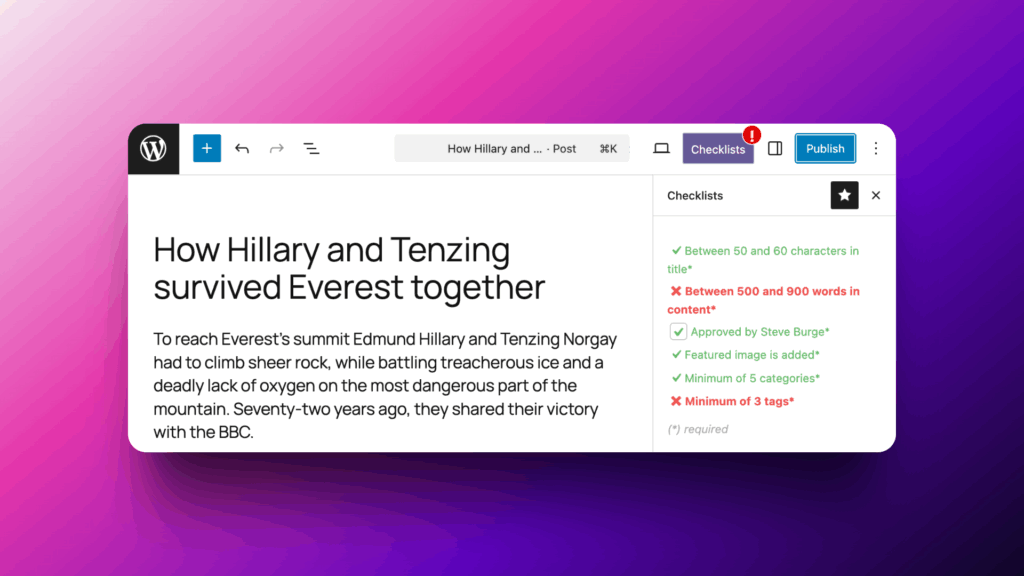
Using PublishPress Checklists, you can define tasks that must be completed before content is published. Here’s a few possible options for your posts:
- Ensure the main post content has a minimum or maximum number of words.
- Require the post title to be the correct length.
- Check to make sure there’s a featured image.
- Test for any broken links.
There’s now a new version of PublishPress Checklists available that features many more new requirements. This makes PublishPress Checklists more useful than ever. Here’s an overview of all the new checklist items that are available in this latest version.
Table of Contents
Approved by user
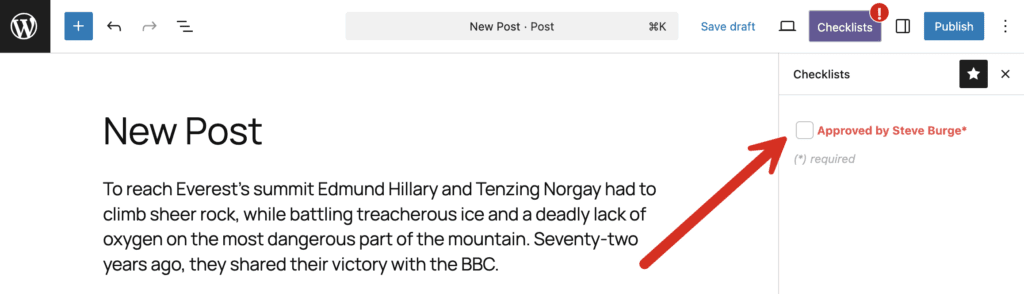
With this new requirement, you can stop content from being published until it is approved by a specific user. This screenshot below shows how it works. This single user has the power to check the approval box and allow this post to be published. Find out more about this approval.
Publish date and time
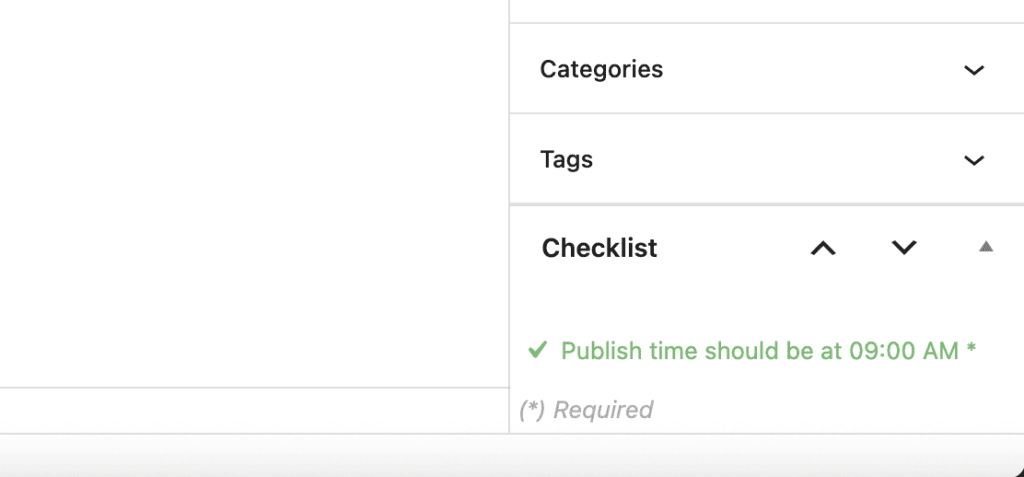
These tasks are both new in this version. You can specify that your WordPress posts are created with a Publish date that is in the future. And you can also choose a specific time to publish each post.

So, for example, if you have a daily update that is published at 9am every day, you can add that as a requirement. It will not be possible to publish a post unless it goes out at exactly 9am.
Accessibility tasks
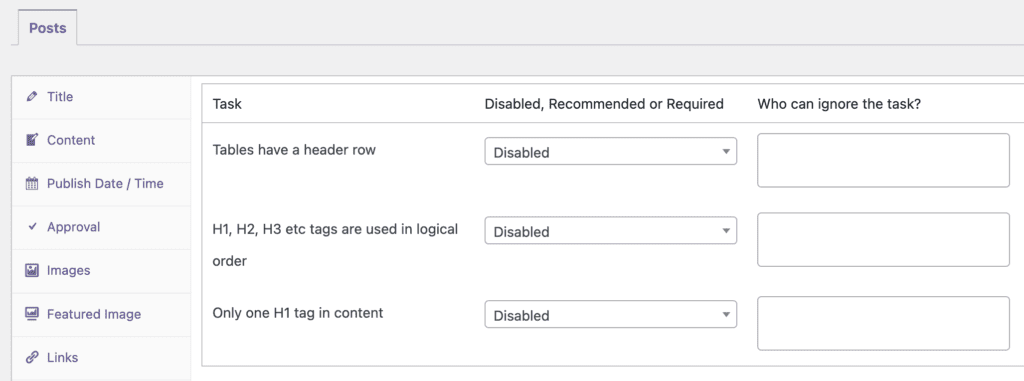
There’s now an “Accessibility” area inside the Pro version of PublishPress Checklists. This area launches with three tasks to improve the accessibility of your posts:
- Make sure that all tables have header rows.
- Checks that posts have their headings in the correct order. So H1, then H2, then H3 will be allowed. But you won’t be able to jump levels, so using H1 then H4 will be marked as incorrect.
- Specify that there is only a single H1 tag in your content.
Featured Images
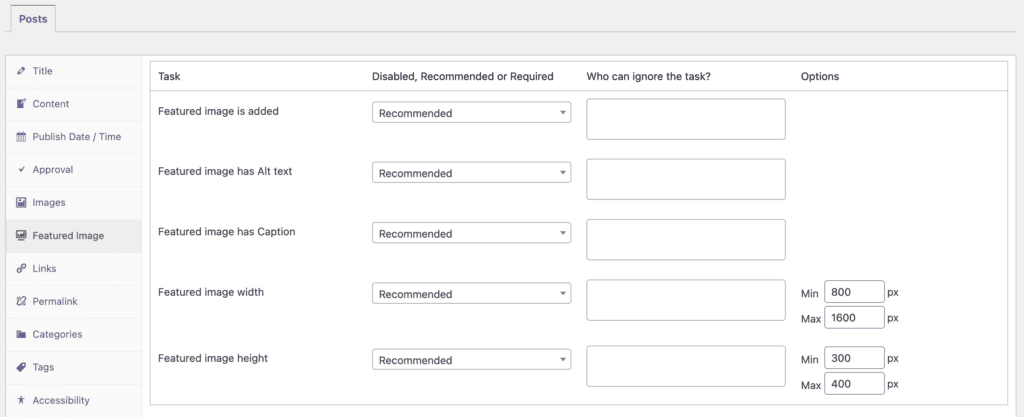
If you use Featured Images for your posts, there are now five available requirements. You can use “Featured image is added” to make sure this feature is being used. Then you can use the other requirements to make sure the featured image has Alt text, a caption, or a certain height and width.
Different tasks for different statuses
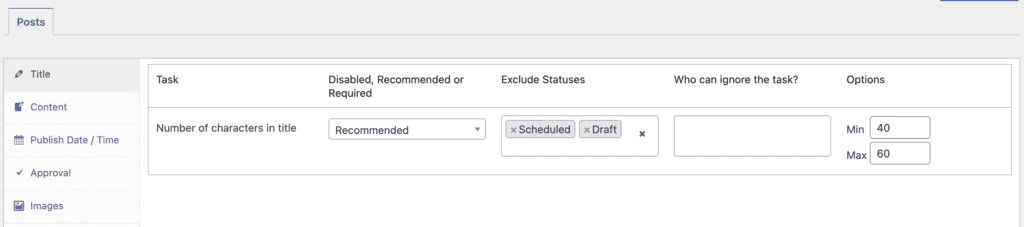
It’s now possible to skip some statuses for requirements. This means that you can have one set of requirements for posts in “Draft” status and another set of requirements for “Published” posts.
In the screenshot below, both the “Scheduled” and “Draft” statuses are selected for the “Exclude Statuses” option. This means that the “Number of characters in title” task will not be active for any posts in those two statuses.
Over to you for suggestions
Would you like to see any more requirements for your posts? We’ll be happy to build more tasks like the ones shown above. The next tasks on our roadmap include these:
- Set a maximum or minimum number of images or videos in each post.
- Prevent some characters from being used in the title. For example, maybe you don’t want exclamation marks in your post titles.
- Support for more features in Yoast SEO, Rank Math SEO, and All in One SEO, plus support for more plugins.
Let us know in the comments below. Or if you’re a PublishPress member, you can also send in a support ticket.

Make sure all your posts meet your standards
When you use PublishPress Checklists, you can define tasks that authors must complete before content is published. You can ensure that all your WordPress posts meet your high standards.
